
Excel ('13) - "Document not saved" error + performance issues
Hi,
Issue is with an Excel document that runs a macro to report information from another data sheet:
Raw data - 3MB
Macro - 8MB
Result file - 120MB
When the macro is complete;
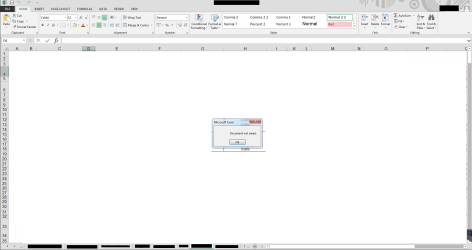
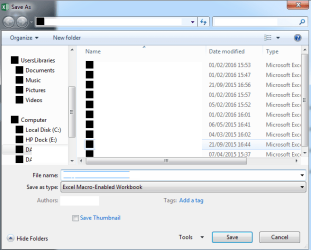
1. The document shows an error when trying to save (see screenshot with error) -- Black icons show within the save window (see screenshot).
2. Copying small amounts of information takes around a minute or longer.
3. Switching tabs sometimes does not change the information on the screen (current tab stays the same but the bottom button doesn't).
Tried the following:
Office 2013 St - downgraded to 2010 to test. No change.
Tested Excel doc on another laptop (identical spec) and saw no issues.
Any ideas?
Thanks in advance.
EventViewer
Hi,
Issue is with an Excel document that runs a macro to report information from another data sheet:
Raw data - 3MB
Macro - 8MB
Result file - 120MB
When the macro is complete;
1. The document shows an error when trying to save (see screenshot with error) -- Black icons show within the save window (see screenshot).
2. Copying small amounts of information takes around a minute or longer.
3. Switching tabs sometimes does not change the information on the screen (current tab stays the same but the bottom button doesn't).
Tried the following:
Office 2013 St - downgraded to 2010 to test. No change.
Tested Excel doc on another laptop (identical spec) and saw no issues.
Any ideas?
Thanks in advance.
EventViewer
Code:
- System
- Provider
[ Name] Microsoft Office 15 Alerts
- EventID 300
[ Qualifiers] 0
Level 4
Task 0
Keywords 0x80000000000000
- TimeCreated
[ SystemTime] 2016-03-08T09:54:44.000000000Z
EventRecordID 3858
Channel OAlerts
Computer BM-LAP-12174.lawlabs.local
Security

- EventData
Microsoft Excel
Document not saved.
100490
15.0.4797.1000
xslr
0x80070008
Attachments
My Computer
- OS
- Windows 7 Ultimate x64


