
Explorer.EXE not working, no application launching after theme install

asuperpower

New member
Local time
4:18 AM
Messages
6
Location
Melbourne, Australia
A little background, I've been a overclock.net member for a while but I turned to this site as when I was googling for help, this site came up. As this site seems excellent for troubleshooting, I've turned to this site.

Shortly after installing a theme (I can not remember as I can't get into the file system) which is as far as I can see a perfectly legitimate theme (recommended by a user from overclock.net) explorer.exe hasn't worked. I installed it, it asked me to restart explorer.exe by pressing the button. I got the error that it could not start. It recommended that I restart the computer before all changes take place. I assumed that I had to restart the computer for Explorer.EXE to work. It did not. At startup, the following happened and now does every time I start it up: (A note, sorry for the low quality photo's, I'm letting someone using my DSLR as they're on holidays.)
Everything goes seemingly normal in the BIOS. FYI, the debug code on the motherboard is AA so all is fine according to the debug code.
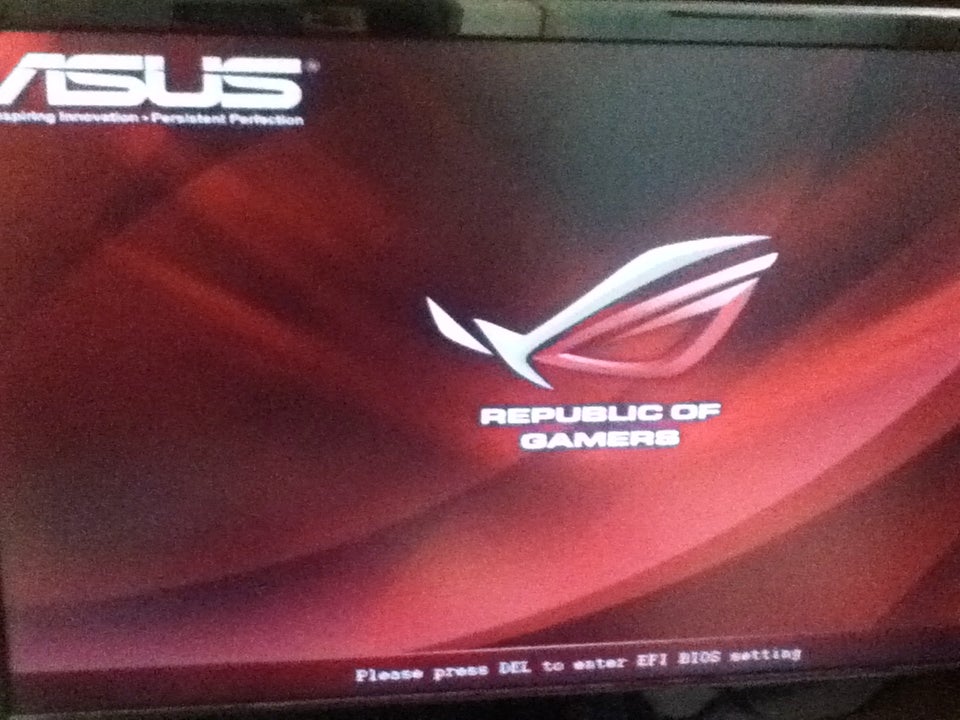
900x600px-LL-71ee85ae_IMG_1157.jpeg

Just before Windows logs me in (just after the Windows logo at boot) there is a blacks screen displayed for a significant amount of time. As I have an SSD, it shouldn't be there and it shouldn't take that long.
LL

Before I get to the desktop, the following errors come up:
LL

LL

This is what the desktop looks at login. Firstly, there is not start menu - which means no explorer.exe. Secondly, why has this application started up? Nothing else seems to be able to but this application however manages to. Is it because it uses it's own UI? Nothing else seems to startup. Hmm.
LL

I press ctrl+alt+delete and the following comes up as usual:
LL

I click "start task manager" and the following error comes up:
LL


I then decided to start the computer up in safe mode.
LL

Same errors as before:
LL

LL

This is what the desktop looks like, no start menu there:
LL

I press ctrl+alt+delete and the normal ctrl+alt+delete screen comes up. Same taskmanager error as earlier.

I next boot into safe mode with command prompt. This time only this error comes up: (that is, unless I missed the explorer.exe error or I subconsciously clicked the ok button which is a possibility)
LL


This is what the desktop looks like but whatever application I tried to open came up with an error.
LL


Thank you. ;)
 

My Computer My Computer

OS
Windows 7 Home Premium 64-Bit OEM
CPU
Intel i7 2600k [3.5GHz, soon to be 5.0GHz]
Motherboard
Asus Maximus IV Extreme-Z
Memory
G.Skill RipjawsX 1600MHz 9-9-9-24 8GB (2x4GB)
Graphics Card(s)
Asus GTX 570 Direct CUII [800MHz core clock]
Sound Card
Lexicon Lambda
Monitor(s) Displays
20" Samsung, 15" Mitsubishi
Screen Resolution
1600x900 for the 20"
Hard Drives
Kingston 64GB V200+ [SATA 6Gb/s] (About to be replaced with a Crucial M4 60GB) (Kingston HyperX 120GB soon to be added)
PSU
Corsair AX850
Case
CoolerMaster HAF X
Cooling
Soon to be liquid, AeroCool Shark 14CM case fan hasbeenadded
Keyboard
Das Model S Ultimate Silent [Mechanical keyboard]
Mouse
Logitech LX8 (Soon to be replaced with a SteelSeries Sensei)
Internet Speed
18Mb/s
Hello asuperpower,

If you had system protection turned on, then you might see if you may be able to do a system restore at boot using a restore point dated before you installed the them to hopefully fix this for you.

Hope this helps,
Shawn
 

My Computer My Computer

Computer type
PC/Desktop
Computer Manufacturer/Model Number
Self built custom
OS
64-bit Windows 11 Pro for Workstations
CPU
Intel i7-8700K OC'd to 5 GHz
Motherboard
ASUS ROG Maximus XI Formula Z390
Memory
64 GB (4x16GB) G.SKILL TridentZ RGB DDR4 3600 MHz
Graphics Card(s)
ASUS ROG-STRIX-GTX1080TI-O11G-GAMING
Sound Card
Integrated
Monitor(s) Displays
2 x Samsung Odyssey G7 27"
Screen Resolution
2560x1440
Hard Drives
1TB Samsung 990 PRO M.2,
4TB Samsung 990 PRO PRO M.2,
TerraMaster F8 SSD Plus NAS
PSU
Seasonic Prime Titanium 850W
Case
Thermaltake Core P3
Cooling
Corsair Hydro H115i
Keyboard
Logitech wireless K800
Mouse
Logitech MX Master 4
Internet Speed
2 Gb/s Download and 100 Mb/s Upload
Antivirus
Malwarebyte Anti-Malware Premium
Browser
Google Chrome
Other Info
Logitech Z625 speaker system,
Logitech BRIO 4K Pro webcam,
HP Color LaserJet Pro MFP M477fdn,
APC SMART-UPS RT 1000 XL - SURT1000XLI,
Galaxy S23 Plus phone
System Restore

Hello asuperpower,

If you had system protection turned on, then you might see if you may be able to do a system restore at boot using a restore point dated before you installed the them to hopefully fix this for you.

Hope this helps,
Shawn

I've already done that by turning it on in safe mode but it didn't work. It came up with the same error as any program that I try to open.
 

My Computer My Computer

OS
Windows 7 Home Premium 64-Bit OEM
CPU
Intel i7 2600k [3.5GHz, soon to be 5.0GHz]
Motherboard
Asus Maximus IV Extreme-Z
Memory
G.Skill RipjawsX 1600MHz 9-9-9-24 8GB (2x4GB)
Graphics Card(s)
Asus GTX 570 Direct CUII [800MHz core clock]
Sound Card
Lexicon Lambda
Monitor(s) Displays
20" Samsung, 15" Mitsubishi
Screen Resolution
1600x900 for the 20"
Hard Drives
Kingston 64GB V200+ [SATA 6Gb/s] (About to be replaced with a Crucial M4 60GB) (Kingston HyperX 120GB soon to be added)
PSU
Corsair AX850
Case
CoolerMaster HAF X
Cooling
Soon to be liquid, AeroCool Shark 14CM case fan hasbeenadded
Keyboard
Das Model S Ultimate Silent [Mechanical keyboard]
Mouse
Logitech LX8 (Soon to be replaced with a SteelSeries Sensei)
Internet Speed
18Mb/s
You would have needed to had system restore/protection turned on and had created a restore point before you installed the theme to be able to use that restore point to undo the theme.

A command prompt in Safe Mode is not the same as a command prompt at boot. See OPTION TWO in the tutorial I posted above for more on this if you have a restore point dated before installing the theme. Hopefully so. :)
 

My Computer My Computer

Computer type
PC/Desktop
Computer Manufacturer/Model Number
Self built custom
OS
64-bit Windows 11 Pro for Workstations
CPU
Intel i7-8700K OC'd to 5 GHz
Motherboard
ASUS ROG Maximus XI Formula Z390
Memory
64 GB (4x16GB) G.SKILL TridentZ RGB DDR4 3600 MHz
Graphics Card(s)
ASUS ROG-STRIX-GTX1080TI-O11G-GAMING
Sound Card
Integrated
Monitor(s) Displays
2 x Samsung Odyssey G7 27"
Screen Resolution
2560x1440
Hard Drives
1TB Samsung 990 PRO M.2,
4TB Samsung 990 PRO PRO M.2,
TerraMaster F8 SSD Plus NAS
PSU
Seasonic Prime Titanium 850W
Case
Thermaltake Core P3
Cooling
Corsair Hydro H115i
Keyboard
Logitech wireless K800
Mouse
Logitech MX Master 4
Internet Speed
2 Gb/s Download and 100 Mb/s Upload
Antivirus
Malwarebyte Anti-Malware Premium
Browser
Google Chrome
Other Info
Logitech Z625 speaker system,
Logitech BRIO 4K Pro webcam,
HP Color LaserJet Pro MFP M477fdn,
APC SMART-UPS RT 1000 XL - SURT1000XLI,
Galaxy S23 Plus phone
I re-read post #3 and it seems I read it wrong. I was a little frustrated earlier, sorry. This is what I tried:

So, I select repair on the install disk and it comes up with an error message saying the following:
"The version of system recovery options is not compatible with the current version of Windows you are trying to repair. Try using a repair disk that is compatible with this version of Windows."

What should I do? I just moved from XP to this build (see system specs) so I didn't really get that familiar with the workings of the OS.

It doesn't matter too much. The only real reason for repairing it was so I could use it this week as I'm just about to order a new SSD anyway as my current one isn't jetting 1/8th of the advertised speeds. When the SSD arrives, I just simply plug it in, install Windows, transfer the files, reinstall the applications, create a disk image on my HDD, create a repair disk so this doesn't happen again and I'm set. I was going to reinstall Windows 7 and the drivers anyway. :)

Thank's again for your time. I'd rep you again but apparently I need to "spread it 'round." ;)

I thought 'why don't I rep this guy, his disc image guide is great...' it was you again. Well done. :)
 

My Computer My Computer

OS
Windows 7 Home Premium 64-Bit OEM
CPU
Intel i7 2600k [3.5GHz, soon to be 5.0GHz]
Motherboard
Asus Maximus IV Extreme-Z
Memory
G.Skill RipjawsX 1600MHz 9-9-9-24 8GB (2x4GB)
Graphics Card(s)
Asus GTX 570 Direct CUII [800MHz core clock]
Sound Card
Lexicon Lambda
Monitor(s) Displays
20" Samsung, 15" Mitsubishi
Screen Resolution
1600x900 for the 20"
Hard Drives
Kingston 64GB V200+ [SATA 6Gb/s] (About to be replaced with a Crucial M4 60GB) (Kingston HyperX 120GB soon to be added)
PSU
Corsair AX850
Case
CoolerMaster HAF X
Cooling
Soon to be liquid, AeroCool Shark 14CM case fan hasbeenadded
Keyboard
Das Model S Ultimate Silent [Mechanical keyboard]
Mouse
Logitech LX8 (Soon to be replaced with a SteelSeries Sensei)
Internet Speed
18Mb/s
It means that you will need to use a system repair disc that is the same "Home Premium" edition and/or "64-bit" version that you have installed.
 

My Computer My Computer

Computer type
PC/Desktop
Computer Manufacturer/Model Number
Self built custom
OS
64-bit Windows 11 Pro for Workstations
CPU
Intel i7-8700K OC'd to 5 GHz
Motherboard
ASUS ROG Maximus XI Formula Z390
Memory
64 GB (4x16GB) G.SKILL TridentZ RGB DDR4 3600 MHz
Graphics Card(s)
ASUS ROG-STRIX-GTX1080TI-O11G-GAMING
Sound Card
Integrated
Monitor(s) Displays
2 x Samsung Odyssey G7 27"
Screen Resolution
2560x1440
Hard Drives
1TB Samsung 990 PRO M.2,
4TB Samsung 990 PRO PRO M.2,
TerraMaster F8 SSD Plus NAS
PSU
Seasonic Prime Titanium 850W
Case
Thermaltake Core P3
Cooling
Corsair Hydro H115i
Keyboard
Logitech wireless K800
Mouse
Logitech MX Master 4
Internet Speed
2 Gb/s Download and 100 Mb/s Upload
Antivirus
Malwarebyte Anti-Malware Premium
Browser
Google Chrome
Other Info
Logitech Z625 speaker system,
Logitech BRIO 4K Pro webcam,
HP Color LaserJet Pro MFP M477fdn,
APC SMART-UPS RT 1000 XL - SURT1000XLI,
Galaxy S23 Plus phone
It means that you will need to use a system repair disc that is the same "Home Premium" edition and/or "64-bit" version that you have installed.

In a few hours I will have access to a computer almost identical to my current one. ;)
 

My Computer My Computer

OS
Windows 7 Home Premium 64-Bit OEM
CPU
Intel i7 2600k [3.5GHz, soon to be 5.0GHz]
Motherboard
Asus Maximus IV Extreme-Z
Memory
G.Skill RipjawsX 1600MHz 9-9-9-24 8GB (2x4GB)
Graphics Card(s)
Asus GTX 570 Direct CUII [800MHz core clock]
Sound Card
Lexicon Lambda
Monitor(s) Displays
20" Samsung, 15" Mitsubishi
Screen Resolution
1600x900 for the 20"
Hard Drives
Kingston 64GB V200+ [SATA 6Gb/s] (About to be replaced with a Crucial M4 60GB) (Kingston HyperX 120GB soon to be added)
PSU
Corsair AX850
Case
CoolerMaster HAF X
Cooling
Soon to be liquid, AeroCool Shark 14CM case fan hasbeenadded
Keyboard
Das Model S Ultimate Silent [Mechanical keyboard]
Mouse
Logitech LX8 (Soon to be replaced with a SteelSeries Sensei)
Internet Speed
18Mb/s

My Computer My Computer

OS
Windows 7 Home Premium 64-Bit OEM
CPU
Intel i7 2600k [3.5GHz, soon to be 5.0GHz]
Motherboard
Asus Maximus IV Extreme-Z
Memory
G.Skill RipjawsX 1600MHz 9-9-9-24 8GB (2x4GB)
Graphics Card(s)
Asus GTX 570 Direct CUII [800MHz core clock]
Sound Card
Lexicon Lambda
Monitor(s) Displays
20" Samsung, 15" Mitsubishi
Screen Resolution
1600x900 for the 20"
Hard Drives
Kingston 64GB V200+ [SATA 6Gb/s] (About to be replaced with a Crucial M4 60GB) (Kingston HyperX 120GB soon to be added)
PSU
Corsair AX850
Case
CoolerMaster HAF X
Cooling
Soon to be liquid, AeroCool Shark 14CM case fan hasbeenadded
Keyboard
Das Model S Ultimate Silent [Mechanical keyboard]
Mouse
Logitech LX8 (Soon to be replaced with a SteelSeries Sensei)
Internet Speed
18Mb/s
Try to open msconfig. Press the Windows logo key and R type msconfig in the Run box, go to the start up tab and uncheck the AtBroker program and apply, OK to reboot.
Sounds like the theme has a bug or two in it.
 

My Computer My Computer

Computer type
PC/Desktop
Computer Manufacturer/Model Number
Home Built Desktop By DataTech
OS
Windows 7 Ultimate X64 SP1
CPU
Intel i5-2550K, Differing ~4.4-4.8GHz No built in GPU
Motherboard
ASUS P8Z68-V PRO/GEN3
Memory
16GB G.Skill Sniper 1866MHz @ 2133MHz 2x8GB
Graphics Card(s)
ASUS GTX650TIB-DC2OC-2GD5, (650TI Boost)
Sound Card
Onboard Realtek 5-1
Monitor(s) Displays
Samsung P2570HD
Screen Resolution
1920x1080
Hard Drives
Samsung 840 Pro 256GB SSD for OS, 500GB Seagate Constellation (Enterprise drive) for Data
PSU
Corsair HX650W
Case
Inwin Dragon Rider
Cooling
Hyper 212 EVO w/two Noctua fans, push-pull, @1300 RPM
Keyboard
E-Z Eyes, bright yellow keys with large characters
Mouse
steelseries SENSEI Laser Pro Gaming
Internet Speed
48-51Mbs Mbs down, 11 Mbs up Xfinity Cable
Antivirus
Norton Internet Security 2013
Browser
IE 10, Opera, Pale Moon if needed
Other Info
4 case fans, LG BluRay-RE, ASUS DVD-RW, Mr. Fusion power supply, 1.21 gigawatts.
Try to open msconfig. Press the Windows logo key and R type msconfig in the Run box, go to the start up tab and uncheck the AtBroker program and apply, OK to reboot.
Sounds like the theme has a bug or two in it.

It won't work, explorer.exe isn't open and there is no taskbar as a result.
 

My Computer My Computer

OS
Windows 7 Home Premium 64-Bit OEM
CPU
Intel i7 2600k [3.5GHz, soon to be 5.0GHz]
Motherboard
Asus Maximus IV Extreme-Z
Memory
G.Skill RipjawsX 1600MHz 9-9-9-24 8GB (2x4GB)
Graphics Card(s)
Asus GTX 570 Direct CUII [800MHz core clock]
Sound Card
Lexicon Lambda
Monitor(s) Displays
20" Samsung, 15" Mitsubishi
Screen Resolution
1600x900 for the 20"
Hard Drives
Kingston 64GB V200+ [SATA 6Gb/s] (About to be replaced with a Crucial M4 60GB) (Kingston HyperX 120GB soon to be added)
PSU
Corsair AX850
Case
CoolerMaster HAF X
Cooling
Soon to be liquid, AeroCool Shark 14CM case fan hasbeenadded
Keyboard
Das Model S Ultimate Silent [Mechanical keyboard]
Mouse
Logitech LX8 (Soon to be replaced with a SteelSeries Sensei)
Internet Speed
18Mb/s
Back
Top