
kustoM
New member
Good day
I'm in need of your assistance again please.
I own a Seagate external HDD with serial no NA7P6N8L. It's a 4TB "Back up plus" drive. I'm indirectly responsible for causing this situation.
I have used a program to empty the recycle bin on the drive and ended up not able to use the drive. I think that maybe the firmware has been deleted or system files damaged?
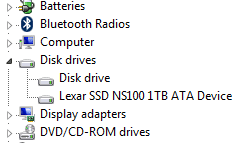
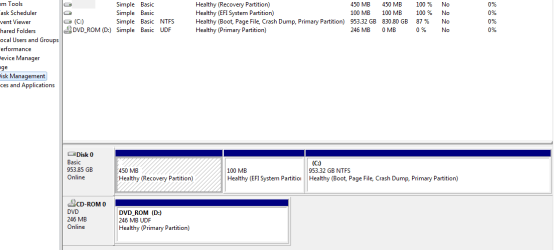
Anyway, i'm not able to see the drive in Win Disk Management. It's only showing up in the Device Manager as "Disk". If I leave the drive connected to my Laptop it will not shutdown or boot up. I have tried several programs to try and manage the drive, but they were not able to discover the drive. I have even tried the SeaTools from Seagate, but no success.
I have checked on the Seagate support site for the "firmware", but apparently they don't have one available.
Any assistance will be appreciated.
Best regards
I'm in need of your assistance again please.
I own a Seagate external HDD with serial no NA7P6N8L. It's a 4TB "Back up plus" drive. I'm indirectly responsible for causing this situation.
I have used a program to empty the recycle bin on the drive and ended up not able to use the drive. I think that maybe the firmware has been deleted or system files damaged?
Anyway, i'm not able to see the drive in Win Disk Management. It's only showing up in the Device Manager as "Disk". If I leave the drive connected to my Laptop it will not shutdown or boot up. I have tried several programs to try and manage the drive, but they were not able to discover the drive. I have even tried the SeaTools from Seagate, but no success.
I have checked on the Seagate support site for the "firmware", but apparently they don't have one available.
Any assistance will be appreciated.
Best regards
Attachments
My Computer
At a glance
Windows 7 Ultimate x64
- Computer type
- Laptop
- Computer Manufacturer/Model Number
- LENOVO V570c
- OS
- Windows 7 Ultimate x64
- Antivirus
- AVG
- Browser
- Firefox


