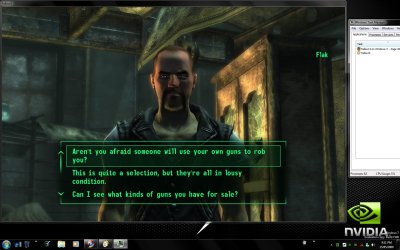
Fallout 3 on Windows 7.

I can play but the radio studders way to much, not like its supposed to. I know the radio is supposed to sound old but its like lag, about 3-4 words then it stops for about 2-3 seconds and goes again. Give me a major headache..:mad:
 

My Computer My Computer

OS
Windows 7 x64
CPU
Intel E6750 O.Ced to 3.22GHz
Motherboard
ASUS P5N-E
Memory
CORSAIR XMS2 2GB (2 x 1GB)
Graphics Card(s)
EVGA GTS 250 1GB
Sound Card
Onboard
Monitor(s) Displays
2(17inch)
Hard Drives
WD WD3200YS
PSU
Corsair 750w
Case
Antec 900
Cooling
Stock HSF.... Antec has (4) 120mm Fans and (1) 200mm fan
Keyboard
G15
Mouse
Deathadder
I have installed Fallout 3 on Windows 7. However, I have a GeForce 6200 and I can't play anything higher than low settings. I get bad framerates on low. However, it's playable.

I can't wait to get a gaming rig.
 

My Computer My Computer

Computer Manufacturer/Model Number
Dell XPS 400 / HP ProBook 4510s
OS
Windows 7 Build 7277
CPU
Intel Pentium D @ 2.8/Intel Centrino @ 2.10GHz
Motherboard
Dell DXP051
Memory
2GB DDR2
Graphics Card(s)
GeForce 7300 LE / Intel Integrated Graphics 4 Series
Sound Card
Realtek AC'97
Monitor(s) Displays
17" CRT (for now) / 15.6" LCD / 65" DLP Mitsubishi
Screen Resolution
1280 x 768 / 1920 x 1080i
Hard Drives
250GB WD IDE
160GB WD SATA
320GB Samsung SATA
500GB WD Caviar Green SATA
250GB WD SATA in HP ProBook
Case
Dell XPS 400
Cooling
2 fans (1 case, 1 CPU)
Keyboard
Dell Slim Standard Keyboard / Full Keypad w/ number pad
Mouse
Dell 3-Button Mouse / Logitech Wireless Mouse
Internet Speed
29mbps Down; 3.0mbps Up
Fallout 3 - Aero Not working, experienced bug in build 7077x64 still in RC1 x 64
GFX: Geforce 9700 GT


Found the Error

Fallout 3 disables Desktop windows Manager
 
Last edited:

My Computer My Computer

Computer Manufacturer/Model Number
Asus G50V
OS
Windows 7 RC 1 Build 7100 x64
CPU
Intel Core 2 duo p8400
Memory
4 GB
Graphics Card(s)
Nvidia Geforce 9700 GTS
Sound Card
Realtek HD Audio
Monitor(s) Displays
Built in LCD
Screen Resolution
1600x1050
Hard Drives
160gb HD
agree - the game runs under 7100 x64 with 9.4 Cats but it will disable the desktop type manager, this did not happen in 7068 x86, it ran perfect in that build.

Then again, for me, the CCC is not working with the 9.4 Cats.

BTW - performance wise for me it was better when I ran 7068 x86, it does seem to stutter since installing x64 7100
 

My Computer My Computer

Computer Manufacturer/Model Number
Home built
OS
Vista 32 SP1 and W7 7201 x64
CPU
Intel 8500 @ 8x500=4Ghz
Motherboard
Gigabyte P35c DS3r rev 2.0
Memory
4GB 2x2GB OCZ PC8000 DDR2
Graphics Card(s)
ATI Sapphire 4870 512mb
Sound Card
on board Realtek 889a
Monitor(s) Displays
Dell 2409
Screen Resolution
1920x1080
Hard Drives
1TB Seagate SATA II
500GB Samsung Spinpoint SATA II
PSU
OCZ 800w
7077 disables the desktop windows experience. However, when you exit the game, it reverts back. This is common isn't it?
 

My Computer My Computer

Computer Manufacturer/Model Number
Custom
OS
Windows 7
CPU
Pentium D 2.66
Motherboard
Asus P5ND2-SLi
Memory
4 gigs DDR2
Graphics Card(s)
BFG nVidia 8600 GT OC
Sound Card
nForce 4 (realtek)
Monitor(s) Displays
Samsung 204B
Screen Resolution
1600x1200
Hard Drives
Western Digital Raptor 150
Western Digital 320 (both SATA)
PSU
BFG 600 watt
Cooling
fan
Keyboard
MS Natural
Mouse
MS Sidewinder
Internet Speed
10 mb
7077 disables the desktop windows experience. However, when you exit the game, it reverts back. This is common isn't it?

Only happend Since Windows 7 build 7077. You can fix it however by running the Aero Trouble Shooter, and it corrects it.
 

My Computer My Computer

Computer Manufacturer/Model Number
Asus G50V
OS
Windows 7 RC 1 Build 7100 x64
CPU
Intel Core 2 duo p8400
Memory
4 GB
Graphics Card(s)
Nvidia Geforce 9700 GTS
Sound Card
Realtek HD Audio
Monitor(s) Displays
Built in LCD
Screen Resolution
1600x1050
Hard Drives
160gb HD
For me running the trouble shooter (after ALT-tabbing the game) will start up the windows aero theme again, so that aero is running, but will not prevent it from happening the next time that the game is ran, unless I'm doing something wrong..?
 

My Computer My Computer

Computer Manufacturer/Model Number
Home built
OS
Vista 32 SP1 and W7 7201 x64
CPU
Intel 8500 @ 8x500=4Ghz
Motherboard
Gigabyte P35c DS3r rev 2.0
Memory
4GB 2x2GB OCZ PC8000 DDR2
Graphics Card(s)
ATI Sapphire 4870 512mb
Sound Card
on board Realtek 889a
Monitor(s) Displays
Dell 2409
Screen Resolution
1920x1080
Hard Drives
1TB Seagate SATA II
500GB Samsung Spinpoint SATA II
PSU
OCZ 800w
Okay, I don't understand. Isn't this normal behavior? Isn't this how it's supposed to work? Aero uses your 3D graphics card to power itself. If you launch a 3D graphics intensive program, like a game, Aero and the program would share the card's resources. If you're playing a game, you usually want everything you can squeeze out of the card.
 

My Computer My Computer

Computer Manufacturer/Model Number
Custom
OS
Windows 7
CPU
Pentium D 2.66
Motherboard
Asus P5ND2-SLi
Memory
4 gigs DDR2
Graphics Card(s)
BFG nVidia 8600 GT OC
Sound Card
nForce 4 (realtek)
Monitor(s) Displays
Samsung 204B
Screen Resolution
1600x1200
Hard Drives
Western Digital Raptor 150
Western Digital 320 (both SATA)
PSU
BFG 600 watt
Cooling
fan
Keyboard
MS Natural
Mouse
MS Sidewinder
Internet Speed
10 mb
Okay, I don't understand. Isn't this normal behavior? Isn't this how it's supposed to work? Aero uses your 3D graphics card to power itself. If you launch a 3D graphics intensive program, like a game, Aero and the program would share the card's resources. If you're playing a game, you usually want everything you can squeeze out of the card.


Yes, But any other game doesn't shut down WDM. Only Fallout 3 since Build 7077 has.

The game runs in Vista and pre > 7077 Build with Aero running perfectly. So it's a glitch. Plus the way my laptop is, I can play the game perfectly pretty much with aero on.
 

My Computer My Computer

Computer Manufacturer/Model Number
Asus G50V
OS
Windows 7 RC 1 Build 7100 x64
CPU
Intel Core 2 duo p8400
Memory
4 GB
Graphics Card(s)
Nvidia Geforce 9700 GTS
Sound Card
Realtek HD Audio
Monitor(s) Displays
Built in LCD
Screen Resolution
1600x1050
Hard Drives
160gb HD
FWIW the latest 1.5 patch for Fallout 3 no longer causes any issues for me with the aero desktop in 7100 W7 x94,.
 

My Computer My Computer

Computer Manufacturer/Model Number
Home built
OS
Vista 32 SP1 and W7 7201 x64
CPU
Intel 8500 @ 8x500=4Ghz
Motherboard
Gigabyte P35c DS3r rev 2.0
Memory
4GB 2x2GB OCZ PC8000 DDR2
Graphics Card(s)
ATI Sapphire 4870 512mb
Sound Card
on board Realtek 889a
Monitor(s) Displays
Dell 2409
Screen Resolution
1920x1080
Hard Drives
1TB Seagate SATA II
500GB Samsung Spinpoint SATA II
PSU
OCZ 800w
Hi guys,
i dont know if anyone already posted a good solution but i figured a solution for myself after i get the same bug under my windows 7 and fallout 3.

i got a 24" Asus and i recognized that i can't change my resolution to 1920X1080 so i changed it by myself in the "FalloutPrefs.ini" C:\Users\Björn\Documents\My Games\Fallout3. Now it works like a charm for me with my GTX285.

i hope that solution helpes some people here with the same problems.

sorry for my very poor english.

Big greetz from germany.
 

My Computer My Computer

OS
Windows 7
I hope this helps someone.

I ran into problem similar to whats mentioned in this thread, where I would launch the game and would just get stuck in a loop with the launcher. Well it turns it if you start adding, removing, changing the location of your documents, and your library settings, the launcher loses track of where "My Games/Fallout 3/" Directory is, and doesn't seem to recreate it, just gets stuck in a loop.

So double check all those settings, change or move your "My Games/Fallout 3" directory and you should be good to go.
Thank you very much! This bedeviled the hell out of me. Your post solved my hanging launcher problem. :D
 

My Computer My Computer

OS
W7 x64
I tried to run Fallout 3 from my XP partition (running Win 7 as dual boot) and it complained about some missing DLL. I then installed it from the disc to my Win7 partition and then installed the 1.5 patch, GFWL Disabler, and GNR fix mod, and it works fine - with a couple of caveats:

- There seems to be no way to launch the game via the Start Menu. I even tried using the search function in the Start Menu and nothing shows up for Fallout. Browsing to the folder the game was installed to and launching it from there works fine.

- It seems to perform a little worse than XP in places, usually when there is a lot going on on the other side of a wall or something. For the most part it's fine though.

- The Ambient Occlusion feature that is only available in the nVidia drivers under DX10+ is such a huge performance hit that it's not worth using.
 

My Computer My Computer

Computer Manufacturer/Model Number
Dell XPS M1730
OS
Windows 7 RC1 (7100) / Windows XP SP3 dual-boot
CPU
Intel Core 2 Duo (~2.5GHz)
Memory
4 GB
Graphics Card(s)
nVidia GeForce 8700M GT 256 MB
Sound Card
On-board Sigmatel chip
Screen Resolution
1920x1200x32
Keyboard
Logitech G15
Mouse
Razer DeathAdder
I've installed it and it and Live keeps wanting to install the 1.5 update. I've installed it manually (as admin) and Live still wants to install it, makes it a pain. Anyone else have this issue?
 

My Computer My Computer

Computer type
PC/Desktop
Computer Manufacturer/Model Number
Custom Build/Mod
OS
Windows 7 Home Premium x64
CPU
Intel QX9650 Extreme 4.0 GHz
Motherboard
ASUS Rampage Extreme Rev2
Memory
8GB (4x2) Corsair Dominator DDR3
Graphics Card(s)
2x Radeon R390X [8GB]
Sound Card
SupremeFX X-Fi
Monitor(s) Displays
Dell 2408WFP 26" Panel
Screen Resolution
1920x1200
Hard Drives
4x WD 2TB (8TB+ Total)
2x Crucial SSD 128GB (RAID-0)
1x LG Blu-ray read/write
1x Phillips LightScribe DVD read/write
PSU
Corsair HX1000
Case
CoolerMaster - Cosmos S
Cooling
Custom Liquid - 320mm rad w/ 3x 80mm fans, CPU/NB/SB Blocks
Keyboard
Logitech Illuminater Pro
Mouse
Logitech
Internet Speed
Fractional T1 - 125Mbps
Antivirus
ESET Security Suite / Microsoft Security Essentials
Browser
Cyberfox Intel x64
Other Info
OC'd to 5.0GHz @ 44c under full load
I do. I actually tried to update it but it keeps on asking me each and every time I launch the game.

As a side note, it is unbelievable how cumbersome and difficult it is just to buy the damned Fallout 3 DLC from M$'s site.
I gave up after failing to change my account's country from US to Greece. /end off topic
 

My Computer My Computer

OS
Windows 7
CPU
[email protected]
Motherboard
Abit IC35Pro
Memory
2x2 gb 1000mhz
Graphics Card(s)
Nvidia 8800gt
Sound Card
Audigy2
Monitor(s) Displays
Samsung 40a656
Screen Resolution
1920x1080
Hard Drives
1x1000gb WD black
1x500 gb WD
1x250 gb WD
PSU
700
Case
Antec 9000
Keyboard
Logitech wireless
Mouse
Logitech wireless
Internet Speed
20/1 mb
Other Info
Greece
I'm waiting on the DLC until they at least release all 3 in a physical media format. Even then I may not buy it due to the bugs in the game engine that Bethesda doesn't seem inclined to fix properly.
 

My Computer My Computer

Computer Manufacturer/Model Number
Dell XPS M1730
OS
Windows 7 RC1 (7100) / Windows XP SP3 dual-boot
CPU
Intel Core 2 Duo (~2.5GHz)
Memory
4 GB
Graphics Card(s)
nVidia GeForce 8700M GT 256 MB
Sound Card
On-board Sigmatel chip
Screen Resolution
1920x1200x32
Keyboard
Logitech G15
Mouse
Razer DeathAdder
same story with Oblivion. though I had more issues on XP than I do on 7. Go figure...
 

My Computer My Computer

Computer Manufacturer/Model Number
eMachines W3502
OS
Windows 7 Ultimate x32
CPU
Intel Celeron D 3.2 Ghz 533 fsb (LGA 775)
Motherboard
Intel D101GGC
Memory
1 GB (2x512MB) PC-3200 DDR @ 200Mhz
Graphics Card(s)
Nvidia GeForce 9400GT- 1GB
Sound Card
Sound Blaster X-Fi Xtreame Gamer
Monitor(s) Displays
19" LCD HDtv
Screen Resolution
1360x768 @ 60Htz
Hard Drives
SeaGate Barracuda 750GB
SeaGate Barracuda 100GB
Toshiba CD/DVDW/ TS-H552D [DVD+R, DL]
PSU
stock (idk)
Case
The busted remains of the stock case
Cooling
Dust cooled, waitwut?
Keyboard
Stock. Missing a few keys.
Mouse
Logitech LX8 5-btn mouse (wireless)
Internet Speed
TWC 10Mb
Other Info
Keeps going, and going, and going.......
I found a fix for the problems I was having. I had tried everything to get 1.5 to install, downloaded it manually, ran the patch as admin, downloaded the LIVE client manually, etc. Nothing worked. Here's how to get the 1.5 patch to stick;

Open FO3 main folder. Select all. Right-click, select properties. Uncheck 'Read Only' and allow it to do all the files, sub-folders as well.

This was such an obvious and simple fix that I hadn't thought of it before. Enjoy. ;)
 
Last edited:

My Computer My Computer

Computer type
PC/Desktop
Computer Manufacturer/Model Number
Custom Build/Mod
OS
Windows 7 Home Premium x64
CPU
Intel QX9650 Extreme 4.0 GHz
Motherboard
ASUS Rampage Extreme Rev2
Memory
8GB (4x2) Corsair Dominator DDR3
Graphics Card(s)
2x Radeon R390X [8GB]
Sound Card
SupremeFX X-Fi
Monitor(s) Displays
Dell 2408WFP 26" Panel
Screen Resolution
1920x1200
Hard Drives
4x WD 2TB (8TB+ Total)
2x Crucial SSD 128GB (RAID-0)
1x LG Blu-ray read/write
1x Phillips LightScribe DVD read/write
PSU
Corsair HX1000
Case
CoolerMaster - Cosmos S
Cooling
Custom Liquid - 320mm rad w/ 3x 80mm fans, CPU/NB/SB Blocks
Keyboard
Logitech Illuminater Pro
Mouse
Logitech
Internet Speed
Fractional T1 - 125Mbps
Antivirus
ESET Security Suite / Microsoft Security Essentials
Browser
Cyberfox Intel x64
Other Info
OC'd to 5.0GHz @ 44c under full load
I'm getting a slightly different error. Running 7100 (x64), Fallout3 version 1.5.*, proper nVidia drivers etc, other games working, DirectX updated, patched via Games for Windows, everything r/w all and proper permissions, tried compatibility and Aero disable...

The game launches, the audio initializes, sometimes it gets as far as having the "please wait" slide appear, then dumps me to the desktop. This is the error that EV shows happened:

Code:
Faulting application name: Fallout3.exe, version: 1.5.0.22, time stamp: 0x49cd1e54
Faulting module name: Fallout3.exe, version: 1.5.0.22, time stamp: 0x49cd1e54
Exception code: 0xc0000005
Fault offset: 0x000e8e1c
Faulting process id: 0xaac
Faulting application start time: 0x01c9d5343c4a6148
Faulting application path: C:\Program Files (x86)\Bethesda Softworks\Fallout 3\Fallout3.exe
Faulting module path: C:\Program Files (x86)\Bethesda Softworks\Fallout 3\Fallout3.exe
EDIT

Ironic twist, I reinstalled FO3 from scratch, now it'll start, but not close.

And also, if you are having problems, be sure to remove everything from the %Fallout 3%Data\ folder, the %Documents%\My Games\ and other settings.
 
Last edited:

My Computer My Computer

Computer Manufacturer/Model Number
Custom (Sora)
OS
Win 7, Win 8, Ubuntu (64 bit)
CPU
AMD Phenom 2 3.2 GHz Quad Core (AM3)
Motherboard
Asus M4N82 Deluxe (nF 980 SLI)
Memory
8 gb matched Corsair DDR2
Graphics Card(s)
GeForce GTX 580
Sound Card
RealTek (onboard)
Monitor(s) Displays
2x Dell LCDs
Screen Resolution
1680 x 1050
Hard Drives
1x 1.8 tb SATA
1x 1.0 tb SATA (backup)
PSU
950 Watt ThermalTake Toughpower
Case
Aluminum
Cooling
3x 120mm fans, 2x 80 mm fans, 1x horizontal 80 mm fan pair
Keyboard
MS DMP 1031
Mouse
Logitech MX Revolution
Internet Speed
3 mb/s cable
Still been able to install and play with out doing anything special other then using the nocd patch and not logging into Games for Windows Live.

2009-05-15_211117.jpg
 

My Computer My Computer

Computer Manufacturer/Model Number
Home Brew
OS
Windows 7 Ultimate Vista Ultimate x64
CPU
Core 2 Duo E8500 3.16Ghz @ 3.8Ghz
Motherboard
eVGA 750i FTW
Memory
2x2Gigs Patriot PC2-6400 LL
Graphics Card(s)
Inno3D GeForce GTX260 216 SP
Monitor(s) Displays
ASUS VW222U 22" 2ms Response time
Screen Resolution
1680x1050
Hard Drives
SATA 150GB
SATA II 250GB
USB IDE 750GB Ext.
PSU
HYTEC 600W & Thermaltake 650W Toughpower Power Exp
Case
Thermaltake Armor LCS (Liquid Cooling System)
Cooling
Liquid Cooling System
Keyboard
Logitech G15 Gaming Keyboard
Mouse
Logitech G9 Gaming Mouse
Back
Top