Firefox is not working

ellenc

New member
Member
VIP
Local time
6:53 AM
Messages
147
I have to make Chrome my default browser (unfortunately; I love Firefox: Firefox is not functioning --no images on any site, no place to click on to go to next page or to make transactions online, not accepting any text in any boxes such as passwords, etc. etc. I tried to make this post in FF; the box I tried to upload the attachment in was blank. I get automatic updates and I think I have the latest (29.0.1-beta?). This started a couple of weeks ago. I wonder if I should go back to the previous version. This is extremely aggravating. My addons/extensions-plugins are attached. Thanks very much for your ideas. ellen
 

Attachments

My Computer

Computer Manufacturer/Model Number
Dell Inspiron 546
OS
Windows 7 Professional
CPU
2.70gigahertz AMD Athlon 7750 Dual-Core
Motherboard
Dell, Inc. 0F896N A02
Memory
3328 Megabytes Usable Installed Memory
Graphics Card(s)
ATI Radcon HD 3200 Graphics
Monitor(s) Displays
Dell E1709W 17,2" monitor
Hard Drives
309.54G usable hard drive capacity
161.25G hard drive free space
Seagate FreeAgent Go 500G external drive
Seagate FreeAgent Go 160G external drive
Maxtor One Touch 250G external drive
I went back to Firefox 28.0 to solve problems and turned off Auto updates.
 

My Computer

Computer type
PC/Desktop
Computer Manufacturer/Model Number
Home made Desktop
OS
Windows 10 Pro. 64/ version 1709 Windows 7 Pro/64
CPU
Intel i7-6800K @ 4.3
Motherboard
ASUS X-99 Deluxe II
Memory
Corsair Platinum 16 gig @2400
Graphics Card(s)
EVGA GTX 1070 OC
Monitor(s) Displays
Asus 27" LED LCD/VE278Q
Screen Resolution
1920-1080 or 1280-720 HDMI
Hard Drives
INTEL SSD 730-240 Gb Sata 3.0/
PSU
EVGA Platium 1200W
Case
Phanteks Luxe Tempered Glass 8 fans/ one radiator
Cooling
XSPC/ Water Cooled CPU
Keyboard
Das 4 Professional
Mouse
Logitech M705/MX Anywhere 2-S
Internet Speed
100 mbits
Antivirus
Microsoft Security Essentials/ Malwarebytes Premium 3.0/ SAS
Browser
I.E. 11 default/Firefox/ ISP Time Warner Cable/Spectrum
Other Info
LG BluRay Burner/
Sound system-KLipsch-THX/
Icy Dock ssd Hot Swap bays.
Try another version

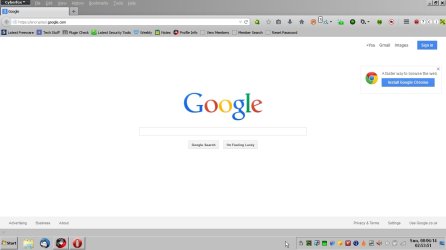
You could try installing Cyberfox 29.01 instead of FF as it's possible to customize it to your liking.

Screenshot: Although it's possible to install it with the new look if that's what you prefer.

Screenshot.jpg

Check what happens if you start FF with add ons disabled. If it works, troubleshoot your add ons.

https://support.mozilla.org/en-US/k...e?redirectlocale=en-US&redirectslug=Safe+Mode

Also try creating a new profile.

Creating a new Firefox profile on Windows - MozillaZine Knowledge Base

Other than that backup your bookmarks and clean reinstall FF.
 

My Computer

Computer type
Laptop
Computer Manufacturer/Model Number
ASUS
OS
Microsoft Windows 7 Home Premium 64-bit 7601 Multiprocessor Free Service Pack 1
CPU
AMD C-60 APU with Radeon(tm) HD Graphics
Motherboard
ASUSTeK COMPUTER INC. X501U
Memory
4.00 GB
Graphics Card(s)
AMD Radeon HD 6290 Graphics
Sound Card
(1) AMD High Definition Audio Device (2) Realtek High Defi
Screen Resolution
1366 x 768 x 32 bits (4294967296 colors) @ 60 Hz
Hard Drives
Hitachi HTS545050A7E380 SATA Disk Device
Antivirus
Comodo CIS & FW, SecureAplus App Whitelisting, Threatfire
Browser
Cyberfox 64bit, Opera 64bit, Airfox
Other Info
Spy-The-Spy, HitmanPro.Alert, Norton Connect Safe, MJRegWatcher, BitDefender TrafficLight, Voodoo Shield, Zemana AntiMalware
I think I have the latest (29.0.1-beta?)
I have 29.0.1 and it's not a BETA version.
 

My Computer

Computer type
PC/Desktop
Computer Manufacturer/Model Number
Customs, Dell, Gateway, HP, Toshiba, Acer, ASUS
OS
Windows 7 Ultimate 64-bit, Windows 8.1 64-bit, Mac OS X 10.10, Linux Mint 17, Windows 10 Pro TP
Keyboard
Microsoft
Mouse
Microsoft
There is little chance that the problems are directly related to Firefox; rather, they are caused by the user's setup, and thee are tools for finding and fixing such problems.

Run Firefox in Safe Mode: Safe Mode - MozillaZine Knowledge Base

Standard Diagnostics: Standard diagnostic - Firefox - MozillaZine Knowledge Base

New Profile Creation: Creating a new Firefox profile on Windows - MozillaZine Knowledge Base

Transferring Firefox files to new profile: Transferring data to a new profile - Firefox - MozillaZine Knowledge Base
 

My Computer

Computer type
PC/Desktop
Computer Manufacturer/Model Number
Intel(R) Core(TM) i5-2320 CPU @ 3.00GHz (Gateway computer)
OS
Microsoft Windows 7 Home Premium 64-bit 7601 Multiprocessor Free Service Pack 1
CPU
Intel(R) Core(TM) i5-2320 CPU @ 3.00GHz
Motherboard
Gateway IPISB-VR
Memory
8.00 GB
Graphics Card(s)
Intel(R) HD Graphics
Sound Card
(1) Realtek High Definition Audio (2) Intel(R) Display Aud
Monitor(s) Displays
ViewSonic 2250 Series
Screen Resolution
1920 x 1080 x 32 bits (4294967296 colors) @ 60 Hz
Hard Drives
(1) WDC WD10EADX-22TDHB0 (2) Generic Mini SD Reader USB Device (3) Generic USB CF Reader USB Device (4) Generic USB MS Reader USB Device (5) Generic USB SD Reader USB Device (6) Generic USB xD/SM Reader USB Device (7) Seagate FreeAgent Go
Keyboard
Gateway
Mouse
Logitech
Internet Speed
20 Mbps (Theoretical.)
Antivirus
Avast
Browser
Firefox
I am using Fx 30 which is a released version and it crashes about 10 times a day. Mozilla does not care, I believe that they are pushing users to Chrome. I have never in my Browsing career starting with Phoenix and all the way through Fx 30 see such a waste. I may try slim browser next
 

My Computer

Computer type
PC/Desktop
Computer Manufacturer/Model Number
Custom Build
OS
Win 10 Pro 64
CPU
Intel Core i7 960 @3.20 GHz
Motherboard
MSI MS7522
Memory
24.0 GB DDR3
Graphics Card(s)
EVGA GTX 750Ti
Monitor(s) Displays
LG E2341 23 Inch
Screen Resolution
1920x1080
Hard Drives
1TB Western Dgital 1002FAEX-00Y9A0
1TB Hitachi HDS721010CLA322
PSU
700 Watt
Case
Haf 912
Cooling
Fans
Keyboard
Logitech MK710
Mouse
Logitech M705
Internet Speed
Cable
Antivirus
AIS 2015 .10.0.2225
Browser
Firefox 49
Other Info
MalwareBytes Anti-Rootkit utility
Interesting. I have Firefox 30 on Windows 7, Windows 8.1, MAC OS X 10.9 and Linux Mint 17 with no problems. However, all versions of Firefox for some time do have performance issues with RAM when viewing or downloading a large number of files without closing to clear what it has in RAM. After restarting I can go a long time before having to do it again, same goes for watching videos online. Most other people shut the computer down at night/end of the day so won't see the same thing. I usually try to restart Firefox when Task Manager shows its RAM usage over about 450MB, FlashPlayer adds to that figure, right now mine is at 397MB for Firefox and about 120MB for FlashPlayer but I have 3 Firefox windows open and 1 tab, 3 tabs and 8 tabs open on Win7.
 

My Computer

Computer type
PC/Desktop
Computer Manufacturer/Model Number
Customs, Dell, Gateway, HP, Toshiba, Acer, ASUS
OS
Windows 7 Ultimate 64-bit, Windows 8.1 64-bit, Mac OS X 10.10, Linux Mint 17, Windows 10 Pro TP
Keyboard
Microsoft
Mouse
Microsoft
I have removed some extensions that may have been causing this, but I use the same extensions in Pale Moon without any problems.

Australis ruins Firefox
 

My Computer

Computer type
PC/Desktop
Computer Manufacturer/Model Number
Custom Build
OS
Win 10 Pro 64
CPU
Intel Core i7 960 @3.20 GHz
Motherboard
MSI MS7522
Memory
24.0 GB DDR3
Graphics Card(s)
EVGA GTX 750Ti
Monitor(s) Displays
LG E2341 23 Inch
Screen Resolution
1920x1080
Hard Drives
1TB Western Dgital 1002FAEX-00Y9A0
1TB Hitachi HDS721010CLA322
PSU
700 Watt
Case
Haf 912
Cooling
Fans
Keyboard
Logitech MK710
Mouse
Logitech M705
Internet Speed
Cable
Antivirus
AIS 2015 .10.0.2225
Browser
Firefox 49
Other Info
MalwareBytes Anti-Rootkit utility
I bailed out of FF about 2 weeks ago and went with Pale Moon, so far with no issues. I think I had been on FF 24.

I hear that FF did a major update of the interface in the most recent versions, but I never experienced it. I guess that is what "Australis" is????

I began to get discouraged with FF when they started releasing new versions every few weeks. Who needs that?

I think Pale Moon is based on some earlier version of FF--possibly 24, and they have no intention of adopting the new interface.

All my extensions and add-ons (not many) seem to work OK. The only odd thing I've noticed is that PM uses DuckDuckGo search engine rather than Google when you highlight something and right click to search for it.

Pale Moon memory usage right this minute is 267 MB.
 

My Computer

Computer type
PC/Desktop
Computer Manufacturer/Model Number
Ignatz Special; 4 speed manual gearbox; factory air conditioning; one of one
OS
Windows 7 Home Premium SP1, 64-bit
CPU
Intel Skylake i5-6600K, not overclocked
Motherboard
AsRock Z170M Extreme 4, micro ATX
Memory
8 GB HyperX DDR4-2666 (2 x 4 GB)
Graphics Card(s)
none; graphics are integrated on CPU
Sound Card
onboard: Realtek ALC1150; external: USB Behringer UF0-202
Monitor(s) Displays
Dell S2340M 23 inch IPS
Screen Resolution
1600 x 900
Hard Drives
System: Crucial MX100 series SSD, 128 GB;
Data: Samsung Spinpoint 103SJ, 1 TB;
Backup: WD Caviar Green WD30EZRX-00D8PB0, 3 TB
PSU
Rosewill SilentNight 500 watt fanless, semi-modular
Case
Antec Solo II
Cooling
Noctua NH-U12S; Noctua F12 intake, Noctua S12A exhaust
Keyboard
Microsoft 200 6JH-00001 USB
Mouse
Dell or Microsoft optical wired; USB
Antivirus
Microsoft Security Essentials and Malwarebytes Premium
Browser
Pale Moon
Other Info
All fans PWM; speeds at idle: CPU circa 500 rpm; intake circa 600 rpm; exhaust circa 600 rpm; CPU temps 27 idle and 47 C load in a warm room (27 C/81 F) when running Intel Extreme Tuning Utility stress test.
All my extensions and add-ons (not many) seem to work OK. The only odd thing I've noticed is that PM uses DuckDuckGo search engine rather than Google when you highlight something and right click to search for it.

For me PM uses the search engine I have selected in the Search Box.
I think DuckDuckGo is the first (default) engine, but the order can be changed, and a different engine can be selected.
 

My Computer

Computer type
PC/Desktop
Computer Manufacturer/Model Number
home built
OS
Multi-Boot W7_Pro_x64 W8.1_Pro_x64 W10_Pro_x64 +Linux_VMs +Chromium_VM
CPU
AMD Athlon II x4 620
Motherboard
Gigabyte GA-MA785G-UD3H
Memory
6GB GSkill DDR2 800
Graphics Card(s)
AMD 4670 GPU + AMD 4200 IGP
Sound Card
on board Realtek ALC889A
Monitor(s) Displays
RCA 40" LCD TV, Insignia 32" LCD TV, HP 15" LCD monitor
Screen Resolution
1680 x 1050
Hard Drives
OCZ Vertex 3 120GB,
Samsung F3 1TB (3),
Several others - WD, Seagate, Hitachi, ...
PSU
Corsair 500 W
Case
Rosewill mid tower
Cooling
CM 90mm rifle
Keyboard
Gyration wireless, Logitech wireless, Dell USB wired
Mouse
Gyration wireless, Logitech wireless, V7 USB wired
Internet Speed
Spectrum - 100Mbps D / 10Mbps U
Antivirus
Avast, MBAM3, EMET, WinPatrol
Browser
Pale Moon, Firefox, IE
Other Info
2 multi-boot PC's
Mainly HTPC/Office/Gen purpose (no gaming).
Trendnet USB KVM.
LG DVD burner/Blue Ray Player.
Tray system for removable SATA backup drives.

Not currently OCd, under-volted.
I use Hybrid sleep, rarely re-boot or shutdown.

Hauppauge HD-PVR, Avermedia PCIe TV Tuner, Hauppauge PCI TV Tuner.

My Computer

Computer type
Laptop
Computer Manufacturer/Model Number
ASUS
OS
Microsoft Windows 7 Home Premium 64-bit 7601 Multiprocessor Free Service Pack 1
CPU
AMD C-60 APU with Radeon(tm) HD Graphics
Motherboard
ASUSTeK COMPUTER INC. X501U
Memory
4.00 GB
Graphics Card(s)
AMD Radeon HD 6290 Graphics
Sound Card
(1) AMD High Definition Audio Device (2) Realtek High Defi
Screen Resolution
1366 x 768 x 32 bits (4294967296 colors) @ 60 Hz
Hard Drives
Hitachi HTS545050A7E380 SATA Disk Device
Antivirus
Comodo CIS & FW, SecureAplus App Whitelisting, Threatfire
Browser
Cyberfox 64bit, Opera 64bit, Airfox
Other Info
Spy-The-Spy, HitmanPro.Alert, Norton Connect Safe, MJRegWatcher, BitDefender TrafficLight, Voodoo Shield, Zemana AntiMalware
For me PM uses the search engine I have selected in the Search Box.
I think DuckDuckGo is the first (default) engine, but the order can be changed, and a different engine can be selected.

Hmmmm......."Search Box".

I assume you are referring to a box at the top of FF and Palemoon where you can directly enter a search term.

I don't have one. I had one in FF and got rid of it a year or more ago. When I changed to PM, it didn't come back, which is fine----I don't want it.

I was referring to the search engine shown on the flyout menu when you select random text and right click it. I don't often use it, but would prefer Google when I do.

Hmmm....OK. I just brought the search box back, changed to Google, and then hid it again. Now it searches by Google.

All is well.
 

My Computer

Computer type
PC/Desktop
Computer Manufacturer/Model Number
Ignatz Special; 4 speed manual gearbox; factory air conditioning; one of one
OS
Windows 7 Home Premium SP1, 64-bit
CPU
Intel Skylake i5-6600K, not overclocked
Motherboard
AsRock Z170M Extreme 4, micro ATX
Memory
8 GB HyperX DDR4-2666 (2 x 4 GB)
Graphics Card(s)
none; graphics are integrated on CPU
Sound Card
onboard: Realtek ALC1150; external: USB Behringer UF0-202
Monitor(s) Displays
Dell S2340M 23 inch IPS
Screen Resolution
1600 x 900
Hard Drives
System: Crucial MX100 series SSD, 128 GB;
Data: Samsung Spinpoint 103SJ, 1 TB;
Backup: WD Caviar Green WD30EZRX-00D8PB0, 3 TB
PSU
Rosewill SilentNight 500 watt fanless, semi-modular
Case
Antec Solo II
Cooling
Noctua NH-U12S; Noctua F12 intake, Noctua S12A exhaust
Keyboard
Microsoft 200 6JH-00001 USB
Mouse
Dell or Microsoft optical wired; USB
Antivirus
Microsoft Security Essentials and Malwarebytes Premium
Browser
Pale Moon
Other Info
All fans PWM; speeds at idle: CPU circa 500 rpm; intake circa 600 rpm; exhaust circa 600 rpm; CPU temps 27 idle and 47 C load in a warm room (27 C/81 F) when running Intel Extreme Tuning Utility stress test.
It appears that it crashes when I move my mouse a certain way.
 

My Computer

Computer type
PC/Desktop
Computer Manufacturer/Model Number
Custom Build
OS
Win 10 Pro 64
CPU
Intel Core i7 960 @3.20 GHz
Motherboard
MSI MS7522
Memory
24.0 GB DDR3
Graphics Card(s)
EVGA GTX 750Ti
Monitor(s) Displays
LG E2341 23 Inch
Screen Resolution
1920x1080
Hard Drives
1TB Western Dgital 1002FAEX-00Y9A0
1TB Hitachi HDS721010CLA322
PSU
700 Watt
Case
Haf 912
Cooling
Fans
Keyboard
Logitech MK710
Mouse
Logitech M705
Internet Speed
Cable
Antivirus
AIS 2015 .10.0.2225
Browser
Firefox 49
Other Info
MalwareBytes Anti-Rootkit utility
Looks like we lost the OP? A Guy
 

My Computer

Computer type
PC/Desktop
OS
Windows 10 Home x64
CPU
INTEL Core i5-750 Quad-Core 3.37GHz
Motherboard
ASUS P7P55D
Memory
HyperX Fury Black Series 8GB (2 x 4GB) 1866Mhz
Graphics Card(s)
EVGA GeForce GTX 750 Superclocked 1GB 128-Bit GDDR5
Monitor(s) Displays
LG 32MA68HY 32" IPS
Screen Resolution
1920 x 1080
Hard Drives
Samsung 840 Evo 120GB, SEAGATE 500GB Barracuda® 7200.12, SATA 3 Gb/s, 7200 RPM, 16MB cache
PSU
ANTEC TruePower New TP-550, 80 PLUS, 550W
Case
ANTEC Three Hundred Illusion
Cooling
COOLER MASTER Hyper 212 Plus, 4 x 120mm 1 x 140mm Noctua's
Internet Speed
85 + Mbps
Antivirus
Avast
Browser
Vivaldi
Back
Top