First BSOD (0x000007F), then boot files damaged, then partition reset!

Morpheus2396

New member
Local time
1:55 AM
Messages
5
Hello guys,

I'm new to 7F and I am glad of having joined to community of W7 users:)

I have a very serious problem since a few days. Let's sum it up:


Before the problem occured, I employed a dual-boot setup (W7 & W10):

- Win7 x64 installed on a SSD (UEFI-Installation, GPT-Partition) (Win7-Installation/Partition is labeled "C:\")
- Win7, Programs and System Files stored on the SSD
- Personal Data, User Files and Games (of W7) stored on the HDD (GPT-Partition labeled "D:\")
- Win10 Pro x64 (15/11) also installed on the HDD (UEFI-Installation, GPT-Partition labeled "C:\" internally)


Background:

- a few days ago, a BSOD (0x0000007F) occurred on Win7 after login - probably a defrag tool called WarpDisk caused it, because it defragmented C:\pagefile.sys despite C:\ being on a SSD!

- after that, the same BSOD occured in Win7 after every login (after successfully booting)

- before the BSOD popped up, I noticed that BOTH Steam & Origin requested me to log in - despite both clients were configured to "stay logged in"!

- Win10 was NOT affected by this problem - everything worked flawless!


My first attempt to fix the problem:

- starting WinRE

- running CHKDSK, SFC /scannow, "System Startup Repair", "Last known working configuration" and "BootRec" - all failed! (CHKDSK % SFC both reported "no problems")

- Uninstalling WarpDisk (manually from W10) and then repeating the same steps was useless, too! The same BSOD always occurred after every login!

- at that point, it dawned on me that maybe not Windows 7 itself, but the EFI-Partition was damaged!


So, my second attempt was:

- deleting the EFI-Partitions (ESP- and MSR- partitions) on the SSD
- recreating them (fresh new ones)
- manually rebuilding the BCD store with BCDEdit in order to repair the Win7 bootloader.
- the first few lines of commands were successfully applied by the system but on a certain point, I got stuck - and it was always the same point, where I hit the dead end:

bcdedit /store BCD /set {default} default {guid}

- whenever I tried to apply this command, an error message occurred:

The requested system device cannot be found.

- I spent the following couple of hours with disstressing attempts to whatever rebuild the BCD store by the "trial-error" scheme, with several attempts.

- however, all attempts failed. I couldn't rebuild the BCD store!


By then, the problem got even more serious:

Now, I couldn't boot ANYMORE because the boot manager got messed up after my unsuccessful attempts with BCDEdit - I couldn't even boot W10 anymore, which worked flawlessly until then.

Fortunately, I could repair the W10 bootloader by creating a new, fresh one:

(I used this walkthrough for this goal - because it's dedicated to UEFI-/GPT-Installations of Windows)

- recreating EFI-Partitions (ESP and MSR) on the HDD
- copying W10 boot files to the ESP-Partition
- repairing EFI boot record
- rebuilding BCD store

(I just don't understand, why the same attempt did't work with W7 - my guess is, the EFI boot files in the Windows folder (C:\Windows\Boot\EFI) themselves are damaged, so copying them to a fresh ESP-Partition will not repair the W7 bootloader)


In the meanwhile, I made a fatal mistake:

- when I once more tried to recreate the ESP- and MSR-Partitions for W7 on the SSD, I accidently selected the wrong partition and hit "ENTER"
- the partition I accidently selected was my W7 partition!
- immediately an error message occurred: (I don't remember how exactly it was, something like this: )

"Could not format partition. The selected partition is too large for the destination filesystem"

- for the first seconds, I was surprised about this message - because I *always* succeeded with this step!
- but then, I realized I accidently selected my W7-Partition (filling up the entire SSD, ~ 120GB in size) and unawaringly tried to apply a FAT32 filesystem on it...
- I entered "list disk" in diskpart and now the filesystem of my W7-Partition wasn't NTFS anymore, but RAW!
- nevertheless, my W7 partition wasn't reformatted (because it was still full 107 out of ~ 120GB, with 12GB of free space) and no data was erased!
- but it didn't have a filesystem either - the partition information (NTFS filesystem and other partition properties) was erased by my accidental mistake, despite the reformat process was aborted immediately...


Now, my first priority is to restore the filesystem of my W7-Partition - so, I can access W7 again. But I don't know how to recover lost partition properties. I say again, the partition *itself* seems to be unchanged - but apparently partition metadata (filesystem and other properties) is reset/lost!

Please help me with this - the initial boot problem is actually not my primary priority...

And keep in mind: This is an UEFI-Installation - so, many commands (e.g. BootRec) and tutorials/walkthroughs might not apply to this problem...

Thx,

M2396
 
Last edited:

My Computer My Computer

At a glance

Windows 7 Ultimate x64 SP1 (German Version), ...Intel Core i7 4771 (boxed), HT enabled, OCed ...4x 4GB Corsair Vengeance (DDR3-1600, Dual Cha...Nvidia GeForce GTX 770 4GB @ FW359.00 WHQL
Computer type
PC/Desktop
Computer Manufacturer/Model Number
custom build (self-made)
OS
Windows 7 Ultimate x64 SP1 (German Version), UEFI-Installation
CPU
Intel Core i7 4771 (boxed), HT enabled, OCed (Turbo-OC)
Motherboard
ASUS Z87-K (C2-Stepping) @ BIOS 1402
Memory
4x 4GB Corsair Vengeance (DDR3-1600, Dual Channel, XMP on)
Graphics Card(s)
Nvidia GeForce GTX 770 4GB @ FW359.00 WHQL
Hard Drives
SSD: Samsung SSD 840 Pro 128GB @ latest FW (Win7 Main Drive)
HDD: Samsung HD501LJ 500GB (Win7 User Files, Win10 Installation)
Antivirus
Kaspersky Internet Security 2016
Browser
Opera (most preferred), Firefox (universal)
Hello and welcome Morpheus first up what I/we would like to know is you say you selected the wrong partition being the 7 one now I am myself a bit confused if you mean it is the C: drive? because normally one cannot muck around with it much.

Now secondly can you do these for us too
http://www.sevenforums.com/tutorials/174459-dump-files-configure-windows-create-bsod.html
&
http://www.sevenforums.com/bsod-help-support/96879-blue-screen-death-bsod-posting-instructions.html

Also it sounds like you have been using some softwares on that machine that may be wrecking the install - the defrag one you mentioned for example and if you are running an SSD then you should not be using defrag on it anyway.
 

My Computer My Computer

At a glance

Desk1 7 Home Prem / Desk2 10 Pro / Main lap A...Desk1 i5 3750K / Laptop i7 GTX 860M / Desk2 i...Desk1 8GB (1866) / Desk2 16GB (1333) / Laptop...Desk 1& 2NVidia GTX 650 & Laptops on board Intel
Computer type
PC/Desktop
Computer Manufacturer/Model Number
Own build (new) Desk1 / Asus ROG Win 7 / Desk2 1st build
OS
Desk1 7 Home Prem / Desk2 10 Pro / Main lap Asus ROG 10 Pro 2 laptop Toshiba 7 Pro Asus P2520 7 & 10
CPU
Desk1 i5 3750K / Laptop i7 GTX 860M / Desk2 i5 2500
Motherboard
Desk1 Asus P877-V / Desk2 Gigabyte H67 UD3H / Laptop ?
Memory
Desk1 8GB (1866) / Desk2 16GB (1333) / Laptop 8Gb DDR3
Graphics Card(s)
Desk 1& 2NVidia GTX 650 & Laptops on board Intel
Sound Card
Desk 1 & 2 -XONAR DG Realtek High Def audio Laptop
Monitor(s) Displays
Desk 1 Benq HD 2450 / Desk2 Philips 24" / Laptop 17.5"
Screen Resolution
1920x1080 D1 & D2 & Laptop 1
Hard Drives
Desk1 Samsung 120GB 830 SSD
Asus ROG 256GB 850 Pro SSD
Desk2 Samsung 840 256 SSD
Toshiba 120GB EVO
PSU
Desk 1 Corsair HX 1050/ Laptop ? / Desk 2 Corsair HX 650
Case
Desk 1 Cooler HAF XM ? Toshiba laptop / Desk2 Coolermaster
Cooling
Fans on all Desk1 -2 Desk2 - all Coolermasters 5 Laptop ?
Keyboard
Desk 1 MS Sidewinder X6 Desk 2 MS Sidewinder X 4
Mouse
Desk 1&2 - Gigabyte MS 900 gamer - laptop - Logitec wireless
Internet Speed
ADSL2+
Other Info
One other Desktop (tester) and spare Toshba laptop both with SSD's
Running Kaspersky 2016 ISS on all machines config'd identically
Logitec audio stereo systems on each machine (x3)
Canon MG5250MFC
Router/modem TP-Link running WPA2SK
Hello and welcome Morpheus first up what I/we would like to know is you say you selected the wrong partition being the 7 one now I am myself a bit confused if you mean it is the C: drive? because normally one cannot muck around with it much.

I tried to re-create the EFI system partitions (ESP and MSR partitions - both are required for an UEFI-Installation to work properly) another time using diskpart. After creation, the ESP partition has to be formatted to FAT32 filesystem.

So I entered "select partition [#]" in order to select the partition to be formatted and then entered " format quick fs=fat32 label="System" " (all commands without the quotes) - but this time, I selected the wrong partition: I thought "Partition 1" is the ESP partition - actually, it wasn't the ESP but my W7 partition (my W7 installation, Drive C:\) and I entered the above mentioned command (format quick fs) and hit "Enter" without checking the correct number of the desired partition. Immediately, an error message was displayed:

"Could not format partition. The selected partition is too large for the destination filesystem"

(something like this - I don't remember exact error description anymore)

I accidently tried to apply a FAT32 filesystem formatting to my W7 partition (which is NTFS, of course) - and because my W7 partition is larger than 4GB, the formatting process was immediately aborted. From that perspective, I got lucky because the content of the partition wasn't changed/erased - however, the partition information (partition properties, filesystem, etc.) was lost/got resetted: when I entered "list volume", I could see "Partition 1" (=my W7 installation) wasn't NTFS anymore, but RAW !

My W7 installation was already damaged (BSOD, damaged boot files, and so on...), but now, the partition information (filesystem - maybe also other properties...) got lost, too!

Therefore, I don't care about the BSOD/boot problems ATM - I need to recover the partition properties first in order to access (and ultimately, repair) my W7 installation...

I already made some tests & scans with TestDisk and captured a couple of screenshots - shall I post them here?

M2396
 

My Computer My Computer

At a glance

Windows 7 Ultimate x64 SP1 (German Version), ...Intel Core i7 4771 (boxed), HT enabled, OCed ...4x 4GB Corsair Vengeance (DDR3-1600, Dual Cha...Nvidia GeForce GTX 770 4GB @ FW359.00 WHQL
Computer type
PC/Desktop
Computer Manufacturer/Model Number
custom build (self-made)
OS
Windows 7 Ultimate x64 SP1 (German Version), UEFI-Installation
CPU
Intel Core i7 4771 (boxed), HT enabled, OCed (Turbo-OC)
Motherboard
ASUS Z87-K (C2-Stepping) @ BIOS 1402
Memory
4x 4GB Corsair Vengeance (DDR3-1600, Dual Channel, XMP on)
Graphics Card(s)
Nvidia GeForce GTX 770 4GB @ FW359.00 WHQL
Hard Drives
SSD: Samsung SSD 840 Pro 128GB @ latest FW (Win7 Main Drive)
HDD: Samsung HD501LJ 500GB (Win7 User Files, Win10 Installation)
Antivirus
Kaspersky Internet Security 2016
Browser
Opera (most preferred), Firefox (universal)
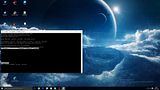
I already made some tests & scans with TestDisk and captured a couple of screenshots - shall I post them here?

Yes please mate and those dump files would be real handy as we can look at what they contain.
 

My Computer My Computer

At a glance

Desk1 7 Home Prem / Desk2 10 Pro / Main lap A...Desk1 i5 3750K / Laptop i7 GTX 860M / Desk2 i...Desk1 8GB (1866) / Desk2 16GB (1333) / Laptop...Desk 1& 2NVidia GTX 650 & Laptops on board Intel
Computer type
PC/Desktop
Computer Manufacturer/Model Number
Own build (new) Desk1 / Asus ROG Win 7 / Desk2 1st build
OS
Desk1 7 Home Prem / Desk2 10 Pro / Main lap Asus ROG 10 Pro 2 laptop Toshiba 7 Pro Asus P2520 7 & 10
CPU
Desk1 i5 3750K / Laptop i7 GTX 860M / Desk2 i5 2500
Motherboard
Desk1 Asus P877-V / Desk2 Gigabyte H67 UD3H / Laptop ?
Memory
Desk1 8GB (1866) / Desk2 16GB (1333) / Laptop 8Gb DDR3
Graphics Card(s)
Desk 1& 2NVidia GTX 650 & Laptops on board Intel
Sound Card
Desk 1 & 2 -XONAR DG Realtek High Def audio Laptop
Monitor(s) Displays
Desk 1 Benq HD 2450 / Desk2 Philips 24" / Laptop 17.5"
Screen Resolution
1920x1080 D1 & D2 & Laptop 1
Hard Drives
Desk1 Samsung 120GB 830 SSD
Asus ROG 256GB 850 Pro SSD
Desk2 Samsung 840 256 SSD
Toshiba 120GB EVO
PSU
Desk 1 Corsair HX 1050/ Laptop ? / Desk 2 Corsair HX 650
Case
Desk 1 Cooler HAF XM ? Toshiba laptop / Desk2 Coolermaster
Cooling
Fans on all Desk1 -2 Desk2 - all Coolermasters 5 Laptop ?
Keyboard
Desk 1 MS Sidewinder X6 Desk 2 MS Sidewinder X 4
Mouse
Desk 1&2 - Gigabyte MS 900 gamer - laptop - Logitec wireless
Internet Speed
ADSL2+
Other Info
One other Desktop (tester) and spare Toshba laptop both with SSD's
Running Kaspersky 2016 ISS on all machines config'd identically
Logitec audio stereo systems on each machine (x3)
Canon MG5250MFC
Router/modem TP-Link running WPA2SK
Yes please mate and those dump files would be real handy as we can look at what they contain.

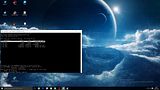
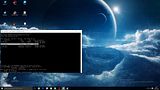
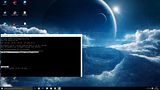
Well, here are the screenshots I made while running TestDisk:

th_Testdisk1.jpg


th_Testdisk2.jpg


th_Testdisk3.jpg


th_Testdisk4.jpg


th_Testdisk5.jpg


th_Testdisk6.jpg


th_Testdisk7.jpg


th_Testdisk8.jpg


Apparently, TestDisk successfully detected the NTFS filesystem - but it looks like additional steps are required! Unfortunately, I'm not experienced with TestDisk...

About those dump files: I have almost a dozen of them - but I hesitate to publish them because of privacy concerns. Do these dump files contain any private data *or* sensitive hardware information? (of course, they will contain detailed HW information because they have to - but it's always good to ask before doing something;))
 
Last edited by a moderator:

My Computer My Computer

At a glance

Windows 7 Ultimate x64 SP1 (German Version), ...Intel Core i7 4771 (boxed), HT enabled, OCed ...4x 4GB Corsair Vengeance (DDR3-1600, Dual Cha...Nvidia GeForce GTX 770 4GB @ FW359.00 WHQL
Computer type
PC/Desktop
Computer Manufacturer/Model Number
custom build (self-made)
OS
Windows 7 Ultimate x64 SP1 (German Version), UEFI-Installation
CPU
Intel Core i7 4771 (boxed), HT enabled, OCed (Turbo-OC)
Motherboard
ASUS Z87-K (C2-Stepping) @ BIOS 1402
Memory
4x 4GB Corsair Vengeance (DDR3-1600, Dual Channel, XMP on)
Graphics Card(s)
Nvidia GeForce GTX 770 4GB @ FW359.00 WHQL
Hard Drives
SSD: Samsung SSD 840 Pro 128GB @ latest FW (Win7 Main Drive)
HDD: Samsung HD501LJ 500GB (Win7 User Files, Win10 Installation)
Antivirus
Kaspersky Internet Security 2016
Browser
Opera (most preferred), Firefox (universal)
.dmp files contain no sensitive data. Run the tool and upload the. Zip file it creates.
 

My Computer My Computer

At a glance

Windows 10 Pro x64 ; Xubuntu x64Intel i7 860 @ 2.80 GHz O/C'ed to 4.0GHz16GB Corsair Vengance DDR3 @ 661 MHz Dual Cha...EVGA NVidia GTX 560 1024MB
Computer type
PC/Desktop
Computer Manufacturer/Model Number
Golden Mk. I.4
OS
Windows 10 Pro x64 ; Xubuntu x64
CPU
Intel i7 860 @ 2.80 GHz O/C'ed to 4.0GHz
Motherboard
Gigabyte P55A-UD3R Rev.1. Award BIOS F13
Memory
16GB Corsair Vengance DDR3 @ 661 MHz Dual Channel (9-9-9-24)
Graphics Card(s)
EVGA NVidia GTX 560 1024MB
Sound Card
Realtek Integrated
Monitor(s) Displays
Dual Samsung SyncMaster 2494HS
Screen Resolution
1920*1080 and 1920*1080
Hard Drives
1*Samsung 840 EVO 120GB SSD;
1*OCZ Vertex 2 60GB SSD;
2*Samsung F3 SpinPoint 1TB in RAID0;
1*Samsung F1 SpinPoint 1TB;
2*Western Digital 1TB External USB 3.0
1*Western Digital 500GB External USB 3.0
1*Seagate 500GB External USB 2.0
PSU
Thermaltake ToughPower QFan 750W
Case
Thermaltake Element S VK60001W2Z
Cooling
Corsair H60 Water Cooling, 2*230mm and 2*80mm case fans
Keyboard
Logitech G110
Mouse
Logitech MX518
Run the tool and upload the. Zip file it creates.

That's not possible - the tool creates dump files for the actual running system (right now, Windows 10 Pro) only. Drive C:\ (Windows 7) isn't accessible because of the filesystem reset...

However, like I said, I backed up half a dozen .dmp-Files which were created by W7 after each BSOD - shall I upload these files in raw form or shall I convert them first?

M2396
 

My Computer My Computer

At a glance

Windows 7 Ultimate x64 SP1 (German Version), ...Intel Core i7 4771 (boxed), HT enabled, OCed ...4x 4GB Corsair Vengeance (DDR3-1600, Dual Cha...Nvidia GeForce GTX 770 4GB @ FW359.00 WHQL
Computer type
PC/Desktop
Computer Manufacturer/Model Number
custom build (self-made)
OS
Windows 7 Ultimate x64 SP1 (German Version), UEFI-Installation
CPU
Intel Core i7 4771 (boxed), HT enabled, OCed (Turbo-OC)
Motherboard
ASUS Z87-K (C2-Stepping) @ BIOS 1402
Memory
4x 4GB Corsair Vengeance (DDR3-1600, Dual Channel, XMP on)
Graphics Card(s)
Nvidia GeForce GTX 770 4GB @ FW359.00 WHQL
Hard Drives
SSD: Samsung SSD 840 Pro 128GB @ latest FW (Win7 Main Drive)
HDD: Samsung HD501LJ 500GB (Win7 User Files, Win10 Installation)
Antivirus
Kaspersky Internet Security 2016
Browser
Opera (most preferred), Firefox (universal)
Upload what you can mate - so in effect you do not have Windows 7 on this machine right now?? - it is wholly Windows 10 or am I missing something??

If the 7 is on another drive can you just flip it back in and do what we asked for??
 

My Computer My Computer

At a glance

Desk1 7 Home Prem / Desk2 10 Pro / Main lap A...Desk1 i5 3750K / Laptop i7 GTX 860M / Desk2 i...Desk1 8GB (1866) / Desk2 16GB (1333) / Laptop...Desk 1& 2NVidia GTX 650 & Laptops on board Intel
Computer type
PC/Desktop
Computer Manufacturer/Model Number
Own build (new) Desk1 / Asus ROG Win 7 / Desk2 1st build
OS
Desk1 7 Home Prem / Desk2 10 Pro / Main lap Asus ROG 10 Pro 2 laptop Toshiba 7 Pro Asus P2520 7 & 10
CPU
Desk1 i5 3750K / Laptop i7 GTX 860M / Desk2 i5 2500
Motherboard
Desk1 Asus P877-V / Desk2 Gigabyte H67 UD3H / Laptop ?
Memory
Desk1 8GB (1866) / Desk2 16GB (1333) / Laptop 8Gb DDR3
Graphics Card(s)
Desk 1& 2NVidia GTX 650 & Laptops on board Intel
Sound Card
Desk 1 & 2 -XONAR DG Realtek High Def audio Laptop
Monitor(s) Displays
Desk 1 Benq HD 2450 / Desk2 Philips 24" / Laptop 17.5"
Screen Resolution
1920x1080 D1 & D2 & Laptop 1
Hard Drives
Desk1 Samsung 120GB 830 SSD
Asus ROG 256GB 850 Pro SSD
Desk2 Samsung 840 256 SSD
Toshiba 120GB EVO
PSU
Desk 1 Corsair HX 1050/ Laptop ? / Desk 2 Corsair HX 650
Case
Desk 1 Cooler HAF XM ? Toshiba laptop / Desk2 Coolermaster
Cooling
Fans on all Desk1 -2 Desk2 - all Coolermasters 5 Laptop ?
Keyboard
Desk 1 MS Sidewinder X6 Desk 2 MS Sidewinder X 4
Mouse
Desk 1&2 - Gigabyte MS 900 gamer - laptop - Logitec wireless
Internet Speed
ADSL2+
Other Info
One other Desktop (tester) and spare Toshba laptop both with SSD's
Running Kaspersky 2016 ISS on all machines config'd identically
Logitec audio stereo systems on each machine (x3)
Canon MG5250MFC
Router/modem TP-Link running WPA2SK
Upload what you can mate - so in effect you do not have Windows 7 on this machine right now?? - it is wholly Windows 10 or am I missing something??

Exactly - W10 ist the only (properly working) OS on my PC right now...

If the 7 is on another drive can you just flip it back in and do what we asked for??

I attached all existing dump files into a .zip package...

About your question:

Win7 ist installed on the SSD - the entire SSD is used by Win7; only User Files and Games are installed on a partition on my HDD. W10 is installed on another partition of the same HDD. Essentially, I'm running W7 from the SSD and W10 from the HDD.

W7 is still installed - but I cannot access it, because the partition properties got reset by my accidental mistake. I'll have to retain the partition properties and then fix the other problems (Cause of BSOD, damaged boot files, etc.)...

M2396
 

My Computer My Computer

At a glance

Windows 7 Ultimate x64 SP1 (German Version), ...Intel Core i7 4771 (boxed), HT enabled, OCed ...4x 4GB Corsair Vengeance (DDR3-1600, Dual Cha...Nvidia GeForce GTX 770 4GB @ FW359.00 WHQL
Computer type
PC/Desktop
Computer Manufacturer/Model Number
custom build (self-made)
OS
Windows 7 Ultimate x64 SP1 (German Version), UEFI-Installation
CPU
Intel Core i7 4771 (boxed), HT enabled, OCed (Turbo-OC)
Motherboard
ASUS Z87-K (C2-Stepping) @ BIOS 1402
Memory
4x 4GB Corsair Vengeance (DDR3-1600, Dual Channel, XMP on)
Graphics Card(s)
Nvidia GeForce GTX 770 4GB @ FW359.00 WHQL
Hard Drives
SSD: Samsung SSD 840 Pro 128GB @ latest FW (Win7 Main Drive)
HDD: Samsung HD501LJ 500GB (Win7 User Files, Win10 Installation)
Antivirus
Kaspersky Internet Security 2016
Browser
Opera (most preferred), Firefox (universal)
Ok unfortunately I have to go offline for a while but I would suggest disconnecting the 10 drive and try booting from the SSD - I know it probably will not work but worth a try.

Thanks for the dump files they will probably shed some light on the problem.
 

My Computer My Computer

At a glance

Desk1 7 Home Prem / Desk2 10 Pro / Main lap A...Desk1 i5 3750K / Laptop i7 GTX 860M / Desk2 i...Desk1 8GB (1866) / Desk2 16GB (1333) / Laptop...Desk 1& 2NVidia GTX 650 & Laptops on board Intel
Computer type
PC/Desktop
Computer Manufacturer/Model Number
Own build (new) Desk1 / Asus ROG Win 7 / Desk2 1st build
OS
Desk1 7 Home Prem / Desk2 10 Pro / Main lap Asus ROG 10 Pro 2 laptop Toshiba 7 Pro Asus P2520 7 & 10
CPU
Desk1 i5 3750K / Laptop i7 GTX 860M / Desk2 i5 2500
Motherboard
Desk1 Asus P877-V / Desk2 Gigabyte H67 UD3H / Laptop ?
Memory
Desk1 8GB (1866) / Desk2 16GB (1333) / Laptop 8Gb DDR3
Graphics Card(s)
Desk 1& 2NVidia GTX 650 & Laptops on board Intel
Sound Card
Desk 1 & 2 -XONAR DG Realtek High Def audio Laptop
Monitor(s) Displays
Desk 1 Benq HD 2450 / Desk2 Philips 24" / Laptop 17.5"
Screen Resolution
1920x1080 D1 & D2 & Laptop 1
Hard Drives
Desk1 Samsung 120GB 830 SSD
Asus ROG 256GB 850 Pro SSD
Desk2 Samsung 840 256 SSD
Toshiba 120GB EVO
PSU
Desk 1 Corsair HX 1050/ Laptop ? / Desk 2 Corsair HX 650
Case
Desk 1 Cooler HAF XM ? Toshiba laptop / Desk2 Coolermaster
Cooling
Fans on all Desk1 -2 Desk2 - all Coolermasters 5 Laptop ?
Keyboard
Desk 1 MS Sidewinder X6 Desk 2 MS Sidewinder X 4
Mouse
Desk 1&2 - Gigabyte MS 900 gamer - laptop - Logitec wireless
Internet Speed
ADSL2+
Other Info
One other Desktop (tester) and spare Toshba laptop both with SSD's
Running Kaspersky 2016 ISS on all machines config'd identically
Logitec audio stereo systems on each machine (x3)
Canon MG5250MFC
Router/modem TP-Link running WPA2SK
Back
Top