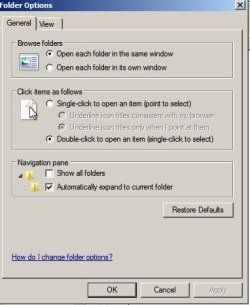
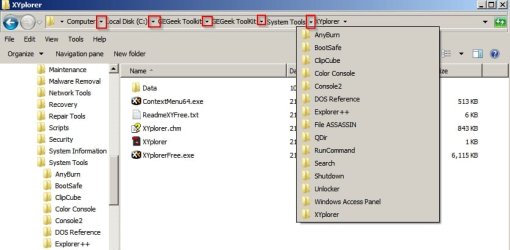
Hey hey... I'm back with another silly question. Back on Windows XP and before when I would scroll down a list of folders in Windows Explorer, each folder you saw would automatically show what was in that folder. Thus you could easily see what is in each folder. But in Windows 7 I have to click on each folder with the mouse to see what's in it, as scrolling down the list shows nothing but the name of the folder you're on. Is there a way to change that?
Thanks in advance. As always any assistance is greatly appreciated.
Thanks in advance. As always any assistance is greatly appreciated.
My Computers
System One System Two
-
- Computer type
- PC/Desktop
- Computer Manufacturer/Model Number
- Custom Build
- OS
- Windows 7 64 Home
- CPU
- FX 6300 3.5 GHz w/4.1 GHz Boost 6-Core 64bit
- Motherboard
- Gigabyte 78LMT USB3
- Memory
- 8Gb DDR3
- Graphics Card(s)
- Asus Nvidia GeForce GTX 750 Ti 2Gb
- Hard Drives
- 500Gb Western Digital 7,200 RPM SATA Hard Drive
1Tb Seagate USB 3.0 External Hard Drive
2Tb Seagate USB 3.0 External Hard Drive x2
8Tb Seagate USB 3.0 External Hard Drive x2
- Antivirus
- Avast Free
- Browser
- Firefox / Chrome
-
- Computer type
- PC/Desktop