Solved Fresh win7 pro 64bit, HP 450 G2, has irritating lag and slowness

Bad news. Still lagging. :(

edit: uninstalled HP assistant (eating lots of all), uninstalled HP connection manager, and some other HP scheisse. So far everything looks good... again... somehow facebook has been a trigger for problems...

I'll keep you updated.
 

My Computer My Computer

At a glance

7 pro 64bit4GB
Computer type
PC/Desktop
Computer Manufacturer/Model Number
HP 450 G2
OS
7 pro 64bit
Memory
4GB
Hard Drives
SSD 128GB
Browser
Firefox
Update: everything seems to run now as it should.

My humble thanks to GokAy!!

Removing the unnecessary updates was for sure one the things that helped to solve this issue. Removing the HP related software went now well, and everything is running like I'd expect from clean computer. (will follow for 48h and mark this Solved if no problems will appear)
 

My Computer My Computer

At a glance

7 pro 64bit4GB
Computer type
PC/Desktop
Computer Manufacturer/Model Number
HP 450 G2
OS
7 pro 64bit
Memory
4GB
Hard Drives
SSD 128GB
Browser
Firefox

My Computer My Computer

At a glance

Windows 7 Ultimate x64 SP1AMD Phenom 2 1090T2x8GB Kingston HyperX Fury Black 1600Mhz Unga...MSI GTX 970 Gaming 4G
Computer type
PC/Desktop
Computer Manufacturer/Model Number
Custom Build
OS
Windows 7 Ultimate x64 SP1
CPU
AMD Phenom 2 1090T
Motherboard
Gigabyte GA-890FXA-UD5
Memory
2x8GB Kingston HyperX Fury Black 1600Mhz Unganged
Graphics Card(s)
MSI GTX 970 Gaming 4G
Sound Card
Realtek On-Board HD 7.1 Audio / Logitech G35
Monitor(s) Displays
3xAcer GD245HQ
Screen Resolution
1920x1080
Hard Drives
Samsung 850 Pro 512GB SSD - OS /
WD Caviar Black SATA 3 - 1 TBx2 - Dynamic RAID 0 /
WD Caviar Green SATA 2 - 640GBx2 - Dynamic RAID 0 /
WD Caviar Green SATA 2 - 640GB - Internal Backup /
Seagate Barracude SATA 3 - 3TB - External Backup/ Sync
PSU
HighPower 1000W
Case
Cooler Master HAF 932
Cooling
Noctua NH-D14
Keyboard
Logitech G19
Mouse
Logitech G500
Internet Speed
100/4 Mbit Cable (100GB quota)
Antivirus
ZoneAlarm Extreme Security / MBAM Pro / MBAE Free / SAS Free
Browser
IE 11 - Firefox - Chrome
Other Info
Logitech F710/ G27/ G940/ Z5500 // TrackIR 5 // Nvidia 3D Surround Vision
FFS: The lag is here again. Tried with my older 32bit win 7 hp laptop, everything is running rocket fast and smoothly. (under same wifi router) Something with this computer really sucks. I'm about to lose my nerve.

How the F*** can this be. Complete network connections jamming down every now and then?!!

Net is crawling... all net traffic is super slow. :(

edit: Intels Smart Connect technology driver seemed to be some fu***up. Newest driver wont install, saying that I've wrong platform. Older seemed to install now... lets see about the effects...
Updated the Bios aswell
 
Last edited:

My Computer My Computer

At a glance

7 pro 64bit4GB
Computer type
PC/Desktop
Computer Manufacturer/Model Number
HP 450 G2
OS
7 pro 64bit
Memory
4GB
Hard Drives
SSD 128GB
Browser
Firefox

My Computer My Computer

At a glance

Windows 7 Ultimate x64 SP1AMD Phenom 2 1090T2x8GB Kingston HyperX Fury Black 1600Mhz Unga...MSI GTX 970 Gaming 4G
Computer type
PC/Desktop
Computer Manufacturer/Model Number
Custom Build
OS
Windows 7 Ultimate x64 SP1
CPU
AMD Phenom 2 1090T
Motherboard
Gigabyte GA-890FXA-UD5
Memory
2x8GB Kingston HyperX Fury Black 1600Mhz Unganged
Graphics Card(s)
MSI GTX 970 Gaming 4G
Sound Card
Realtek On-Board HD 7.1 Audio / Logitech G35
Monitor(s) Displays
3xAcer GD245HQ
Screen Resolution
1920x1080
Hard Drives
Samsung 850 Pro 512GB SSD - OS /
WD Caviar Black SATA 3 - 1 TBx2 - Dynamic RAID 0 /
WD Caviar Green SATA 2 - 640GBx2 - Dynamic RAID 0 /
WD Caviar Green SATA 2 - 640GB - Internal Backup /
Seagate Barracude SATA 3 - 3TB - External Backup/ Sync
PSU
HighPower 1000W
Case
Cooler Master HAF 932
Cooling
Noctua NH-D14
Keyboard
Logitech G19
Mouse
Logitech G500
Internet Speed
100/4 Mbit Cable (100GB quota)
Antivirus
ZoneAlarm Extreme Security / MBAM Pro / MBAE Free / SAS Free
Browser
IE 11 - Firefox - Chrome
Other Info
Logitech F710/ G27/ G940/ Z5500 // TrackIR 5 // Nvidia 3D Surround Vision
These settings seems to work now 100%. (saying this is The Ultimate Test :D)

Felt like Bios update & Installing the older version of Intels Smart Connect technology driver took away the lag completely. Also got rid of the unknown device. Btw, that hardware id helped with it. so thanks about that too.

Best Regards,
LL
 

My Computer My Computer

At a glance

7 pro 64bit4GB
Computer type
PC/Desktop
Computer Manufacturer/Model Number
HP 450 G2
OS
7 pro 64bit
Memory
4GB
Hard Drives
SSD 128GB
Browser
Firefox
Not fixed yet. Lag is still occurring and gotta go through rest of your suggestions.
 

My Computer My Computer

At a glance

7 pro 64bit4GB
Computer type
PC/Desktop
Computer Manufacturer/Model Number
HP 450 G2
OS
7 pro 64bit
Memory
4GB
Hard Drives
SSD 128GB
Browser
Firefox
You have to check the Resource Monitor for any high CPU usage - disk - memory while lagging. Does it lag when you restart the PC? Start to lag only after Facebook? Did you try using another browser?
 

My Computer My Computer

At a glance

Windows 7 Ultimate x64 SP1AMD Phenom 2 1090T2x8GB Kingston HyperX Fury Black 1600Mhz Unga...MSI GTX 970 Gaming 4G
Computer type
PC/Desktop
Computer Manufacturer/Model Number
Custom Build
OS
Windows 7 Ultimate x64 SP1
CPU
AMD Phenom 2 1090T
Motherboard
Gigabyte GA-890FXA-UD5
Memory
2x8GB Kingston HyperX Fury Black 1600Mhz Unganged
Graphics Card(s)
MSI GTX 970 Gaming 4G
Sound Card
Realtek On-Board HD 7.1 Audio / Logitech G35
Monitor(s) Displays
3xAcer GD245HQ
Screen Resolution
1920x1080
Hard Drives
Samsung 850 Pro 512GB SSD - OS /
WD Caviar Black SATA 3 - 1 TBx2 - Dynamic RAID 0 /
WD Caviar Green SATA 2 - 640GBx2 - Dynamic RAID 0 /
WD Caviar Green SATA 2 - 640GB - Internal Backup /
Seagate Barracude SATA 3 - 3TB - External Backup/ Sync
PSU
HighPower 1000W
Case
Cooler Master HAF 932
Cooling
Noctua NH-D14
Keyboard
Logitech G19
Mouse
Logitech G500
Internet Speed
100/4 Mbit Cable (100GB quota)
Antivirus
ZoneAlarm Extreme Security / MBAM Pro / MBAE Free / SAS Free
Browser
IE 11 - Firefox - Chrome
Other Info
Logitech F710/ G27/ G940/ Z5500 // TrackIR 5 // Nvidia 3D Surround Vision
GokAy,

The lag seems to occur quite randomly, and isn't webaddress related. System shows lag on desktop aswell.

I just did a Clean StartUp, so far no net lag, but some lag on swapping between windows and some other minor lag.

Changing or shutting down security program don't have any impact on the problem.

Hmm... I double checked all the Services to default and restarted.
I changed Microsoft .NET Framework NGEN v2.0.50727_ X64
and _ X86 from disabled to manual...
BITS back to automatic (delayed), and
Windows Font Cache Service to automatic, also
TCP/IP NetBIOS Helper to automatic - even though I dont believe this has anything to do with anything, as I've disabled LMHOST lookup and NetBIOS over TCP/IP at Network Connections...7
Superfetch.exe also from disabled to automatic. (this seems to be in use now... according to Process Explorer)

Now there's no lag, but as it has been appearing after some time of usage and I don't have any "standard" causer, I just have to wait and follow whether the problem will come back.

No lag for 6 hour... looks good... again... but for how long...
 
Last edited:

My Computer My Computer

At a glance

7 pro 64bit4GB
Computer type
PC/Desktop
Computer Manufacturer/Model Number
HP 450 G2
OS
7 pro 64bit
Memory
4GB
Hard Drives
SSD 128GB
Browser
Firefox
And now it hit again. :(

I was using Firefox... which is using about 430 000 Kb
Superfetch is eating now about 90 000 Kb (under scvhost)
Defender about 45 000 Kb (under scvhost)

I noticed the lag after some hours of use, then left the computer open, browser open, tried my older laptop and watched a stream, via same wifi router, came back to this computer just to witness that it's still lagging mysteriously. So I haven't restarted the browser or the computer since the lag started.

I cant recognize anything different / odd in taskmanager or Process Explorer.

Lag didn't end, tried to restart the Browser, no effect. Tried to reboot, helped. Lag is gone. At least for a moment, for the first time for hours.
 
Last edited:

My Computer My Computer

At a glance

7 pro 64bit4GB
Computer type
PC/Desktop
Computer Manufacturer/Model Number
HP 450 G2
OS
7 pro 64bit
Memory
4GB
Hard Drives
SSD 128GB
Browser
Firefox
Installed Epic as for a browser. Seems fast and nice. No lag yet.
 

My Computer My Computer

At a glance

7 pro 64bit4GB
Computer type
PC/Desktop
Computer Manufacturer/Model Number
HP 450 G2
OS
7 pro 64bit
Memory
4GB
Hard Drives
SSD 128GB
Browser
Firefox
Did you check Disk activity while lagging?

Never heard of Epic, keep us posted.
 

My Computer My Computer

At a glance

Windows 7 Ultimate x64 SP1AMD Phenom 2 1090T2x8GB Kingston HyperX Fury Black 1600Mhz Unga...MSI GTX 970 Gaming 4G
Computer type
PC/Desktop
Computer Manufacturer/Model Number
Custom Build
OS
Windows 7 Ultimate x64 SP1
CPU
AMD Phenom 2 1090T
Motherboard
Gigabyte GA-890FXA-UD5
Memory
2x8GB Kingston HyperX Fury Black 1600Mhz Unganged
Graphics Card(s)
MSI GTX 970 Gaming 4G
Sound Card
Realtek On-Board HD 7.1 Audio / Logitech G35
Monitor(s) Displays
3xAcer GD245HQ
Screen Resolution
1920x1080
Hard Drives
Samsung 850 Pro 512GB SSD - OS /
WD Caviar Black SATA 3 - 1 TBx2 - Dynamic RAID 0 /
WD Caviar Green SATA 2 - 640GBx2 - Dynamic RAID 0 /
WD Caviar Green SATA 2 - 640GB - Internal Backup /
Seagate Barracude SATA 3 - 3TB - External Backup/ Sync
PSU
HighPower 1000W
Case
Cooler Master HAF 932
Cooling
Noctua NH-D14
Keyboard
Logitech G19
Mouse
Logitech G500
Internet Speed
100/4 Mbit Cable (100GB quota)
Antivirus
ZoneAlarm Extreme Security / MBAM Pro / MBAE Free / SAS Free
Browser
IE 11 - Firefox - Chrome
Other Info
Logitech F710/ G27/ G940/ Z5500 // TrackIR 5 // Nvidia 3D Surround Vision
I did, but there was no significant peaks visible.

I searched for secure browser and found Epic;
The best 7 secure browsers 2015 | Security | Techworld

"Based on Chromium, Epic is the perfect example of a browser that strips out every conceivable feature to maximise privacy. It’s rather like using a minimalist Google Chrome with the Google. Cookies and trackers are eliminated after each session, all searches are proxied through the firm’s own servers (which means there is no way to connect an IP address to a search), and it attempt to prioritise SSL connections wherever possible., useful for open Wi-Fi connections. It does not collect data about its users and comes with excellent built-in ad blocking. For a fully-encrypted connection, it includes a one-button proxying feature that does slow down browsing but will appeal to some users (it can’t necessarily be used as a regional bypass proxy because Epic’s servers are based in the US). Despite eschewing plug-ins a handful are available to make life a bit easier, for example password manager LastPass.
Downsides? Epic doesn’t seem to include the malware or anti-phishing protection now found on popular browsers."
 

My Computer My Computer

At a glance

7 pro 64bit4GB
Computer type
PC/Desktop
Computer Manufacturer/Model Number
HP 450 G2
OS
7 pro 64bit
Memory
4GB
Hard Drives
SSD 128GB
Browser
Firefox
Compared to my older laptop this installation seems to take much more time to reconnect to wifi, than my older laptop and its 32 bit installation. Has this possibly something to do with sleep mode vs hiberate? Is there difference between the time that those two modes takes to re-establish wifi connections?
 

My Computer My Computer

At a glance

7 pro 64bit4GB
Computer type
PC/Desktop
Computer Manufacturer/Model Number
HP 450 G2
OS
7 pro 64bit
Memory
4GB
Hard Drives
SSD 128GB
Browser
Firefox
Allmost whole day without lag. I was just about to report this, and lag hit again. Followed disk activity; well there was activity, but had difficulties to see any special one peaking.

One very active location is at appdata\roaming\mozilla\firefox\profiles\webappstore.sqilite-wal and wepappstore.sqlite
and appdata\roaiming\mozilla\firefox\... sessionstore-backups\recovery.js

cant find anything else :o
 

My Computer My Computer

At a glance

7 pro 64bit4GB
Computer type
PC/Desktop
Computer Manufacturer/Model Number
HP 450 G2
OS
7 pro 64bit
Memory
4GB
Hard Drives
SSD 128GB
Browser
Firefox
Checked whole system and network with F-Secure SAFE Internet security. No threats no nothing.

At the moment, there is no lag, and usability is allmost perfect. As the only lag of today was short exception for today. However, i want to know what causes it, when it happends, as it is clearly not ISP related.
 
Last edited:

My Computer My Computer

At a glance

7 pro 64bit4GB
Computer type
PC/Desktop
Computer Manufacturer/Model Number
HP 450 G2
OS
7 pro 64bit
Memory
4GB
Hard Drives
SSD 128GB
Browser
Firefox
I'm baffled. I dont know anymore what the hell is causing these lags. Just short while ago, sudden lag sweeped over my system. Everything went slow, even mouse pointer didn't move smoothly or at all for seconds. Then network connection showed an alert that wifi isn't connecting to outer world. (yellow !)

Again while using facebook.

Opened my older laptop aside, went to facebook, no problem. Until after a short time, same network connection problem signal. Opened my android smart phone, went to facebook not using house wifi connection, no problem, worked normally. (Oh.. I just remembered that I've had same symptom occurring earlier while browsing facebook over my smart phone browser; it has caused my phones network connections to crash completely.)

I don't know wtf is this, but surely it aint about anything I like.

Restarted my new laptop, lag and internet problem continued; restarted my older laptop - no problem. Network worked normally.

No disk, processor or network activity peaked in any special way. svchost (netsvcs) was a bit active though...

Anyhow, I don't know how to continue. I'm starting to consider Linux as an option, cause this sucks.

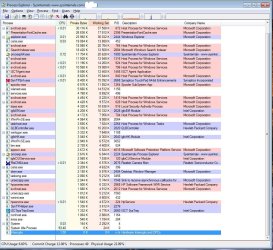
This picture is screenshot after second restart and when network onnection and system lags has ended. Please let me know, if you see something that raises your attention.
 

Attachments

  • PE.jpg
    PE.jpg
    180.2 KB · Views: 2
Last edited:

My Computer My Computer

At a glance

7 pro 64bit4GB
Computer type
PC/Desktop
Computer Manufacturer/Model Number
HP 450 G2
OS
7 pro 64bit
Memory
4GB
Hard Drives
SSD 128GB
Browser
Firefox
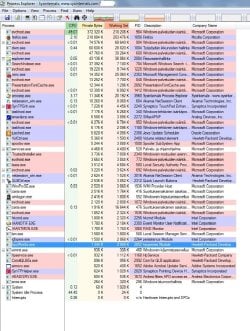
And this one is from my older laptop (w7 pro 32bit) when no problems occurring.
 

Attachments

  • PE.jpg
    PE.jpg
    179.3 KB · Views: 3

My Computer My Computer

At a glance

7 pro 64bit4GB
Computer type
PC/Desktop
Computer Manufacturer/Model Number
HP 450 G2
OS
7 pro 64bit
Memory
4GB
Hard Drives
SSD 128GB
Browser
Firefox
Can't say anything from screenshots, maybe they would if you took them while lagging.
 

My Computer My Computer

At a glance

Windows 7 Ultimate x64 SP1AMD Phenom 2 1090T2x8GB Kingston HyperX Fury Black 1600Mhz Unga...MSI GTX 970 Gaming 4G
Computer type
PC/Desktop
Computer Manufacturer/Model Number
Custom Build
OS
Windows 7 Ultimate x64 SP1
CPU
AMD Phenom 2 1090T
Motherboard
Gigabyte GA-890FXA-UD5
Memory
2x8GB Kingston HyperX Fury Black 1600Mhz Unganged
Graphics Card(s)
MSI GTX 970 Gaming 4G
Sound Card
Realtek On-Board HD 7.1 Audio / Logitech G35
Monitor(s) Displays
3xAcer GD245HQ
Screen Resolution
1920x1080
Hard Drives
Samsung 850 Pro 512GB SSD - OS /
WD Caviar Black SATA 3 - 1 TBx2 - Dynamic RAID 0 /
WD Caviar Green SATA 2 - 640GBx2 - Dynamic RAID 0 /
WD Caviar Green SATA 2 - 640GB - Internal Backup /
Seagate Barracude SATA 3 - 3TB - External Backup/ Sync
PSU
HighPower 1000W
Case
Cooler Master HAF 932
Cooling
Noctua NH-D14
Keyboard
Logitech G19
Mouse
Logitech G500
Internet Speed
100/4 Mbit Cable (100GB quota)
Antivirus
ZoneAlarm Extreme Security / MBAM Pro / MBAE Free / SAS Free
Browser
IE 11 - Firefox - Chrome
Other Info
Logitech F710/ G27/ G940/ Z5500 // TrackIR 5 // Nvidia 3D Surround Vision
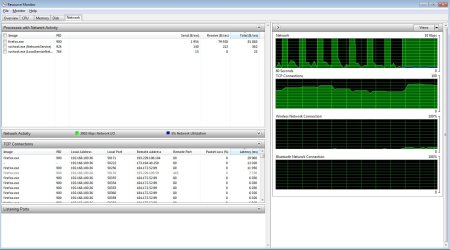
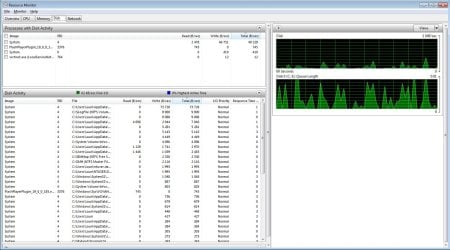
I took them for comparison.
These are while lag occurring:
 

Attachments

  • RM net lag.jpg
    RM net lag.jpg
    135 KB · Views: 1
  • RM lag.jpg
    RM lag.jpg
    150 KB · Views: 0

My Computer My Computer

At a glance

7 pro 64bit4GB
Computer type
PC/Desktop
Computer Manufacturer/Model Number
HP 450 G2
OS
7 pro 64bit
Memory
4GB
Hard Drives
SSD 128GB
Browser
Firefox
Back
Top