Fujitsu - WLAN and Touchpad Problems

http

New member
Local time
9:07 PM
Messages
5
Hey :)
to begin with, I'm sorry for any grammatic or spelling mistake, I'm not a native speaker.
Earlier this day I installed Windows 7 Professional 64bit on my Fujitsu Siemens AMILO Xi 3650 Notebook. Originally it came with Vista 32 bit.
I had no problems installing the OS, even the hybrid graphics is running smoothly.
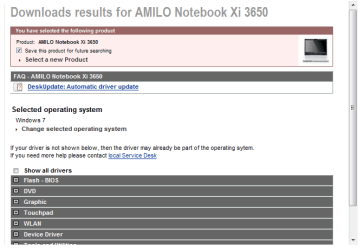
I used most of the drivers from the ts.fujitsu.com/support/ page, but several were not available for the 64bit Version. So I googled the missing drivers and found them.
But now I'm having a few problems:

1. The FS-Launch-Manager, which is responsible for turning the WLAN, Bluetooth and Wireless USB on/off, behaves crazy. You can activate the Launch Manager by pressing Fn + F1. Right now the WLAN connection is turned on, Bluetooth and Wireless USB are off. If I want to turn the WLAN off I usually clicked on the off-radiobutton and the WLAN was off. But now after restarting the Launch-Manager the WLAN button is still on. The light on the right side of the notebook case, which indicates if there is a wireless connection also doesn't turn out.
Sometimes the WLAN button is set to off, but the Bluetooth and Wireless USB buttons are set to on. Same Problem.
I used the driver from the official fujitsu page. The file is called "FTS_LaunchManagerV149_1016052.zip"

2. I downloaded the drivers from the official pagefor the ALPS Touchpad Pointing Device but I couldn't use them because they wouldn't work with W7 64 bit. So I googled and found a HP page with fitting drivers. The do work alright, but if I stay lying down on the touchpad with my finger the cursor starts to shake. This didn't happend when I used Vista. Is this issue connected with the settings or is it a problem with the drivers?

thank you very much for your help!
 

My Computer

Computer Manufacturer/Model Number
Fujitsu Siemens
OS
Windows 7 Professional 64bit
CPU
Intel Core 2 Duo T9400 @2.53GHz
Memory
4,00 GB
Graphics Card(s)
Nvidia GeForce 9600M GT
Look at device manager at see if you have any yellow warnings.

Is there a 64-bit driver for Vista? If so, you can try installing the Vista driver in compatibility mode.
 

My Computer

Computer Manufacturer/Model Number
Dell and Custom
OS
Systems 1 and 2: Windows 7 Enterprise x64, Win 8 Developer
CPU
System 1: i7 [email protected], System 2: AMD FX-4100 Zambezi 3.6G
Motherboard
System 1:Dell 06NWYK System 2: ASUS M5A97 AM3+
Memory
System 1: 8GB System 2: 8GB
Graphics Card(s)
System 1: ATI FirePro V4800 System 2: Radeon HD 6850
Sound Card
System 1: onboard System 2: onboard
Monitor(s) Displays
System1: Viewsonic HDMI 24"
Screen Resolution
System 1: 1920x1080 System 2: 1920x1080
Hard Drives
System 1: Mirrored .5B drives System 2: Seagate Barracuda ST1000DM003 1TB 7200 RPM 64MB Cache SATA 6.0Gb/s
Case
System 1: Dell System 2: Cooler Master
Internet Speed
10 MBPS

most of the drivers are from this page, but the touchpad driver doesn't work.
An error message pops up "This software can not be installed on your operating system"
But the Launch Manager is downloaded from this page. I found out that the Launch Manager doesn't work on Vista either, so I think it isn't connected to the drivers. probably it's because there are two different OS installed right now.
 

My Computer

Computer Manufacturer/Model Number
Fujitsu Siemens
OS
Windows 7 Professional 64bit
CPU
Intel Core 2 Duo T9400 @2.53GHz
Memory
4,00 GB
Graphics Card(s)
Nvidia GeForce 9600M GT
32-bit and 64-bit

I hate to point out the obvious, but why on earth did you install a 64 bit operating system onto your laptop that was 32 bit before?

64-bit operating systems should only ever be installed on processors that are built to handle 64 bit OS! Did you upgrade the processor and motherboard on this laptop first?

Uninstall the operating system, install Windows 7 Professional with 32-bit and I would imagine all your problems will go away!
 

My Computer

OS
Windows 7 Ultimate N 32-bit

My Computer

Computer Manufacturer/Model Number
Hopalong/ Godzilla
OS
Windows7 Pro 64bit SP-1; Windows XP Pro 32bit
CPU
Intel Core i7-870 Lynnfield 2.93GHz LGA 1156 95W Quad-Core
Motherboard
ASUS P7P55D-E PRO
Memory
8GB@1400MHz Crucial Ballistix DDR3-1600 4x2GB
Graphics Card(s)
ASUS ENGTX460 DirectCU/2DI/1GD5 1GB 256-bit GDDR5
Sound Card
VIA Onboard
Monitor(s) Displays
Asus VS248H-P 24"; Samsung SyncMaster 941BW 19"ws
Screen Resolution
1920x1080; 1440x900
Hard Drives
Samsung 830 120GB SSD
Intel 320 120GB SSD
Western Digital Caviar Black WD7501AALS 750GB 7200 RPM SATA 3.0Gb/s
Western Digital Caviar Black WD6401AALS 640GB 7200 RPM SATA 3.0Gb/s
PSU
COOLER MASTER Silent Pro RS850-AMBAJ3-US 850W Modular
Case
COOLER MASTER HAF 932 RC-932-KKN5-GP Black
Cooling
Scythe "Mugen-2 Rev.B" (2 ScytheKaze-Jyuni PWM fans)
Keyboard
Logitech K-320
Mouse
Kensington
Antivirus
Avast Inernet Suite
Browser
IE 9 ; Chrome
the T5800 supports 64bit but not virtulization , if you are in business LaptoprepairsUK it is not a very good advert :mad:
 

My Computer

Computer type
PC/Desktop
Computer Manufacturer/Model Number
self build
OS
win 7 ultimate32bit, Win8.1pro wmc 32bit
CPU
amd phenom x4 9600
Motherboard
asus m2n32-sli deluxe
Memory
corsair twinxs 2x2gb
Graphics Card(s)
2x nvidia 1gb 8500gt
Sound Card
onboard
Monitor(s) Displays
23" PB Viseo 233d
Screen Resolution
1920x1080
Hard Drives
maxtor sata 500gb
maxtor sata 320gb
fujitsu sata200gb
PSU
oryxx tornado 750w
Case
thermaltake xaser lll
Cooling
artic freezer64 pro + 7 case fans
as far as I know all intel-processors since the beginning of the duo-series (except the Intel Atom series) support 64 bit
btw the processor is the Intel Core 2 Duo T9400.
Right now there is only the problem with the wlan bluetooth and wireless usb left (which is not really a problem but it's annoying)
apart from this the pc is running smoothly and without any problems and (in my opinion) faster than ever before.
 

My Computer

Computer Manufacturer/Model Number
Fujitsu Siemens
OS
Windows 7 Professional 64bit
CPU
Intel Core 2 Duo T9400 @2.53GHz
Memory
4,00 GB
Graphics Card(s)
Nvidia GeForce 9600M GT
as far as I know all processors built since 2001 (except the Intel Atom series) support 64 bit
btw the processor is the Intel Core 2 Duo T9400.
Right now there is only the problem with the wlan bluetooth and wireless usb left (which is not really a problem but it's annoying)
apart from this the pc is running smoothly and without any problems and (in my opinion) faster than ever before.

http did you follow the download link theog posted for you ? ;)
 

My Computer

Computer type
PC/Desktop
Computer Manufacturer/Model Number
self build
OS
win 7 ultimate32bit, Win8.1pro wmc 32bit
CPU
amd phenom x4 9600
Motherboard
asus m2n32-sli deluxe
Memory
corsair twinxs 2x2gb
Graphics Card(s)
2x nvidia 1gb 8500gt
Sound Card
onboard
Monitor(s) Displays
23" PB Viseo 233d
Screen Resolution
1920x1080
Hard Drives
maxtor sata 500gb
maxtor sata 320gb
fujitsu sata200gb
PSU
oryxx tornado 750w
Case
thermaltake xaser lll
Cooling
artic freezer64 pro + 7 case fans
I did follow the link and downloaded the software. But unfortunately it didn't work.
I used the driver from the official fujitsu page. The file is called "FTS_LaunchManagerV149_1016052.zip"
For a few days I had 2 OS installed (Win7(64bit) and WinVista(32 bit)) and even when Vista was booted the LaunchManager behaved like described in the first post, although it was working before Win7 was installed.
 

My Computer

Computer Manufacturer/Model Number
Fujitsu Siemens
OS
Windows 7 Professional 64bit
CPU
Intel Core 2 Duo T9400 @2.53GHz
Memory
4,00 GB
Graphics Card(s)
Nvidia GeForce 9600M GT
Chill out guys! I was under the impressions you certainly couldn't just upgrade, but I may be wrong!

@ Pebbly: As I don't actually perform OS upgrades myself I'm not an expert on the matter, I leave that up to good community forums like this!

I've never heard of anyone upgrading from 32 to 64 bit on the same processor before, but that doesn't mean it can't be done.

I've used the Fujitsu downloads a fair few times before and most of them are only 32 bit. The 64 bit versions I've heard don't work very well, but I haven't used them myself.
 

My Computer

OS
Windows 7 Ultimate N 32-bit

My Computer

Computer type
PC/Desktop
Computer Manufacturer/Model Number
self build
OS
win 7 ultimate32bit, Win8.1pro wmc 32bit
CPU
amd phenom x4 9600
Motherboard
asus m2n32-sli deluxe
Memory
corsair twinxs 2x2gb
Graphics Card(s)
2x nvidia 1gb 8500gt
Sound Card
onboard
Monitor(s) Displays
23" PB Viseo 233d
Screen Resolution
1920x1080
Hard Drives
maxtor sata 500gb
maxtor sata 320gb
fujitsu sata200gb
PSU
oryxx tornado 750w
Case
thermaltake xaser lll
Cooling
artic freezer64 pro + 7 case fans
I did follow the link and downloaded the software. But unfortunately it didn't work.
I used the driver from the official fujitsu page. The file is called "FTS_LaunchManagerV149_1016052.zip"
For a few days I had 2 OS installed (Win7(64bit) and WinVista(32 bit)) and even when Vista was booted the LaunchManager behaved like described in the first post, although it was working before Win7 was installed.

Same thing here. The computer I'm working on is a similar laptop and has exactly the same problem, hence the forum hunting.

I can't seem to get it to work and I've come up with a big fat zero searching the internet for it.

Hmmm. Perhaps a call to Fujitsu would do the trick.
 

My Computer

OS
Windows 7 Ultimate N 32-bit
Chill out guys! I was under the impressions you certainly couldn't just upgrade, but I may be wrong!

@ Pebbly: As I don't actually perform OS upgrades myself I'm not an expert on the matter, I leave that up to good community forums like this!

I've never heard of anyone upgrading from 32 to 64 bit on the same processor before, but that doesn't mean it can't be done.

I've used the Fujitsu downloads a fair few times before and most of them are only 32 bit. The 64 bit versions I've heard don't work very well, but I haven't used them myself.
LaptoprepairsUK, you are correct you cannot upgrade 32>64bit ,I dont think the OP stated he upgraded ;)
 

My Computer

Computer type
PC/Desktop
Computer Manufacturer/Model Number
self build
OS
win 7 ultimate32bit, Win8.1pro wmc 32bit
CPU
amd phenom x4 9600
Motherboard
asus m2n32-sli deluxe
Memory
corsair twinxs 2x2gb
Graphics Card(s)
2x nvidia 1gb 8500gt
Sound Card
onboard
Monitor(s) Displays
23" PB Viseo 233d
Screen Resolution
1920x1080
Hard Drives
maxtor sata 500gb
maxtor sata 320gb
fujitsu sata200gb
PSU
oryxx tornado 750w
Case
thermaltake xaser lll
Cooling
artic freezer64 pro + 7 case fans
Back
Top