
Noviceuser
New member
- Local time
- 5:40 AM
- Messages
- 2
Hi guys,
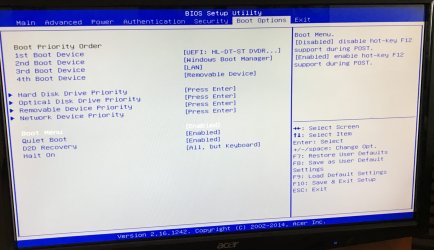
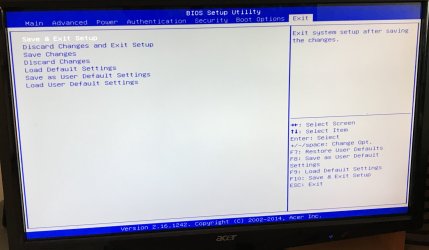
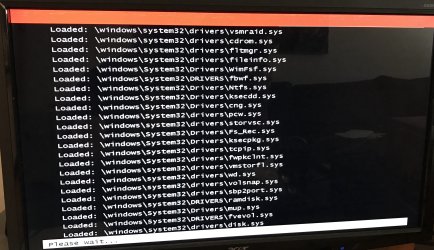
if anyone can help it would be appreciated as I’ve done everything I can think of but I can’t seem to install windows 7 after having windows 10, my computer originally came with windows 8 preinstalled when I got it and I’ve been pulling my hair out trying to get this to work lol, any suggestions as to what I should do next?
Thanks
Nick
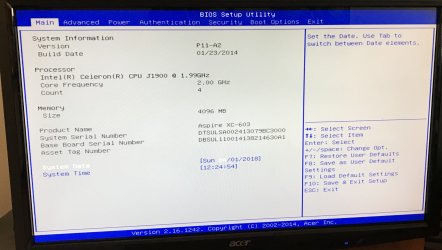
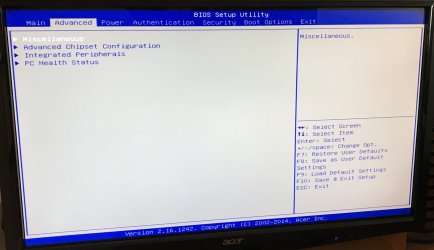
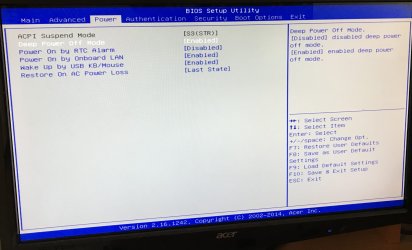
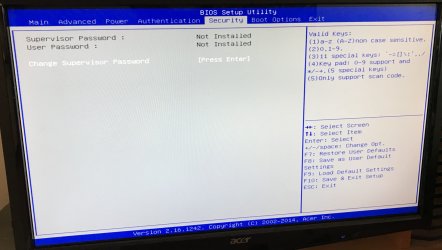
P.s I’ve attached some pics of my bios in case there’s something I should be choosing but haven’t, plus there’s a pic of what happened when I tried to install windows 7 in safe mode.
if anyone can help it would be appreciated as I’ve done everything I can think of but I can’t seem to install windows 7 after having windows 10, my computer originally came with windows 8 preinstalled when I got it and I’ve been pulling my hair out trying to get this to work lol, any suggestions as to what I should do next?
Thanks
Nick
P.s I’ve attached some pics of my bios in case there’s something I should be choosing but haven’t, plus there’s a pic of what happened when I tried to install windows 7 in safe mode.
Attachments
-
 F68B10B6-E0DC-4505-8AC7-404639238D82.jpeg438.2 KB · Views: 0
 -
 4AE5F6A2-C6C5-4EB8-B34E-A1061F3B6DB7.jpeg368.4 KB · Views: 0
 -
 7ADE1A7B-F09C-431F-8835-57B33FEE2135.jpeg466.2 KB · Views: 0
 -
 8EFB1644-0DBB-496A-B274-599E1AC78CDB.jpeg381.6 KB · Views: 0
 -
 F6918A7F-2DF1-4DA0-B331-62A515B5B6A0.jpeg472.7 KB · Views: 0
 -
 334EA2DC-B371-49D2-9EF2-CCE6A53EF2DD.jpeg469.4 KB · Views: 0
 -
 E8863576-0DEB-4688-A699-152391174256.jpeg346.2 KB · Views: 0
 -
 93CD29B6-1E57-48D3-842F-DDB4D884A140.jpeg579 KB · Views: 1
My Computer
At a glance
Windows 10 64bitIntel 1.99ghz4096gb
- Computer type
- PC/Desktop
- Computer Manufacturer/Model Number
- Acer
- OS
- Windows 10 64bit
- CPU
- Intel 1.99ghz
- Motherboard
- Aspire Xcode-603
- Memory
- 4096gb
- Browser
- Internet explorer


