

Email is a necessity for most of us. We use it to stay in touch with colleagues and friends, keep up with the latest news, manage to-dos at home or at work—we just can’t live without it. Today we announced major improvements to Gmail on the web to help people be more productive at work. Here’s a quick look at how the new Gmail can help you accomplish more from your inbox.
Do more without leaving your inbox
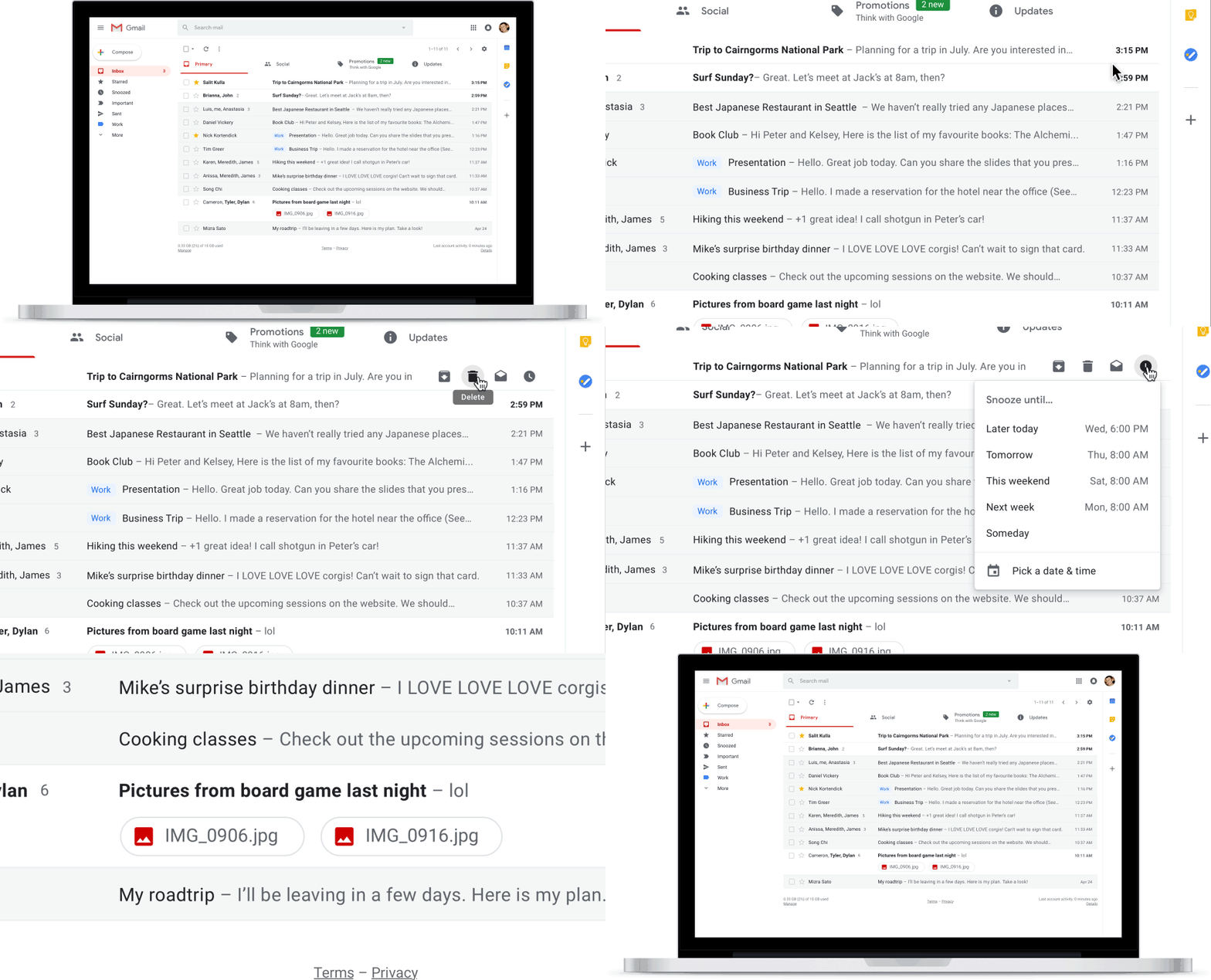
Gmail’s new look helps you get more done. Click on attachments—like photos—without opening or scrolling through large conversations, use the new snooze button to put off emails that you just can’t get to right now or easily access other apps you use often, like Google Calendar, Tasks (now available on Android and iOS) and Keep.
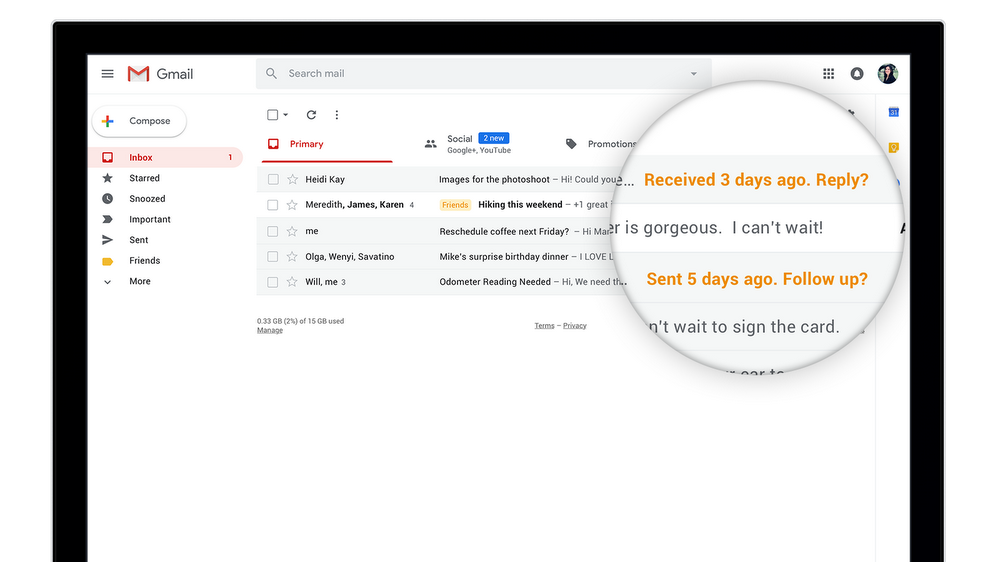
Gmail will also “nudge” you to follow up and respond to messages with quick reminders that appear next to your email messages to help make sure nothing slips through the cracks.
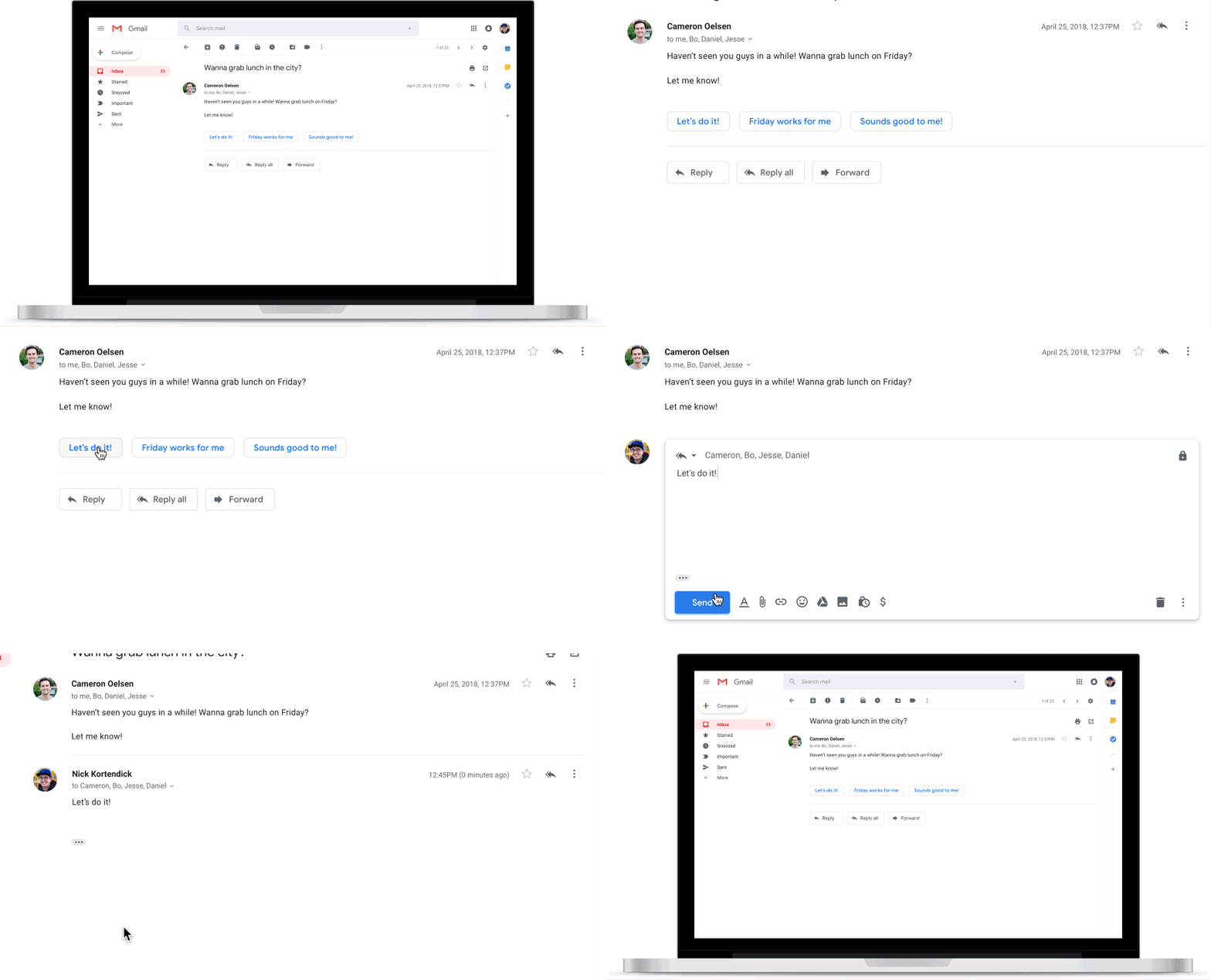
We’re also adding Smart Reply to Gmail on the web to help you reply to messages faster.
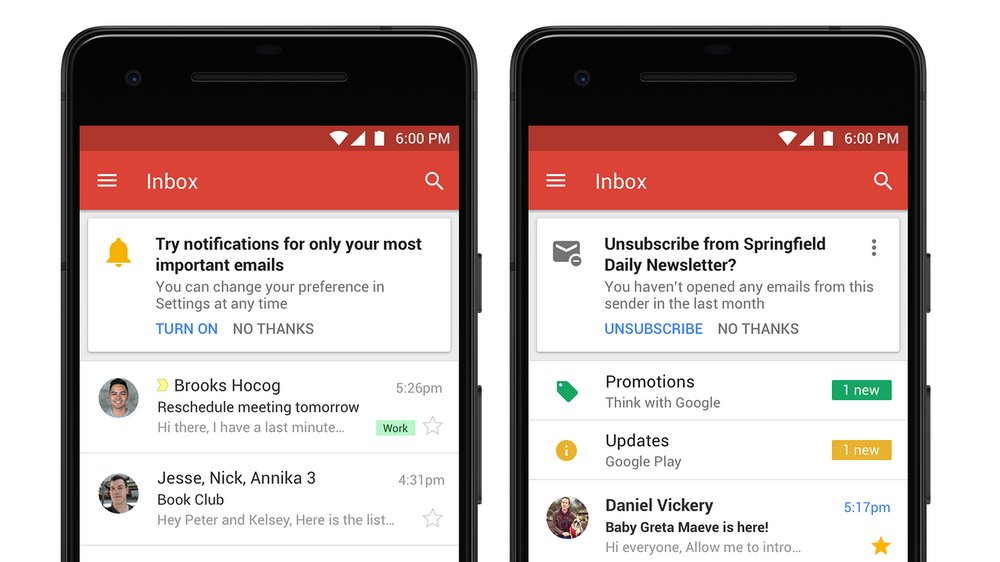
New features on mobile, like high-priority notifications, can notify you of important messages to help you stay focused without interruption. Plus, Gmail will start suggesting when to unsubscribe from newsletters or offers you no longer care about.
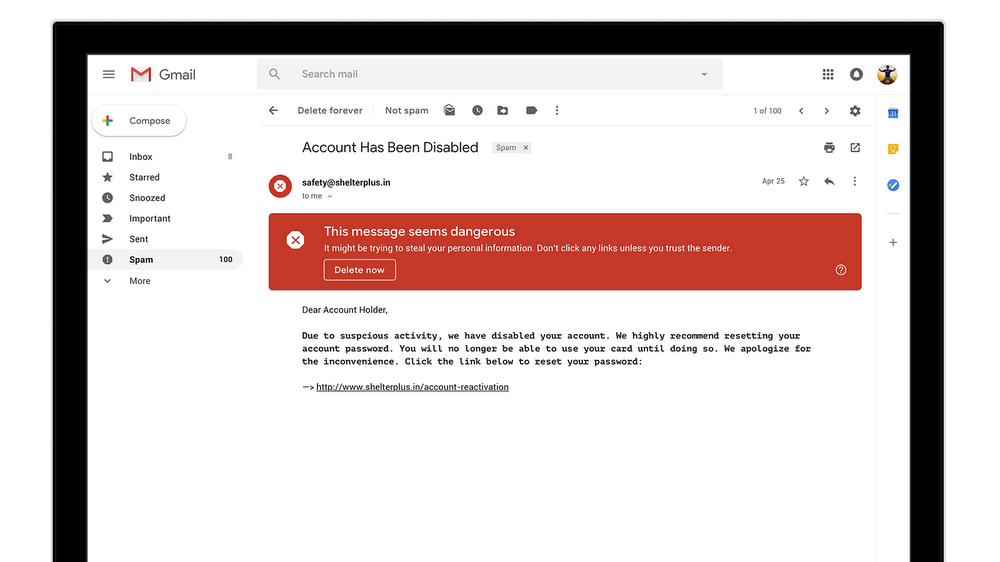
And you might notice new warnings in Gmail that alert you when potentially risky email comes through.
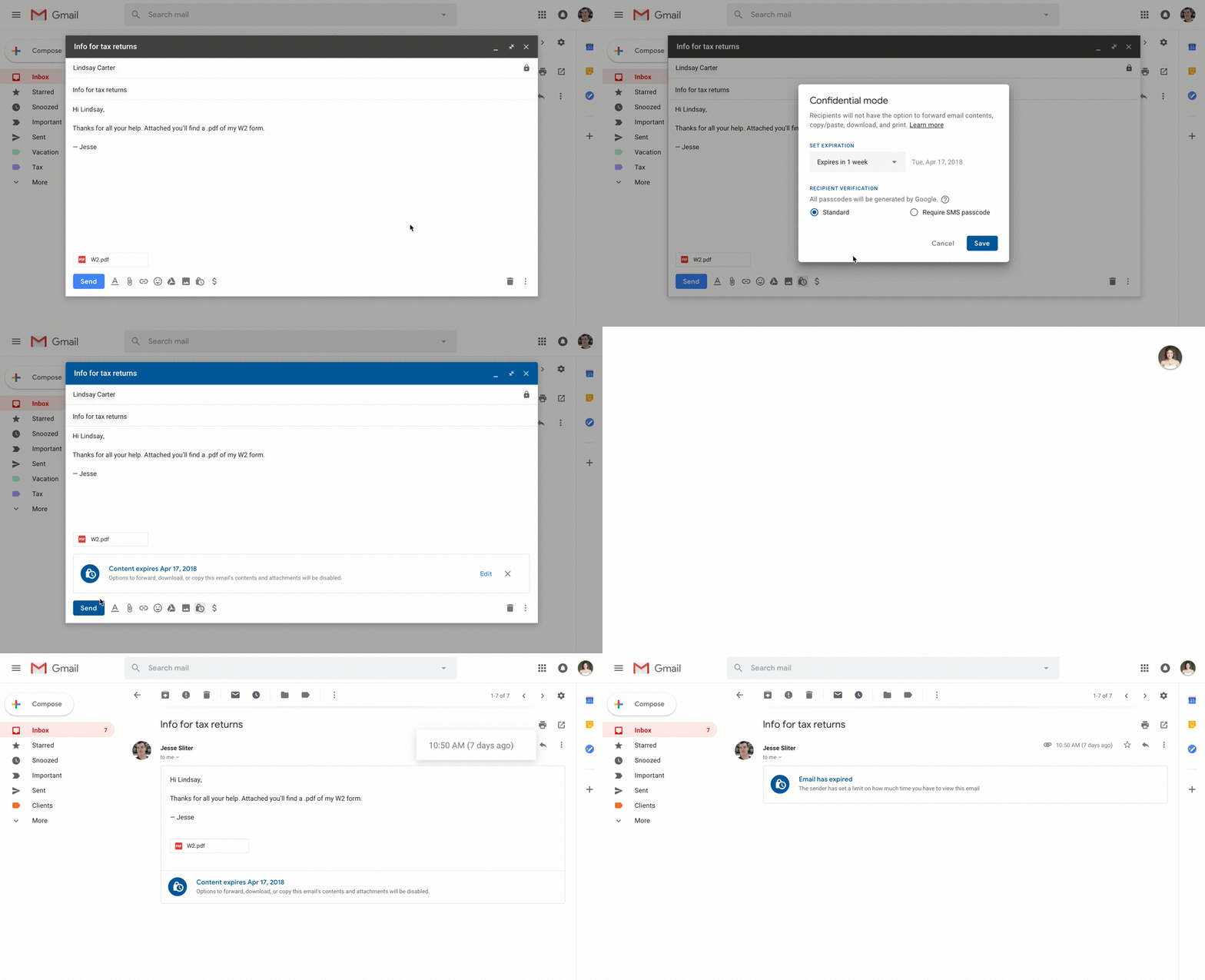
Finally, a new confidential mode allows you to remove the option to forward, copy, download or print messages—useful for when you have to send sensitive information via email like a tax return or your social security number. You can also make a message expire after a set period of time to help you stay in control of your information.
Get started
You can start using these new updates in Gmail on the web today, with some features appearing within the coming weeks. Go to Settings (the cog wheel in the top right corner of your inbox) and select “Try the new Gmail.” If you want to switch back later down the road, you can go to the same place and select “Go back to classic Gmail.” This handy product guide can help you get started.
Source: Stay composed: here's a quick rundown of the new Gmail
See also: With new security and intelligent features, the new Gmail means business
My Computer
At a glance
64-bit Windows 11 Pro for WorkstationsIntel i7-8700K OC'd to 5 GHz64 GB (4x16GB) G.SKILL TridentZ RGB DDR4 3600...ASUS ROG-STRIX-GTX1080TI-O11G-GAMING
- Computer type
- PC/Desktop
- Computer Manufacturer/Model Number
- Self built custom
- OS
- 64-bit Windows 11 Pro for Workstations
- CPU
- Intel i7-8700K OC'd to 5 GHz
- Motherboard
- ASUS ROG Maximus XI Formula Z390
- Memory
- 64 GB (4x16GB) G.SKILL TridentZ RGB DDR4 3600 MHz
- Graphics Card(s)
- ASUS ROG-STRIX-GTX1080TI-O11G-GAMING
- Sound Card
- Integrated
- Monitor(s) Displays
- 2 x Samsung Odyssey G7 27"
- Screen Resolution
- 2560x1440
- Hard Drives
- 1TB Samsung 990 PRO M.2,
4TB Samsung 990 PRO PRO M.2,
TerraMaster F8 SSD Plus NAS
- PSU
- Seasonic Prime Titanium 850W
- Case
- Thermaltake Core P3
- Cooling
- Corsair Hydro H115i
- Keyboard
- Logitech wireless K800
- Mouse
- Logitech MX Master 4
- Internet Speed
- 2 Gb/s Download and 100 Mb/s Upload
- Antivirus
- Malwarebyte Anti-Malware Premium
- Browser
- Google Chrome
- Other Info
- Logitech Z625 speaker system,
Logitech BRIO 4K Pro webcam,
HP Color LaserJet Pro MFP M477fdn,
APC SMART-UPS RT 1000 XL - SURT1000XLI,
Galaxy S23 Plus phone


