

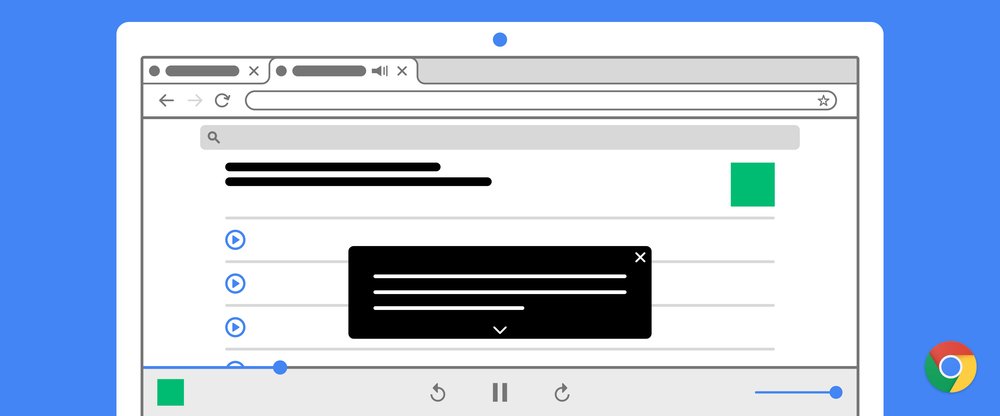
Captions make online content more accessible. If you’re in a noisy environment, trying to keep the volume down, or are part of the 466 million people in the world who are deaf or hard of hearing, having captions lets you follow along to whatever content you are watching — whether it’s viral feta pasta videos, breaking news or a scientist discussing their latest research.
Unfortunately, captions aren’t always available for every piece of content. Now with Live Caption on Chrome, you can automatically generate real-time captions for media with audio on your browser. It works across social and video sites, podcasts and radio content, personal video libraries (such as Google Photos), embedded video players, and most web-based video or audio chat services.
Turn on Live Caption in Chrome to see captions for media with audio played in your browser window
Laura D’Aquila, a software engineer on Google Workspace who is hard of hearing, tested out the feature early on. “With Live Caption, I no longer have to miss out on watching videos because of lack of captions, and I can engage in real-life conversations with family, friends or colleagues about this content. Just recently, my coworker sent a video to our team's chat, but it was not captioned. With Live Caption I was able to follow along and share my reactions to the video with my team.”
These captions in Chrome are created on-device, which allows the captions to appear as the content plays without ever having to leave your computer. Live Caption also works offline, so you can even caption audio and video files saved on your hard drive when you play them in Chrome.
To turn on Live Caption in Chrome from your desktop, go to Chrome Settings, click on the Advanced section, then go to the Accessibility section. The feature currently supports English and is available globally on the latest release of Chrome on Windows, Mac and Linux devices and will be coming soon to ChromeOS. For Android devices, Live Caption is already available for any audio or video on your mobile device.
Source: Chrome can now caption audio and video
My Computer
- Computer type
- PC/Desktop
- Computer Manufacturer/Model Number
- Self built custom
- OS
- 64-bit Windows 11 Pro for Workstations
- CPU
- Intel i7-8700K OC'd to 5 GHz
- Motherboard
- ASUS ROG Maximus XI Formula Z390
- Memory
- 64 GB (4x16GB) G.SKILL TridentZ RGB DDR4 3600 MHz
- Graphics Card(s)
- ASUS ROG-STRIX-GTX1080TI-O11G-GAMING
- Sound Card
- Integrated
- Monitor(s) Displays
- 2 x Samsung Odyssey G7 27"
- Screen Resolution
- 2560x1440
- Hard Drives
- 1TB Samsung 990 PRO M.2,
4TB Samsung 990 PRO PRO M.2,
TerraMaster F8 SSD Plus NAS
- PSU
- Seasonic Prime Titanium 850W
- Case
- Thermaltake Core P3
- Cooling
- Corsair Hydro H115i
- Keyboard
- Logitech wireless K800
- Mouse
- Logitech MX Master 4
- Internet Speed
- 2 Gb/s Download and 100 Mb/s Upload
- Antivirus
- Malwarebyte Anti-Malware Premium
- Browser
- Google Chrome
- Other Info
- Logitech Z625 speaker system,
Logitech BRIO 4K Pro webcam,
HP Color LaserJet Pro MFP M477fdn,
APC SMART-UPS RT 1000 XL - SURT1000XLI,
Galaxy S23 Plus phone


