Solved Hantek 4032L Driver refuses to install on Win7 64bit - on one machine

SparkyNZ

New member
Local time
10:01 PM
Messages
25
I have 2 Windows 7 SP1 64bit machines.


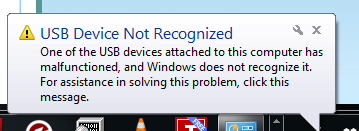
I can install the Hantek 4032L driver on one machine but not the other. I've tried manually installing the driver, tried different USB ports but Device Manager continues ot show "Unknown Device" and plugging the device in shows the "USB Device Not Recognized" popup.


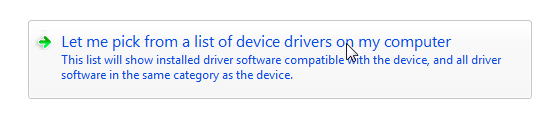
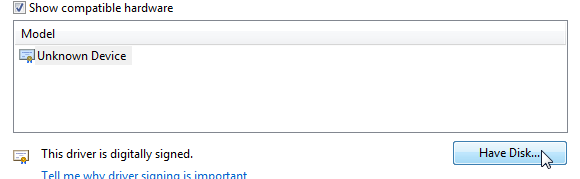
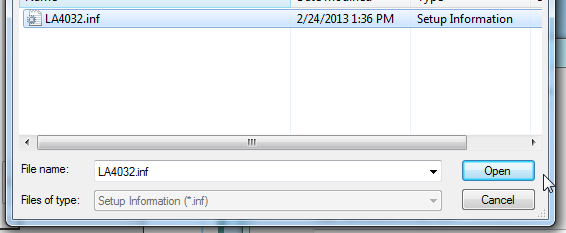
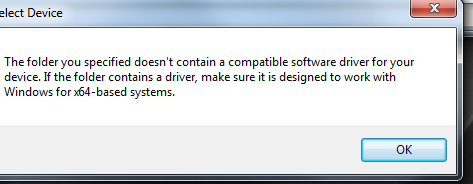
If I try to update the driver and select the .inf file (Let me choose/Have Disk/Browse etc), it says "The folder you specified doesn't contain a compatible software driver for your device... make sure it is designed to work with Windows or x64-based systems".


Well..I know it works with x64 based systems because I installed it on my other machine. Unfortunately I need it to work on this machine so I can use my multiple monitors. The .inf file contains 64bit references so what is the problem?


The official driver is here: http://hantek.com/down.aspx?url=http://www.hantek.com/Product/HT4032/HT4032_Driver.zip


Can somebody please help me.
 

My Computer My Computer

At a glance

Windows 7 Ultimate x64
OS
Windows 7 Ultimate x64
... Device Manager continues to show "Unknown Device" and plugging the device in shows the "USB Device Not Recognized" popup.

If I try to update the driver and select the .inf file (Let me choose/Have Disk/Browse etc), it says "The folder you specified doesn't contain a compatible software driver for your device... make sure it is designed to work with Windows or x64-based systems".


Try selecting the 'unknown device' in Device Manager then uninstall it. The next time you plug it in it should launch the 'Found new hardware' wizard. You should then be able to point that to where you unzipped the drivers.
 

My Computers My Computers

  • At a glance

    Windows 7 Home Premium x64AMD V1204GB
    Computer type
    Laptop
    Computer Manufacturer/Model Number
    Toshiba satellite C650D
    OS
    Windows 7 Home Premium x64
    CPU
    AMD V120
    Memory
    4GB
    Internet Speed
    150 Mbps
    Antivirus
    MSE
    Browser
    IE11, Edge, Firefox
    Other Info
    I also have W7 Pro on my System Two, and several W7 Hyper-V VMs. My other machines run Windows 10/11. Their specs are in my Ten Forums & Eleven Forum profiles.
  • At a glance

    Windows 7 Pro x64Intel i5-3320M8 GB
    Computer type
    Laptop
    System Manufacturer/Model Number
    Lenovo Thinkpad T430
    OS
    Windows 7 Pro x64
    CPU
    Intel i5-3320M
    Memory
    8 GB
    Hard Drives
    250GB Samsung SSD 860 EVO
    Antivirus
    MSE
Try selecting the 'unknown device' in Device Manager then uninstall it. The next time you plug it in it should launch the 'Found new hardware' wizard. You should then be able to point that to where you unzipped the drivers.


Tried that..


lFVLfHH.png


- the wizard does not appear when I reconnect the device:


kjE74pN.png


Installing again doesn't work..


9YJKK7g.png


HCb9KXg.pngtp:


k1ZmgpJ.png

l3ZOn12.png


PmTwpBs.png


Y0ychZQ.png
 

My Computer My Computer

At a glance

Windows 7 Ultimate x64
OS
Windows 7 Ultimate x64
Try Exporting the driver from the working system and use that.

I would use dism++ to export it to a folder (e.g. on a usb stick ). Then use dism++ to install it on the other system.

View attachment Dism++10.1.1000.100.zip
 

My Computers My Computers

  • At a glance

    7 X64i5 84002x8gb 3200mhz
    Computer type
    PC/Desktop
    OS
    7 X64
    CPU
    i5 8400
    Motherboard
    gigabyte b365m ds3h
    Memory
    2x8gb 3200mhz
    Hard Drives
    various
    PSU
    pure power 11 400w cm
    Case
    Coolermaster
    Cooling
    cryorig m9i
  • At a glance

    7x64g54008gb ddr4 2400
    Computer type
    PC/Desktop
    OS
    7x64
    CPU
    g5400
    Motherboard
    ga b365m ds3h
    Memory
    8gb ddr4 2400
    PSU
    xfx pro 450w
Try Exporting the driver from the working system and use that.

I would use dism++ to export it to a folder (e.g. on a usb stick ). Then use dism++ to install it on the other system.

View attachment 411195


I'm at work at the moment, just had a quick look at the dism++ online documentation but most of it appears to be in Chinese. Is it easy enough to export an existing driver installation from it's GUI?
 

My Computer My Computer

At a glance

Windows 7 Ultimate x64
OS
Windows 7 Ultimate x64
Is it easy enough to export an existing driver installation from it's GUI?

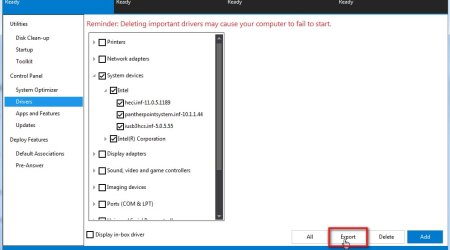
yes,very easy

dism++-export-drivers.jpg
 

My Computers My Computers

  • At a glance

    7 X64i5 84002x8gb 3200mhz
    Computer type
    PC/Desktop
    OS
    7 X64
    CPU
    i5 8400
    Motherboard
    gigabyte b365m ds3h
    Memory
    2x8gb 3200mhz
    Hard Drives
    various
    PSU
    pure power 11 400w cm
    Case
    Coolermaster
    Cooling
    cryorig m9i
  • At a glance

    7x64g54008gb ddr4 2400
    Computer type
    PC/Desktop
    OS
    7x64
    CPU
    g5400
    Motherboard
    ga b365m ds3h
    Memory
    8gb ddr4 2400
    PSU
    xfx pro 450w
yes,very easy


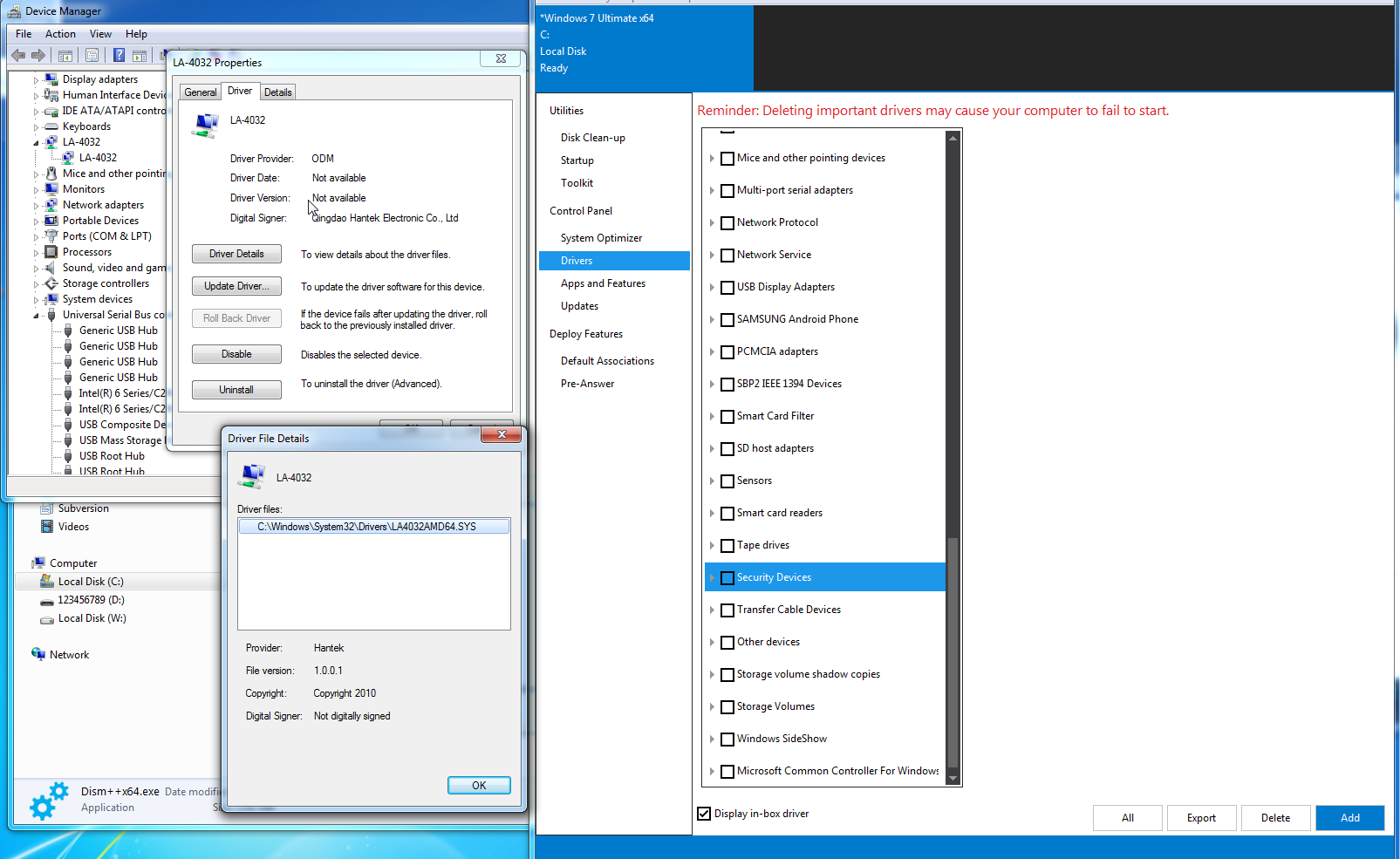
Unfortunately I'm not that lucky. I went through all of the nodes in Dism++ and I couldn't find my driver anywhere. Here's a screenshot - you can see the LA4032 device in the Device Manager, so don't know why it wouldn't appear.


97nANW3.png
 

My Computer My Computer

At a glance

Windows 7 Ultimate x64
OS
Windows 7 Ultimate x64
If there is a 3rd party driver installed, it will be displayed in dism++.
I don't know what heading it would be under. Possibly it is listed under "other devices".
I have never heard of a Hantek4032L before. It will be there somewhere.

It will be easier to see if you untick "display in-box drivers".
 

My Computers My Computers

  • At a glance

    7 X64i5 84002x8gb 3200mhz
    Computer type
    PC/Desktop
    OS
    7 X64
    CPU
    i5 8400
    Motherboard
    gigabyte b365m ds3h
    Memory
    2x8gb 3200mhz
    Hard Drives
    various
    PSU
    pure power 11 400w cm
    Case
    Coolermaster
    Cooling
    cryorig m9i
  • At a glance

    7x64g54008gb ddr4 2400
    Computer type
    PC/Desktop
    OS
    7x64
    CPU
    g5400
    Motherboard
    ga b365m ds3h
    Memory
    8gb ddr4 2400
    PSU
    xfx pro 450w

My Computer My Computer

At a glance

Windows 7 SP1 Home Premium 64bit [x64]Intel(R) Core(TM) i5-2310 CPU @ 2.90GHz6 GBIntel HD Graphics 2000
Computer type
PC/Desktop
Computer Manufacturer/Model Number
Dell Inspiron 620
OS
Windows 7 SP1 Home Premium 64bit [x64]
CPU
Intel(R) Core(TM) i5-2310 CPU @ 2.90GHz
Memory
6 GB
Graphics Card(s)
Intel HD Graphics 2000
Sound Card
Conexant CX20641 HD Audio
Hard Drives
Western Digital 1TB (1024GB) WD10EALX-759BA1
Internet Speed
Spectrum Cable Internet up to 100Mbps
Back
Top