
Hi!
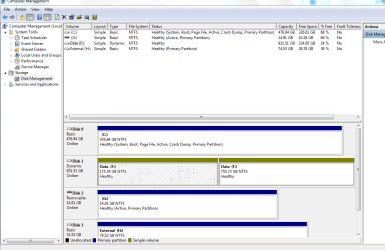
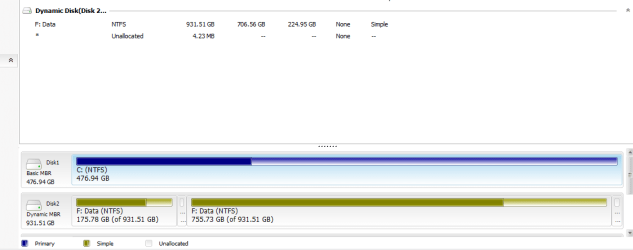
So I have a 1TB HDD that had an old back up partition of 175GB on it and a storage partition of 755GB. I used disk manegement to clear/delete the smaller volume so I could create a new back up for my recently installed OS. Somehow, (never tinker whilst looking after a screaming baby) I now have 2 simple volumes, both labelled as drive F.
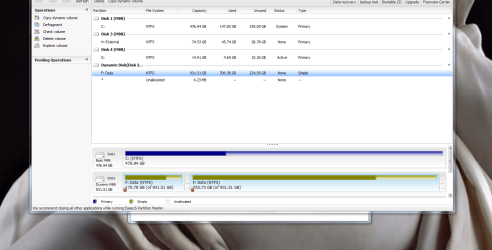
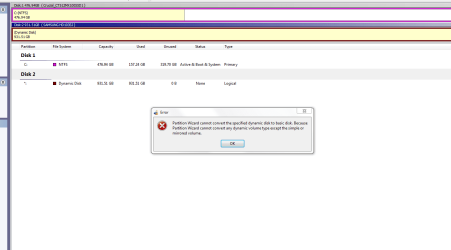
I have about 700GB of stuff on the original larger partition and not to keen on having to buy another HDD to back that up. I also tried EaseUS Partition Master but the option to "convert to basic disk" is not there maybe because there are 2 very small (..MBs) unallocated partitions that seemingly only EaseUS can detect?
I would like to return the drive to a basic disk and create a backup partition on it without losing all my data, is this at all possible?
Thanks in advance
So I have a 1TB HDD that had an old back up partition of 175GB on it and a storage partition of 755GB. I used disk manegement to clear/delete the smaller volume so I could create a new back up for my recently installed OS. Somehow, (never tinker whilst looking after a screaming baby) I now have 2 simple volumes, both labelled as drive F.
I have about 700GB of stuff on the original larger partition and not to keen on having to buy another HDD to back that up. I also tried EaseUS Partition Master but the option to "convert to basic disk" is not there maybe because there are 2 very small (..MBs) unallocated partitions that seemingly only EaseUS can detect?
I would like to return the drive to a basic disk and create a backup partition on it without losing all my data, is this at all possible?
Thanks in advance
My Computer
At a glance
Windows 7 Ultimate x64amd X2 550 BE4GHD 4850
- Computer type
- PC/Desktop
- Computer Manufacturer/Model Number
- custom build
- OS
- Windows 7 Ultimate x64
- CPU
- amd X2 550 BE
- Motherboard
- Asus m4a785td-m evo
- Memory
- 4G
- Graphics Card(s)
- HD 4850
- Hard Drives
- 500GB ssd system
1TB storage
80GB ext
- Antivirus
- avast
- Browser
- firefox




 .(gregrocker knows. I had roped him in another thread where I saw a dynamic disk with two separate partitions with the same drive letter with an intermediate partition.
 )
)