Help Err2Err3 on first try win 7 upgrade

The DVD is not booting correctly. Did you burn it yourself? If so, burn another at 4x speed using ImgBurn.

Unplug all other devices and HD's. Follow these steps:

Set the DVD drive as first device to boot in BIOS setup, or tap the key given on first screen for BIOS Boot Menu:
Asus - F8
HP/Compaq - Esc
Sony - F2
Acer - F12
Gateway - F10
eMachnes - F10
Toshiba - F12
Dell - F12
IBM/Lenovo - the blue Thinkvantage button

Choose DVD drive to boot.

You should receive a prompt to "Press any key to boot DVD," press Enter, the files should load and give you a Language choices screen. At that screen press Shift + F10 to open a Command Box.
Type:
DISKPARK
LIST DISK
SELECT DISK # (replace with target HD #)
CLEAN ALL

This will wipe your HD of (corrupt or infected) code to give you the cleanest possible install. It takes about an hour per 300gb.

When Clean All completes, close the Command Box and click Install Now, choose Custom, then Drive Options to create partition(s) as you please, format before installing to first OS partition (Ignore the 100mb Boot partition which will be assigned). http://www.sevenforums.com/tutorials/1649-clean-install-windows-7-a.html

To use an Upgrade version on a cleaned HD leave the Product Key box blank during install, then afterward do the quick registry edit given here to activate: http://www.sevenforums.com/tutorials/31402-clean-install-upgrade-windows-7-version.html

If there are any further errors, please post back the exact wording and when they occur.

 
The latest, \windows\system32\drivers\wdf01000.sys... Status:0xc0000221... info: windows failed to load because a critical system driver failed to load... The next thing was Bootmgr is missing... nothing I have will boot to windows 7 or vista setup box, I can't get into safe mode now, the last time I was in safe mode and tried to get into command prompt it went to BSOD.. I know everybody is getting tired of this, If there are no more Ideas I do understand, so don't hesitate to tell me you have no more Ideas.. Thanks for all your help.. Islandboy..
 

My Computer My Computer

OS
windows 7 home premium 32bit
I apologize G rocker I didn't see your last post.Yes I burned the DVD my self on x4 and used Imgburn ... I never get to the language screen there is always something else first BSOD missing bootmgr, system files missing. I have never ever got to the first screen for language.. That is my problem I cant get to that point.. I have used two different repair DVD's and windows 7 home premium up grade (new from best buy) to try to get it to boot to language screen and so far nothing.. I do get to the press any key to boot DVD but from there it goes to pick a problem or error. I get to BIOS on F-10 key but that takes many tries also.. IB..
 

My Computer My Computer

OS
windows 7 home premium 32bit
In case you are not aware of it I am downloading everything to my HP windows XP machine to burn DVD's, the sick machine is not on line. By the way when you said to unplug all other devices you meant the hard drive too???
 

My Computer My Computer

OS
windows 7 home premium 32bit
You need to sort out your Hardware problems first, before installing any type of OS.
 

My Computer My Computer

OS
ME/XP/Vista/Win7
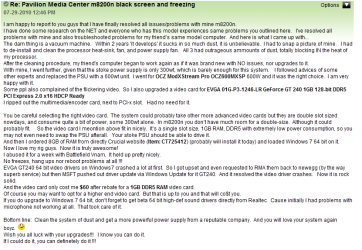
Theog, thank you I was just reading the complaints and replies from the HP media center m8200n users, basically that is pretty much how all of my problems started in my wife's vista, I believe the hp m8200n vista is about 3 3/4 yrs old now but never the less all the same symptoms were there.. As far as hardware problems go I am not sure where to start, the memory tested ok, not to say it good either. Not sure about the PSU (300 W) but it was working before the last Nivida up dates were sent from MS, if I remember right that was about the time My wife complained about BSOD's, that was last Nov. and since then a friend reloaded the factory OS, and we tried to reload the updates and SP 1 and we never did get to SP2 before it all went south.. At this point I am at a loss as to what to do next, but I am sure something will spur me in the right direction.. Thanks so much for all your effort.. Islandboytoo...
 

My Computer My Computer

OS
windows 7 home premium 32bit
I know someone that is having similar issues with the exact same HP machine.

If so you probably have 4 sticks of RAM, 2 1GB and 2 .5GB sticks.

Unplug, power down and bleed off all the residual power from the machine using the power button.

RAM is very susceptible to stray electric charges so when you handle the RAM keep your forearm against the PC case the whole time to 'ground' yourself.

Be careful where you 'store' the sticks you remove.

Take out all but a single 1GB stick and leave that in the #1 RAM DIMM, the link below should be the correct motherboard.

Motherboard Specifications, MCP61PM-HM (Nettle) Compaq Presario SR5063CF CTO Desktop PC - HP Customer Care (United States - English)

Now see if you can boot to diskpart to run a wipe and clean install of Windows 7.

SSD / HDD : Optimize for Windows Reinstallation

DISKPART : At PC Startup

How to Do a Clean Installation with Windows 7
 

My Computer My Computer

Computer Manufacturer/Model Number
* BFK Customs *
OS
W 7 64-bit Ultimate
CPU
Intel Q9550 Yorkfield
Motherboard
ASUS P5Q Pro
Memory
8GB Dominator 8500C5D
Graphics Card(s)
ATI : XFX 5870
Sound Card
Realtek HD Audio 7-1
Monitor(s) Displays
1x 47" LCD HDMI & 3x 26" LCD HDMI
Screen Resolution
1920x1080P & 1920x1200
Hard Drives
1x 80GB Intel X25-M G2 SSD : 1x 500GB & 1x 640GB WD Caviar Black(s)
PSU
Corsair 620HX
Case
Cooler Master RC-690
Cooling
Tuniq Tower 120, 2x 140mm and 3x 120mm case fans
Keyboard
Microsoft 500
Mouse
Razer Diamondback 3G
Internet Speed
14 Mb/s
Other Info
1x Koutech 3Gb/s SATA HDD Hot Swap Rack
Thank you BFK for more to look at and do. I will get on this in a few hrs, as it is sleep time now.. By the way I have never been into a case until now, except for the PSU I put in my HP Win XP, and taking the cmos out of this one, so this will be a good adventure. and I do understand about electrostatic discharge.. Thanks so much.. IB...
 

My Computer My Computer

OS
windows 7 home premium 32bit
1) Clean out all dust from case.
2) Remove all fans, & clean. Refit.
3) Remove all PCI & PCI-E cards, & clean. Also clean the slots as well. Refit.
4) Remove all ram cards & clean. Also clean the slots as well. Refit.
5) Remove all heat sinks & clean. Refit with fresh thermal paste.
 

My Computer My Computer

OS
ME/XP/Vista/Win7
The messages you are getting mean the HD is trying to boot. Again, the DVD is not booting even after pressing any key to boot DVD.

Where did you get Win7? How do you plan to activate it?

Check the HASH against official Win7 HASH codes.

Then burn another DVD at 4x speed with ImgBurn.

If this continues to fail, write the confirmed ISO to a USB flash stick: Install UltraISO trial, on File tab Open ISO, on Bootable tab Write ISO, press Format button, press Write. Boot under USB or HD's.
 
Thank you, for getting back to me theog, I thought I would have this done today, but more important stuff had to get done. I will research the how to's and try to get all of this done, it will take me awhile as this will be my first time doing anything like this type of clean out. It will be good experience for me..I will do Bare Foot Kids suggestion first, (removing the 3 ram sticks and then trying to boot to diskpart.. thank you
 

My Computer My Computer

OS
windows 7 home premium 32bit
Be sure to keep us informed as you have time.
 

My Computer My Computer

Computer Manufacturer/Model Number
* BFK Customs *
OS
W 7 64-bit Ultimate
CPU
Intel Q9550 Yorkfield
Motherboard
ASUS P5Q Pro
Memory
8GB Dominator 8500C5D
Graphics Card(s)
ATI : XFX 5870
Sound Card
Realtek HD Audio 7-1
Monitor(s) Displays
1x 47" LCD HDMI & 3x 26" LCD HDMI
Screen Resolution
1920x1080P & 1920x1200
Hard Drives
1x 80GB Intel X25-M G2 SSD : 1x 500GB & 1x 640GB WD Caviar Black(s)
PSU
Corsair 620HX
Case
Cooler Master RC-690
Cooling
Tuniq Tower 120, 2x 140mm and 3x 120mm case fans
Keyboard
Microsoft 500
Mouse
Razer Diamondback 3G
Internet Speed
14 Mb/s
Other Info
1x Koutech 3Gb/s SATA HDD Hot Swap Rack
Will DO!! Thanks to all of your guys, I think I am into something I am going to like.. My sincere thanks to all... islandboytoo...
 

My Computer My Computer

OS
windows 7 home premium 32bit
Back
Top