Help I am Having multipe issues. Please help:)

srla

New member
Local time
10:03 AM
Messages
6
Ok first I was having problems with the buffering in youtube. So I deleted chrome. Now I cant download anything without the prompt do you want to save or open. I have firefox now but it has the mozglue.dll error. So I cant download a browser and I cant fix the mozglue.dll error and I cant play any video without an error appearing. Also I keep getting when I am on a site it says the script is too long or I get not responding. I have been trying to figure this out for days and I cant figure it out. Please help. Thanks
 

My Computer

Computer type
Laptop
Computer Manufacturer/Model Number
gateway
OS
windows 7 home premium 32bit IE11
Ty for responding how do I use my built in IE? I keep getting internet explorer isn't responding
 

My Computer

Computer type
Laptop
Computer Manufacturer/Model Number
gateway
OS
windows 7 home premium 32bit IE11
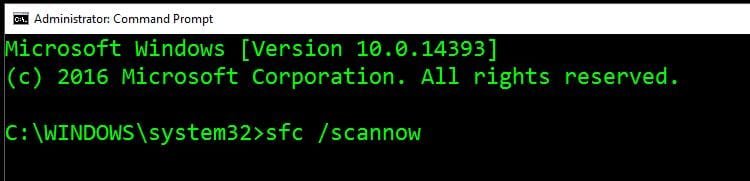
Run a system file check.

Right click Command Prompt and choose run as Administrator and type sfc /scannow

post your results.
 

Attachments

  • Capture.JPG
    Capture.JPG
    32.1 KB · Views: 47

My Computer

Computer type
PC/Desktop
Computer Manufacturer/Model Number
Skylake Special #666
OS
Windows 10 Pro x64
CPU
Intel Core i7 6700K
Motherboard
Asus Sabertooth Z170 Mark 1
Memory
GSkill TridentZ RGB 16GB 3600 16-16-16-36
Graphics Card(s)
EVGA GTX 980 Ti SC x2
Sound Card
Realtek High Definition
Monitor(s) Displays
AOC G2460PG
Screen Resolution
1920 x 1080 144Hz
Hard Drives
Samsung 860 Pro 256GB, Seagate Barracuda 4TB x2
PSU
EVGA 1000 P2, EVGA White Custom Braided Cables
Case
Corsair Vengeance C70 Gunmetal Black
Cooling
Corsair H100i v2, Corsair ML120 x2, Thermal Grizzly Kryonaut
Keyboard
Logitech G910 Orion Spectrum
Mouse
Logitech G700s
Internet Speed
Verizon Fios Quantum Gateway 75/75
Antivirus
Windows Defender, Malwarebytes Free 3.8.3
Browser
Chrome
Other Info
Corsair SP120 x4, LG Blu-ray Drive, Durabrand HT-395 100 Watt Dolby Digital Amp, Corsair H2100 Wireless 7.1 Headset
Hi AddRMicrosoft Windows [Version 6.1.7601]
Copyright (c) 2009 Microsoft Corporation. All rights reserved.
C:\Windows\system32>sfc/ scannow
Microsoft (R) Windows (R) Resource Checker Version 6.0
Copyright (c) 2006 Microsoft Corporation. All rights reserved.
Scans the integrity of all protected system files and replaces incorrect version
s with
correct Microsoft versions.
SFC [/SCANNOW] [/VERIFYONLY] [/SCANFILE=<file>] [/VERIFYFILE=<file>]
[/OFFWINDIR=<offline windows directory> /OFFBOOTDIR=<offline boot directory>
]
/SCANNOW Scans integrity of all protected system files and repairs files
with
problems when possible.
/VERIFYONLY Scans integrity of all protected system files. No repair operati
on is
performed.
/SCANFILE Scans integrity of the referenced file, repairs file if problems
are
identified. Specify full path <file>
/VERIFYFILE Verifies the integrity of the file with full path <file>. No re
pair
operation is performed.
/OFFBOOTDIR For offline repair specify the location of the offline boot dire
ctory
/OFFWINDIR For offline repair specify the location of the offline windows d
irectory
e.g.
sfc /SCANNOW
sfc /VERIFYFILE=c:\windows\system32\kernel32.dll
sfc /SCANFILE=d:\windows\system32\kernel32.dll /OFFBOOTDIR=d:\ /OFFWINDI
R=d:\windows
sfc /VERIFYONLY
C:\Windows\system32>AM ; Here are the results
 

My Computer

Computer type
Laptop
Computer Manufacturer/Model Number
gateway
OS
windows 7 home premium 32bit IE11
am doing it again sorry
 

My Computer

Computer type
Laptop
Computer Manufacturer/Model Number
gateway
OS
windows 7 home premium 32bit IE11
AddRAM

Hi I did what you said and did the scan here are the results thks
C:\Windows\system32>sfc/scannow
Beginning system scan. This process will take some time.
Beginning verification phase of system scan.
Verification 100% complete.
Windows Resource Protection did not find any integrity violations.
C:\Windows\system32>
 

My Computer

Computer type
Laptop
Computer Manufacturer/Model Number
gateway
OS
windows 7 home premium 32bit IE11
Hi,
Reset ie11 and don't forget to delete all personal settings box when prompted too
Internet Explorer - Reset

You can also try safe mode with networking too
Safe Mode
 

My Computer

Computer type
PC/Desktop
Computer Manufacturer/Model Number
Custom assembled by me :}
OS
Win-7-Pro64bit 7-H-Prem-64bit
CPU
i7-5930K 2nd i9-9940x both water blocked VRM's too
Motherboard
ASUS SABERTOOTH X99 2nd ASUS x299 Apex
Memory
Trident-z 3200C14 2nd Trident-z 3600C16
Graphics Card(s)
EVGA 1080ti ftw3 2nd Titan Xp both water blocked
Sound Card
Built-in Realtek
Monitor(s) Displays
1-AOC G2460PG 24"G-Sync 144Hz/ 2nd 1-ASUS VG248QE 24" 144Hz
Screen Resolution
1920 x 1080 144Hz
Hard Drives
2-Samsung M.2 Evo & Evo Plus
2-Samsung 850 EVO 500GB SSD's/ 3-2.5 W.D. Black 1tb-&3-1tb/3-3.5 WD Black 1tb hdd's
PSU
EVGA SuperNOVA 1000-P2 2nd 1200-P2
Case
2-Corsair Obsidian Series 450D Black ATX Mid Tower
Cooling
Custom water loops
Keyboard
Logitech G710+/ 2nd Logitech G910
Mouse
2-RedDragon M901 Perdition 16400 dpi Gaming mouse = wired
Internet Speed
Comcast Ping 19ms 89.31mbps download speed 6.12mbps upload
Antivirus
Malwarebytes Pro/ Superantispyware Pro
Browser
FireFox & Pale moon
Other Info
2nd ASUS X299 Apex/Intel i9-9940x with Custom water loop/7H-Prem-x64/Corsair 450D case/Ram Trident-z 3600C16 4x8gb / Samsung970Evo plus 500gb SSD/Dual ssd EZ swap evo/PSU EVGA SuperNova 1200w-P2 80+Platinum/GPU Titan Xp /8-ML-140 on push-pull on 2-280GTX rads
Help I am having multipe issues. Please help

Hi I did what you said am not sure how long it Is suppose to take. But I am still getting do you want to open or save prompts. Thanks
 

My Computer

Computer type
Laptop
Computer Manufacturer/Model Number
gateway
OS
windows 7 home premium 32bit IE11
Hi,
Choose save
Save to your downloads folder which is the default location for downloads
Then open the downloads folder and run what ever you're downloading from there.
 

My Computer

Computer type
PC/Desktop
Computer Manufacturer/Model Number
Custom assembled by me :}
OS
Win-7-Pro64bit 7-H-Prem-64bit
CPU
i7-5930K 2nd i9-9940x both water blocked VRM's too
Motherboard
ASUS SABERTOOTH X99 2nd ASUS x299 Apex
Memory
Trident-z 3200C14 2nd Trident-z 3600C16
Graphics Card(s)
EVGA 1080ti ftw3 2nd Titan Xp both water blocked
Sound Card
Built-in Realtek
Monitor(s) Displays
1-AOC G2460PG 24"G-Sync 144Hz/ 2nd 1-ASUS VG248QE 24" 144Hz
Screen Resolution
1920 x 1080 144Hz
Hard Drives
2-Samsung M.2 Evo & Evo Plus
2-Samsung 850 EVO 500GB SSD's/ 3-2.5 W.D. Black 1tb-&3-1tb/3-3.5 WD Black 1tb hdd's
PSU
EVGA SuperNOVA 1000-P2 2nd 1200-P2
Case
2-Corsair Obsidian Series 450D Black ATX Mid Tower
Cooling
Custom water loops
Keyboard
Logitech G710+/ 2nd Logitech G910
Mouse
2-RedDragon M901 Perdition 16400 dpi Gaming mouse = wired
Internet Speed
Comcast Ping 19ms 89.31mbps download speed 6.12mbps upload
Antivirus
Malwarebytes Pro/ Superantispyware Pro
Browser
FireFox & Pale moon
Other Info
2nd ASUS X299 Apex/Intel i9-9940x with Custom water loop/7H-Prem-x64/Corsair 450D case/Ram Trident-z 3600C16 4x8gb / Samsung970Evo plus 500gb SSD/Dual ssd EZ swap evo/PSU EVGA SuperNova 1200w-P2 80+Platinum/GPU Titan Xp /8-ML-140 on push-pull on 2-280GTX rads
Downloading a 'small' program - a video editor, document editor, screensaver slideshow app, etc., is a risky gig in Windows. A 'bigger' program, like a browser, is a walk with death aka, BSOD.

FireFox is a good idea for a FRESH install of Windows, IF IF IF downloaded from Mozilla.org .

You might be able to clean up Windows with anti-virus, malware removal programs, but no telling WHAT THEY'LL LEAVE BEHIND (and they DO leave stuff behind).

Depending on what scan programs you run to do some cleanup, and more importantly, what they find, you might want to re-install W7. AND setup dual boot with Linux, for comparison when Windows starts showing problems with speed, etc.

Meantime, pull up Task Manager, and see under 'Performance', if your CPU is getting bogged down with non-Windows Processes.....
 

My Computer

Computer type
PC/Desktop
OS
Windows XP
Back
Top