NeitanDoreiku
New member
- Local time
- 10:48 PM
- Messages
- 7
Hello all,
I built this PC a few months back, and reinstalled Windows 7 on 05-13-14 due to weirdness going on. The problems seem to be happening again, even hours after running.
Everything was great on this system, up until I installed my Samsung SSD's drivers, and it changed to AHCI, as well as changed some services to "Maximum Performance" settings.
My CPU seems to be being used by something. Kaspersky used 25% of the CPU during the install of my Asus drivers, for example. But at most other times, the fan just runs loud and alternates speeds. Secondly, when I open my Task Manager, I find about 40-50% of it used, but a second later it drops to below 10%... but my CPU fan is unaffected.
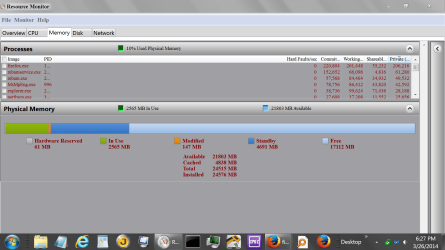
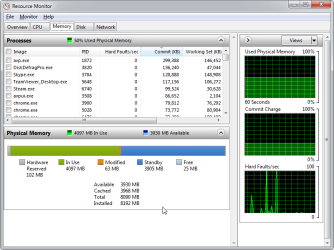
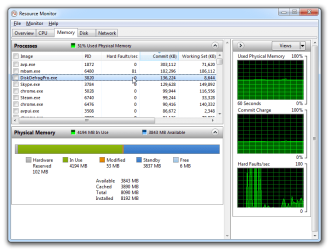
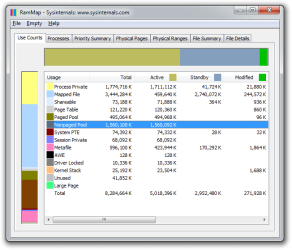
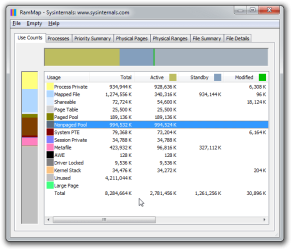
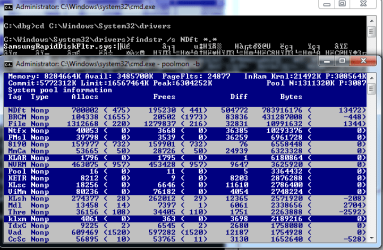
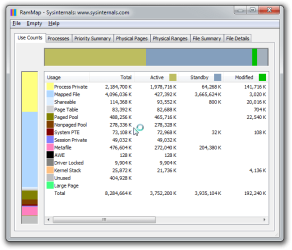
50% of my RAM is filled by the Mapped File cache, Kaspersky is having constant hard faults, harddisk drivers are failing.... I don't know where to start. Any help would be appreciated. Even a pointer to something that could help would be nice... Thank you.
Here is a complete system log:
GetSystemInfo Parser 2.96
(Click on the expert link to view my system information, processes, event viewer logs, and the like.)
I built this PC a few months back, and reinstalled Windows 7 on 05-13-14 due to weirdness going on. The problems seem to be happening again, even hours after running.
Everything was great on this system, up until I installed my Samsung SSD's drivers, and it changed to AHCI, as well as changed some services to "Maximum Performance" settings.
My CPU seems to be being used by something. Kaspersky used 25% of the CPU during the install of my Asus drivers, for example. But at most other times, the fan just runs loud and alternates speeds. Secondly, when I open my Task Manager, I find about 40-50% of it used, but a second later it drops to below 10%... but my CPU fan is unaffected.
50% of my RAM is filled by the Mapped File cache, Kaspersky is having constant hard faults, harddisk drivers are failing.... I don't know where to start. Any help would be appreciated. Even a pointer to something that could help would be nice... Thank you.
Here is a complete system log:
GetSystemInfo Parser 2.96
(Click on the expert link to view my system information, processes, event viewer logs, and the like.)
My Computer
At a glance
Windows 10 ProIntel i7-4790k @ Stock ClockG.Skill Ripjaws Series 16GB (4 x 4GB) DDR3-1866MSI GTX 1070 Gaming X 8GB
- Computer type
- PC/Desktop
- Computer Manufacturer/Model Number
- Custom Build
- OS
- Windows 10 Pro
- CPU
- Intel i7-4790k @ Stock Clock
- Motherboard
- MSI Z97 Gaming X
- Memory
- G.Skill Ripjaws Series 16GB (4 x 4GB) DDR3-1866
- Graphics Card(s)
- MSI GTX 1070 Gaming X 8GB
- Monitor(s) Displays
- ASUS VG248QE Gaming Monitor
- Screen Resolution
- 1920x1080
- Hard Drives
- Crucial CT250MX200SSD4 (C:)
Samsung 850 EVO (MMO & Online Gaming SSD)
Crucial CT250BX100SSD1 (Alternate Gaming SSD)
Seagate FireCuda ST1000DX002-2DV162 (Emulation and Other Gaming)
Western Digital Blue WD10EZEX-00WN4A0 (User/Home Folders and Storage)
- PSU
- Corsair CX750M
- Case
- Cooler Master HAF 912 (Original)
- Cooling
- Corsair H90 CLC
- Keyboard
- Logitech G710+ Brown Mechanical Keyboard
- Mouse
- Logitech G600 MMO Gaming Mouse
- Internet Speed
- 150mbps down 25mbps up
- Antivirus
- Avira Free Antivirus + Malwarebytes 3.0
- Browser
- Google Chrome