

- Local time
- 9:05 AM
- Messages
- 5,053
1.46 gb recovery partition? Anyway what I wanted was that you backup that folder to some other drive, so you can delete it from the desktop- thats the only way to check. You dont have an external drive, you dont have a data partition and I dont want to complicate things by asking you to shrink C:. So the options for you are to get hold of an external drive somehow or clean install.
My Computer
- Computer Manufacturer/Model Number
- Too many to describe...
- OS
- Windows 7 x64 pro/ Windows 7 x86 Pro/ XP SP3 x86
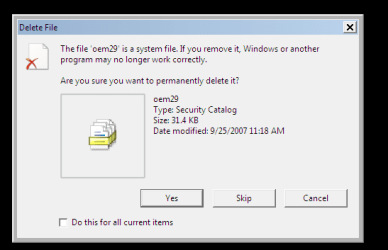
 I just figured it out. I don't recall what it said but I clicked on the icon, clicked properties and under "advanced" it said something about read only and hidden. I selected "hidden" went down and selected apply and poof, it went away. It wasn't a shortcut icon...I went into C drive and created a shortcut for windows and it came right back up but was easily deleted when dragged over to the recycle bin. Problem (actually "aggrivation") solved. Thanks to all who responded and helped. It's nice to see a "Forum Community" like this available for gals like me who are basically illiterate when it comes to computers. On a brighter note...I actually like Windows 7 over Vista. I just don't know if the disc I used to install 32 bit Windows 7 will work again to install it on my desktop. Thanks again, everyone. I'm certain to be back in the very near future. Tawnya


