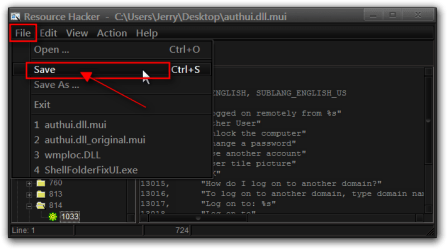
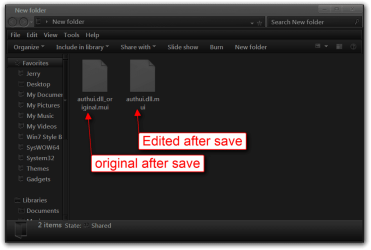
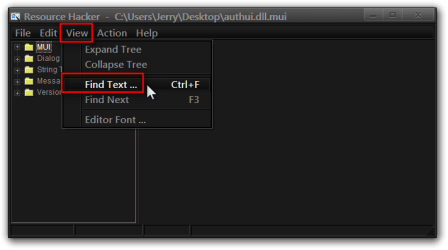
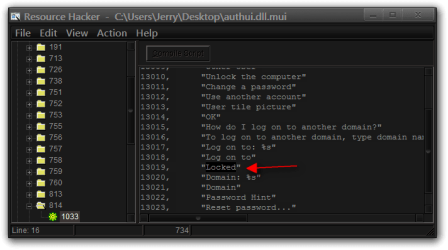
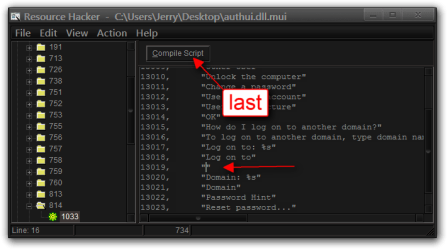
Hi I want to ask if it is possible to edit maybe the authui.dll or the explorer.exe to remove the "locked" message that appears above the password box whenever I lock my computer.
I have already managed to remove the user picture, the "enter" button and the watermark by fiddeling with both those files, but the "locked" mesage is damn near impossible to get rid of
EDIT: My endgame is to have a totaly clear login screen, except for the password box in the middle
I have already managed to remove the user picture, the "enter" button and the watermark by fiddeling with both those files, but the "locked" mesage is damn near impossible to get rid of
EDIT: My endgame is to have a totaly clear login screen, except for the password box in the middle
My Computer
At a glance
Windows 7 Home premium 64-bitIntel(R) Core(TM) i7-3770K CPU @ 3.50GHz (Clo...16384MB DDR3NVIDIA GeForce GTX 680
- Computer type
- PC/Desktop
- Computer Manufacturer/Model Number
- Taurus
- OS
- Windows 7 Home premium 64-bit
- CPU
- Intel(R) Core(TM) i7-3770K CPU @ 3.50GHz (Clocked to 4.2)
- Memory
- 16384MB DDR3
- Graphics Card(s)
- NVIDIA GeForce GTX 680
- Keyboard
- Logitec G19
- Mouse
- Qpad 5K Pro
- Antivirus
- ESET NOD32
- Browser
- Firefox

![CUsersJerryDesktopEnglish (United States).rc - Notepad++ [Administrator].png](https://www.sevenforums.com/data/attachments/166/166588-316c4856ada8d3413a92f02562c505d3.jpg?hash=Nhi-lvRSI3 "CUsersJerryDesktopEnglish (United States).rc - Notepad++ [Administrator].png")


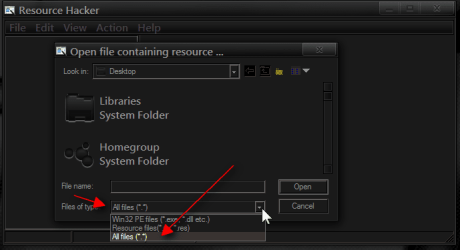
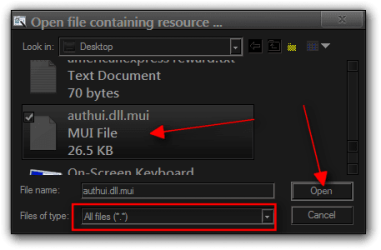

 Thank you for the detailed steps