- Local time
- 5:29 PM
- Messages
- 137
Hi All,
I am designing a form in Excel to be used in manufacturing.
Since math seems to be a problem in our company I included some formulas to automate the process and cut down on mistakes.
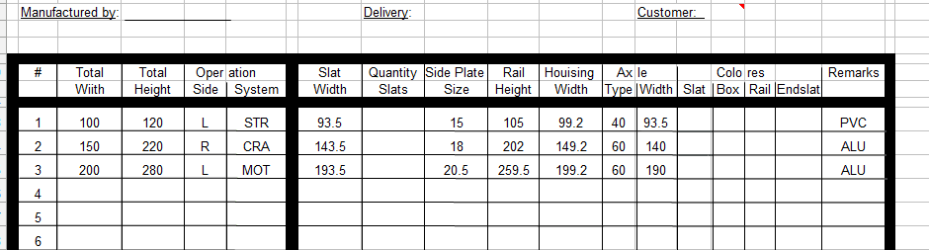
In the screen shot you can see the first 4 columns that have to be entered by the user and then the form will calculate the fields:
Slat width
Rail Height
Housing width
Axle width
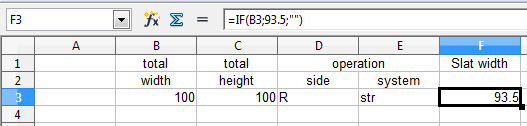
If there is nothing entered in the first 4 columns, I would like the fields that do calculations to be blank to make it less confusing. They should only show anything when a value is entered in column 1-4
So the question is how do I do that?
Anyone?
Thanks
Sven
I am designing a form in Excel to be used in manufacturing.
Since math seems to be a problem in our company I included some formulas to automate the process and cut down on mistakes.
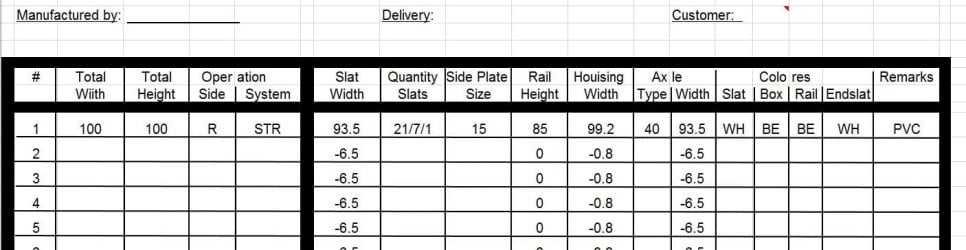
In the screen shot you can see the first 4 columns that have to be entered by the user and then the form will calculate the fields:
Slat width
Rail Height
Housing width
Axle width
If there is nothing entered in the first 4 columns, I would like the fields that do calculations to be blank to make it less confusing. They should only show anything when a value is entered in column 1-4
So the question is how do I do that?
Anyone?
Thanks
Sven
Attachments
My Computer
- Computer type
- PC/Desktop
- Computer Manufacturer/Model Number
- Custom Build
- OS
- windows 7 ultimate x64
- CPU
- AMD FX 6 CORE PROCESSOR
- Memory
- 16 GB
- Graphics Card(s)
- on MB
- Sound Card
- on MB
- Monitor(s) Displays
- Acer
- Screen Resolution
- 1920x1080
- Hard Drives
- Seagate ( C:\)
- Case
- mini tower
- Keyboard
- Logitech wireless
- Mouse
- Logitech wireless
- Antivirus
- MSE
- Browser
- IE11