
My system Specs:
Windows 7 Ultimate x64
HP -515t Desktop
3x 2gig RAM sticks : DDR Samsung 2 GB Memory 1RX8 PC3-10600U
MS-7163(Iona-GL8E)
Initial Issues:
Recently my computer began having problems at startup. The computer would load to the windows start up screen (black with the 4 spinning balls that combine to the windows icon) and then shut itself off.
Initial Troubleshooting:
At first I thought this was the PSU, which I tried replacing from another computer, but this did not change anything. Eventually I tried moving around my RAM sticks. After moving around the sticks, the computer would start up and runs, however I have a new problem.
Current Issue:
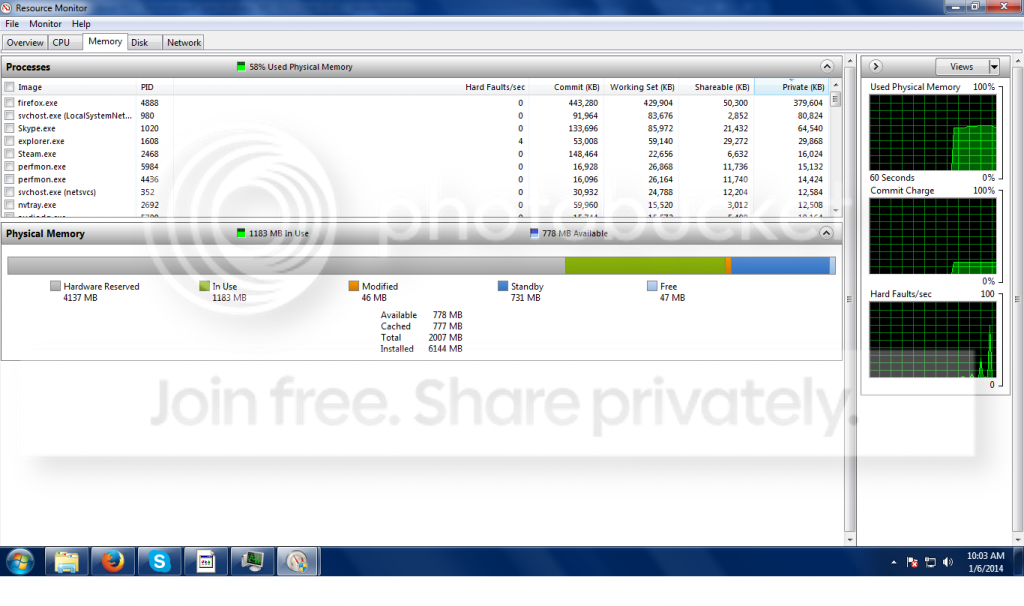
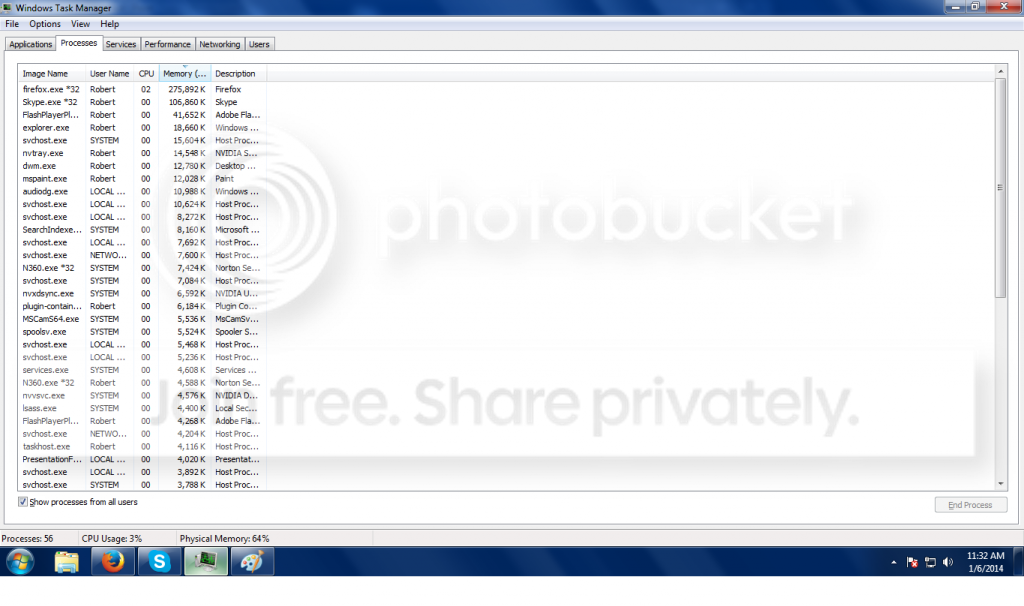
My computer is currently running very slowly. Checking resource monitor shows that ~4gigs of my 6 gigs of ram is being reserved by hardware. System properties shows that i have 6gigs of RAM, but only 1.96gigs is useable. If I go into the Bios, I can see that it recognizes the three 2gig sticks, but on a separate line that reads "Physical Memory installed" says there is only 2 gigs of RAM.
Current Troubleshooting:
1. Ram Configuration (very strange)
I have 3 identical sticks of RAM and four slots in the mobo. I have tried many configurations: 0xxx, x0xx, xx0x, xxx0. As near as I can tell the first memory slot is broken as any stick in that slot will cause the computer to fail to start up. In fact, the monitor won't even receive a signal. That leaves only the 0xxx configuration for me to try. Even though the memory sticks are identical as near as I can tell (same product number even), the order seems to matter. Some orders will boot to the startup screen and then shut down, others will fail to boot or even send a message to the monitor. However some orders will actually allow the computer to start up fine, but all of them give the same issue with available RAM I described previously.
Even stranger to note is that the computer will boot up just fine with any one of the RAM sticks alone provided it is not in the x000 slot.
2. I have updated, reset, and re-updated the bios
3. I have gone into msconfig->boot->advanced options-> and unchecked the max memory box.
4. I have run memtest on every stick in multiple slots, no errors.
5. My Bios does not seem to support memory remapping.
6. I have checked for AGP Aperture size.
7. I have checked for RAM compatibility with my mobo (it ran for 2 years previous to this incident anyway).
8. Disabling Superfetch and restarting
Windows 7 Ultimate x64
HP -515t Desktop
3x 2gig RAM sticks : DDR Samsung 2 GB Memory 1RX8 PC3-10600U
MS-7163(Iona-GL8E)
Initial Issues:
Recently my computer began having problems at startup. The computer would load to the windows start up screen (black with the 4 spinning balls that combine to the windows icon) and then shut itself off.
Initial Troubleshooting:
At first I thought this was the PSU, which I tried replacing from another computer, but this did not change anything. Eventually I tried moving around my RAM sticks. After moving around the sticks, the computer would start up and runs, however I have a new problem.
Current Issue:
My computer is currently running very slowly. Checking resource monitor shows that ~4gigs of my 6 gigs of ram is being reserved by hardware. System properties shows that i have 6gigs of RAM, but only 1.96gigs is useable. If I go into the Bios, I can see that it recognizes the three 2gig sticks, but on a separate line that reads "Physical Memory installed" says there is only 2 gigs of RAM.
Current Troubleshooting:
1. Ram Configuration (very strange)
I have 3 identical sticks of RAM and four slots in the mobo. I have tried many configurations: 0xxx, x0xx, xx0x, xxx0. As near as I can tell the first memory slot is broken as any stick in that slot will cause the computer to fail to start up. In fact, the monitor won't even receive a signal. That leaves only the 0xxx configuration for me to try. Even though the memory sticks are identical as near as I can tell (same product number even), the order seems to matter. Some orders will boot to the startup screen and then shut down, others will fail to boot or even send a message to the monitor. However some orders will actually allow the computer to start up fine, but all of them give the same issue with available RAM I described previously.
Even stranger to note is that the computer will boot up just fine with any one of the RAM sticks alone provided it is not in the x000 slot.
2. I have updated, reset, and re-updated the bios
3. I have gone into msconfig->boot->advanced options-> and unchecked the max memory box.
4. I have run memtest on every stick in multiple slots, no errors.
5. My Bios does not seem to support memory remapping.
6. I have checked for AGP Aperture size.
7. I have checked for RAM compatibility with my mobo (it ran for 2 years previous to this incident anyway).
8. Disabling Superfetch and restarting
Last edited:
My Computer
- Computer type
- PC/Desktop
- OS
- Windows 7 Ultimate x64


 C3-10600 (DDR3-1333)


