I have about 10 programs Pinned to my Taskbar, but when i'm working at speed i keep clicking the wrong ones due to some of the Icons being quite alike
The programs that are active highlight these buttons by making it slightly white in one corner, is there any way to change the appearance of the buttons on the Taskbar when it is in use? So the ones that are 'active' have a bright red background or something so they stand out more ? it would be such a help!
that does seem to be what i want, but i download the Zip file and the file in it is an .msstyles file? My computer doesnt know what to do with it or what to open it with? Do you know how to run/ activate that kind of file?
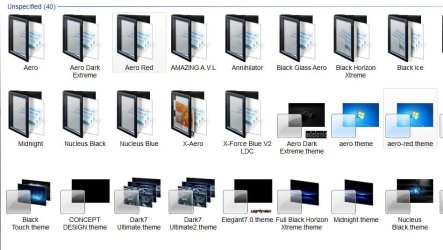
Folder. There will be a .msstyles, and a .theme file for each theme. I don't have any of the original windows themes, but there will be several aero themes, one of which you are using currently? I would copy the original msstyles somewhere so you could change it back if you want later. Then replace it with the .msstyle of your choice from that thread..
If you want one of the files in this post, he included both the .msstyle and the .theme, you could just add them to your aero theme folder, and not touch the original windows themes.
i copied the msstyles into the relevant folder and i now have 3 installed themes showing in my personalisation screen, which is correct, but they are all labelled as Windows 7, and whichever i click the screen seems to stay the same as the standard Windows 7 theme, it doesnt change any button appearances......do i need to do something with the 'theme' files too? sorry, i'm not very good at this
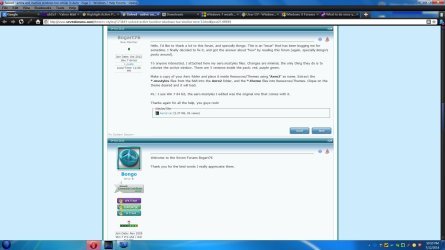
Just tried it and it works. Download the zip from Bogart76's post and extract the files
Choose which color you want, and you will have 2 files for that color (I chose red for this test). aero-red.msstyles, and aero-red.theme
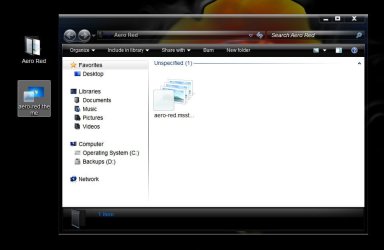
Create a New Folder and name it Areo Red. Put the aero-red.msstyles inside the new Aero Red folder You will now have the aero-red.msstyles in an Aero Red folder and a separate aero-red.theme file
Put the Aero Red folder , and the separate aero-red.theme file both in the
C:\windows\Resources\Themes\ folder
Right click the desktop> Personalize> Under Installed themes you will find Windows 7 (it is the Windows Aero theme modified, that is why it is not named Aero Red)
Click on that theme should give you an applied theme with the Open windows icon highlighted in red on the taskbar
A Guy
Your active window should now be red on the taskbar
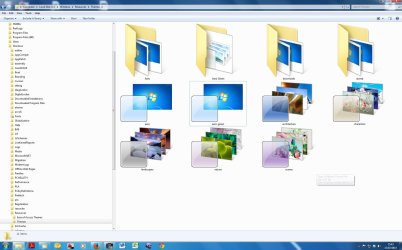
thanks so much for the precise description, i have done exactly as stated, and it has just chnaged it to the standard Windows 7 theme with no highlighted active buttons, i dont know what i'm doing wrong I've attached a screenshot of the Theme Folder , and i chose the green option.....i am so sorry to keep pestering you
Hmmm, I am unsure, you appear to have it right. You saw the new Aero theme under Installed themes? Perhaps run the System File Checker and then try to apply it again.
Hello I am trying to install Aero2 theme under Win7 64
I have placed the aero-red.msstyles and the aero-red.theme file in the C:\windows\Resources\Themes folder but the theme is not present in the Installed themes
I have run the System File Checker and did not find any integrity violations
Can some give me some tips?