- Local time
- 9:42 AM
- Messages
- 25
My Computer
At a glance
Windows 7 Professional x86
- OS
- Windows 7 Professional x86



Hi,
You might want to try the following tutorial from Brink
http://www.sevenforums.com/tutorials/581-libraries-restore-default.html
Hope it helps
OS


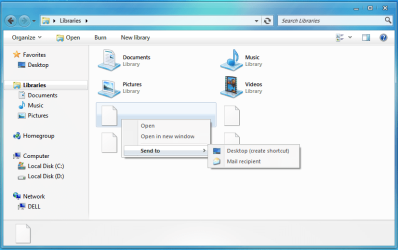
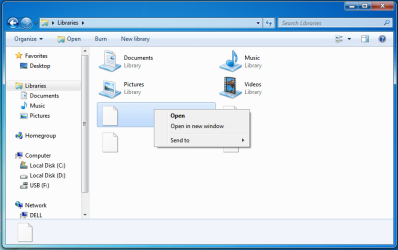
In the "Libraries" folder i have four blank files which deleting/opening them does nothing and right clicking a choosing open does nothing
How can i get rid/hide these files?
Thanks


I notice from your screenshot that the Videos folder does not show in the left hand panel under "Libraries" Is there a reason for this? Also have you scanned with Anti Malware as suggested above?In the "Libraries" folder i have four blank files which deleting/opening them does nothing and right clicking a choosing open does nothing
How can i get rid/hide these files?
Thanks
What does the 'send to' option include?
I notice from your screenshot that the Videos folder does not show in the left hand panel under "Libraries" Is there a reason for this? Also have you scanned with Anti Malware as suggested above?In the "Libraries" folder i have four blank files which deleting/opening them does nothing and right clicking a choosing open does nothing
How can i get rid/hide these files?
Thanks

i couldn't get those files deleted so i had to format and start all over again.
thanks for all the suggestions above
i couldn't get those files deleted so i had to format and start all over again.
thanks for all the suggestions above
backup your files first if you want to do format, and make sure your files in the right place then do format.
i couldn't get those files deleted so i had to format and start all over again.
thanks for all the suggestions above
backup your files first if you want to do format, and make sure your files in the right place then do format.
hehe i already did the format and i know how to do that.
but thanks as well