
- Local time
- 5:27 AM
- Messages
- 260
I'm trying to copy a VHD (22g, dynamic I think...)
I tried richcopy. It says copy started, but then stops....
I saw someone mention xcopy /j, to achieve the unbuffered I/O perf. you get with richcopy...
it's running, but no indication as to how long it takes (EDIT: just finished, > 10 mins),
what's the syntax for single files?
Can't you just paste the path into the source?
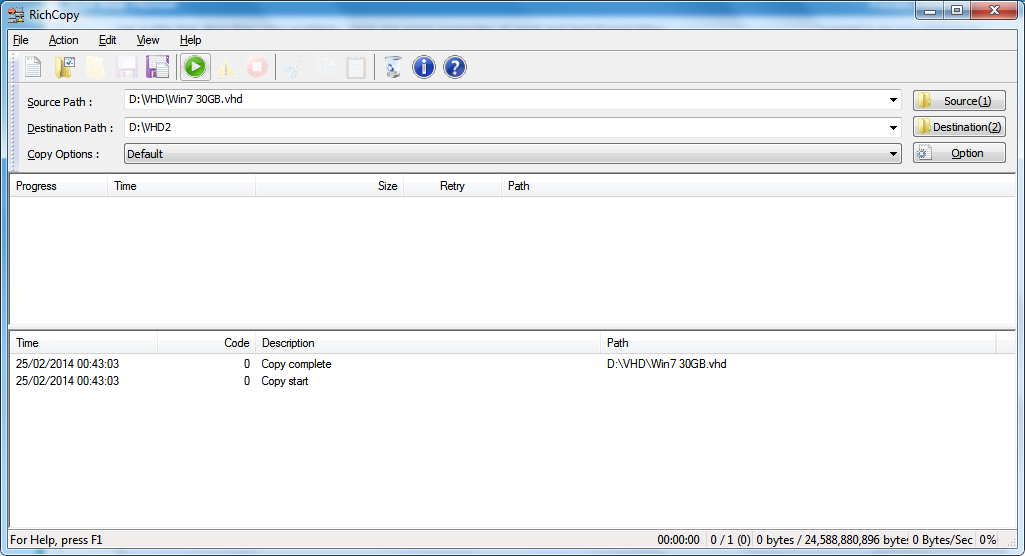
(starts, and stops... any logs?)
I tried richcopy. It says copy started, but then stops....
I saw someone mention xcopy /j, to achieve the unbuffered I/O perf. you get with richcopy...
it's running, but no indication as to how long it takes (EDIT: just finished, > 10 mins),
what's the syntax for single files?
Can't you just paste the path into the source?
(starts, and stops... any logs?)
My Computer
At a glance
Windows 7 Ultimate 64bit2.28GbNVIDIA
- Computer type
- Laptop
- Computer Manufacturer/Model Number
- Dell
- OS
- Windows 7 Ultimate 64bit
- CPU
- 2.2
- Memory
- 8Gb
- Graphics Card(s)
- NVIDIA
- Screen Resolution
- 1280/762
- Mouse
- built in pad || iphone || MS wireless
- Internet Speed
- 100MB
- Antivirus
- Avast
- Browser
- Chrome, Chrome portable

 AT /E
AT /E
