
moonlightxmania
New member
- Local time
- 10:25 PM
- Messages
- 2
When I go to the Control Panel > Mouse, I get an error message that says that my laptop is not recognizing my touchpad.
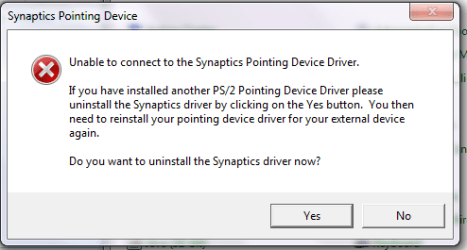
It still lets me open the configure window if I hit "no," and when I go to Device Settings > Scrolling > One-Finger Scrolling, it does not let me check the "Enable Vertical Scrolling" box. When I click the box, nothing happens.
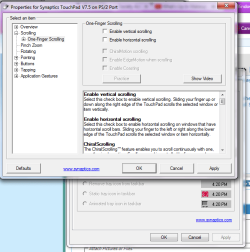
My Synaptics driver is enabled to turn on at start up, so I don't know why this problem is happening.

I think I must have disabled something in msconfig without realizing it, because one day when I turned on my laptop I just wasn't able to use vertical scrolling. Any ideas? Advice would be much appreciated! Thank you!
It still lets me open the configure window if I hit "no," and when I go to Device Settings > Scrolling > One-Finger Scrolling, it does not let me check the "Enable Vertical Scrolling" box. When I click the box, nothing happens.
My Synaptics driver is enabled to turn on at start up, so I don't know why this problem is happening.
I think I must have disabled something in msconfig without realizing it, because one day when I turned on my laptop I just wasn't able to use vertical scrolling. Any ideas? Advice would be much appreciated! Thank you!
My Computer
At a glance
Windows 7 Home Premium 64 bit
- Computer type
- PC/Desktop
- Computer Manufacturer/Model Number
- Sony Vaio VPCEG16FM
- OS
- Windows 7 Home Premium 64 bit
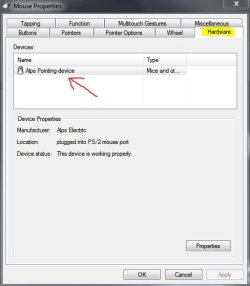

 Thanks for posting back.


