
Hi everyone;
Pc: Acer V5-573g
Os: Windows 7 64 Bit Home Premium (Legacy mode not uefi)
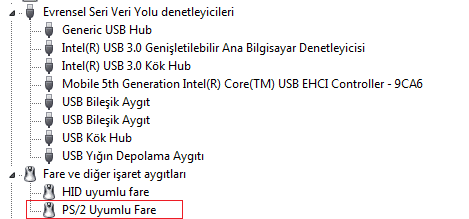
Touchpad Device Id: ACPI\SYN1B81
-I can disable touchpad via Fn+F7 key. After disable I cant enable touchpad via Fn+F7 key.
-If I re-enable in after disable 4-5 seconds, touchpad re-enabled. If after touchpad disabled more than 4-5 seconds touchpad can't re-enable via Fn+F7.
-I tried synaptics touchpad drivers for windows 7 it did't work.
-I am also using logitech external cordless mouse.
-Windows 8 and windows 10 shows my touchpad named "hid mouse" and no problem enable or disable.
Thanks.
Pc: Acer V5-573g
Os: Windows 7 64 Bit Home Premium (Legacy mode not uefi)
Touchpad Device Id: ACPI\SYN1B81
-I can disable touchpad via Fn+F7 key. After disable I cant enable touchpad via Fn+F7 key.
-If I re-enable in after disable 4-5 seconds, touchpad re-enabled. If after touchpad disabled more than 4-5 seconds touchpad can't re-enable via Fn+F7.
-I tried synaptics touchpad drivers for windows 7 it did't work.
-I am also using logitech external cordless mouse.
-Windows 8 and windows 10 shows my touchpad named "hid mouse" and no problem enable or disable.
Thanks.
Attachments
My Computer
At a glance
Windows 7 Home Premium 64bit
- Computer type
- PC/Desktop
- OS
- Windows 7 Home Premium 64bit

