Hi,
Stuck for hours and hoping somebody can help. I'll try and make this as short and succinct as possible. Ty in advance if anyone can help direct me.
I have three drives:
0. New 1tb SSD to replace my smaller drive 2.
1. 1tb HDD for data.
2. 250gb SSD for windows and programs.
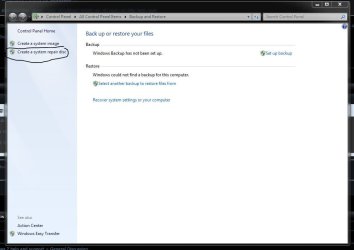
I downloaded Acronis Migrate Easy and asked it to clone drive 2 onto drive 0. It completed. But I've not been able to boot from the new clone drive 0. No matter what I try or do, my old drive 2 is always listed as C: and always shows the boot files ( image after cloning below ).
One item that is worth noting. My system files are held separately on drive 1. I guess I had that drive plugged in when I originally installed windows. I'm not sure if this has an affect on the process. Once again, you can see this in the image.

Here are things I've tried:
1) Cloning, then unplugging the original 2 drive prior to reboot. But it says device missing and won't boot without drive 2.
2) Cloning, then leaving all drives plugged in. It boots, but from drive 2 again.
3) Variations on the first two attempts and swapping the drive cables in case that was important.
4) Going into the UEFI bios to try and assign the new drive as boot, but it is not available in the boot priority list.
Before I go nuclear and reinstall windows which makes my soul die inside when I look at home much work will be needed, here are some questions:
> Does holding my system files on a different disk affect my attempt to change c: drives?
> Is there something super simple I'm missing?
Ty for any help.
Phil
Stuck for hours and hoping somebody can help. I'll try and make this as short and succinct as possible. Ty in advance if anyone can help direct me.
I have three drives:
0. New 1tb SSD to replace my smaller drive 2.
1. 1tb HDD for data.
2. 250gb SSD for windows and programs.
I downloaded Acronis Migrate Easy and asked it to clone drive 2 onto drive 0. It completed. But I've not been able to boot from the new clone drive 0. No matter what I try or do, my old drive 2 is always listed as C: and always shows the boot files ( image after cloning below ).
One item that is worth noting. My system files are held separately on drive 1. I guess I had that drive plugged in when I originally installed windows. I'm not sure if this has an affect on the process. Once again, you can see this in the image.
Here are things I've tried:
1) Cloning, then unplugging the original 2 drive prior to reboot. But it says device missing and won't boot without drive 2.
2) Cloning, then leaving all drives plugged in. It boots, but from drive 2 again.
3) Variations on the first two attempts and swapping the drive cables in case that was important.
4) Going into the UEFI bios to try and assign the new drive as boot, but it is not available in the boot priority list.
Before I go nuclear and reinstall windows which makes my soul die inside when I look at home much work will be needed, here are some questions:
> Does holding my system files on a different disk affect my attempt to change c: drives?
> Is there something super simple I'm missing?
Ty for any help.
Phil
My Computer
At a glance
Windows 7 64 bit
- OS
- Windows 7 64 bit