- Local time
- 8:00 AM
- Messages
- 57
 hellow...
I use microsoft office 2010, My first first install.
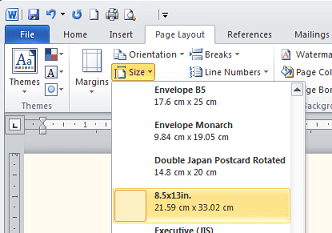
I can print my document with the custom paper.
govertment legal size paper choice is not available in ms office
The height is 33cm and not 35cm.
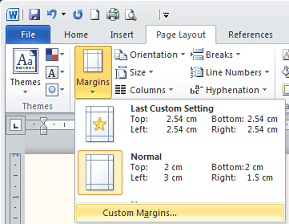
Now I set the print custom1 with 21.5 width and height 33cm. with each of the top margin, left, right, bottom 2cm.
when i print dialog box appears to [fix] [ignore] after I ignore. document that I printed out with the bottom margin of 4 cm (terpotong. ...)
please anyone can help me ..

My Computer
- Computer Manufacturer/Model Number
- Advance
- OS
- windows 7 x86
- CPU
- notebook
- Motherboard
- notebook
- Memory
- 1024 mb ram
- Graphics Card(s)
- none
- Sound Card
- -
- Monitor(s) Displays
- -
- Screen Resolution
- 1280 x 800 px