How to back up an external hard drive

Melissa

New member
Power User
Local time
3:11 PM
Messages
394
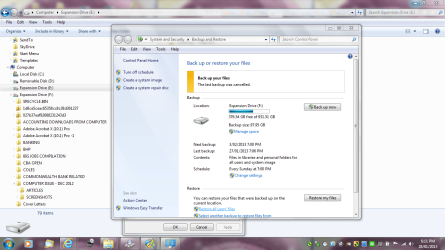
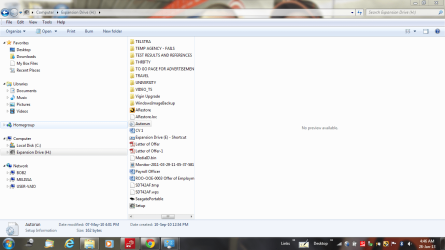
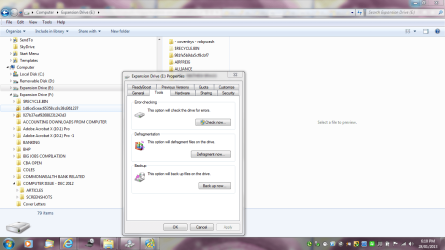
I am having an issue trying to back up the data from my hard drive - I am trying to put it on my desktop or should I put it on another external mode of saving the files.

I am only a beginner and not too sure how to do a back up of external hard drives

I require the information for a book - this has a lot of data on it
 

Attachments
  • back up of external.PNG
    back up of external.PNG
    87.2 KB · Views: 12
  • back up of external1.PNG
    back up of external1.PNG
    114.9 KB · Views: 15
  • hard drive (2).PNG
    hard drive (2).PNG
    74.9 KB · Views: 9

My Computer My Computer

At a glance

Windows 7 Home Premium 64bitWindows 7 Service Pack 1 x86 NTFS4 GB
Computer type
Laptop
Computer Manufacturer/Model Number
Sony VAIO / E Series VPCEB46FG
OS
Windows 7 Home Premium 64bit
CPU
Windows 7 Service Pack 1 x86 NTFS
Motherboard
AMD E-350 Processor
Memory
4 GB
Hard Drives
500GB
Other Info
1.6GHz
I am having an issue trying to back up the data from my hard drive - I am trying to put it on my desktop or should I put it on another external mode of saving the files.

I am only a beginner and not too sure how to do a back up of external hard drives

I require the information for a book - this has a lot of data on it
If the data you want to backup is on your computer, it should be backed up to an external hard drive.
If the data is on an external hard drive and you think it's faulty or something else, buy a new hard drive and use it to keep a spare copy.
 

My Computer My Computer

At a glance

Win7 H.Prem. 32bit+SP1
Computer Manufacturer/Model Number
Look in my Signature.
OS
Win7 H.Prem. 32bit+SP1
Hi there
Back it up just as if it was an internal drive -- you can either take a partition image of it or back up the data on it "in data mode".

Back it up to either another external device or to spare space on an internal HDD.

In general if it's a single partition LARGE external HDD you would be better off doing DATA backups -- backup say data directories A-F say on day one, G-M on day 2 etc -- you'll have to devise a sensible strategy to backup regularly your data..

Use a proper commercial 3rd party backup solution --these work far better than using say Windows explorer and the process can be automated as well. -- IMO it's worth paying the odd 30 - 40 USD for a sensible 3rd party solution like Acronis etc - the time you save will be worth the cost of the product many many times over. However there are some freebies out there like Macrium but these work usually by copying the whole disk in "Partition mode" rather than allow you to selectively backup data in "Data or Directory mode".

Backing up the OS -- Image mode is best --but for user data you need really a "Data mode" product.

If you have say a large music or video library and you don't do backups - just imagine the problems of being able to re-create it if the original HDD fails or you accidentally delete it.


Hey @ Roderunner -- Don't forget also "The Early Worm gets the Bird" so it pays to be late sometimes --what about that Crane driver a few days ago when a Helicopter crashed into his Crane in South London. I'll bet he was glad that day he was late for work. !!!

Cheers
jimbo
 

My Computer My Computer

At a glance

Linux CENTOS 7 / various Windows OS'es and se...Intel i7 Intel i58GB, 16GBOn Motherboard
Computer type
PC/Desktop
Computer Manufacturer/Model Number
Custom built, several laptops HP/ASUS
OS
Linux CENTOS 7 / various Windows OS'es and servers
CPU
Intel i7 Intel i5
Memory
8GB, 16GB
Graphics Card(s)
On Motherboard
Sound Card
Realtek HD audio
Monitor(s) Displays
Apple Cinema display, Samsung LCD
Screen Resolution
1920 X 1080
Hard Drives
4 X 1TB SATA
Mouse
Toshiba wireless laser
Internet Speed
> 20MB up
Hello People,

Thank you so much for your reply.

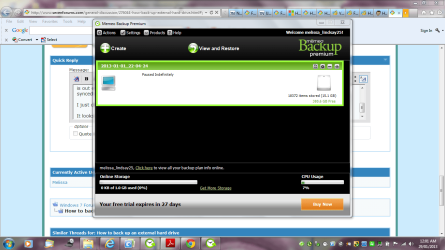
I actually stopped using the Seagate product Memeo that came with the product.

The external hard drive has failed. I noted that the internal parts must not have been making a connection. Of course it is out of warranty. Thank goodness for my prior backup. Even if some of the data may be a little old. I should have synced when I had the data up and running until this afternoon.

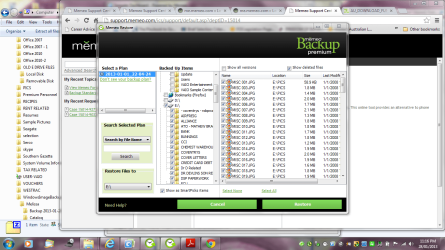
I just did a search as I forgot what location it went to.

It looks like the last back up was some time ago.

I am so confused - I am trying to figure out how to access other things - another question for the forum. Sticking to one issue at a time.
 

Attachments

  • back up from memeo - date enquiry.PNG
    back up from memeo - date enquiry.PNG
    87.5 KB · Views: 1
  • back up from memeo - enquiry.PNG
    back up from memeo - enquiry.PNG
    109.5 KB · Views: 1

My Computer My Computer

At a glance

Windows 7 Home Premium 64bitWindows 7 Service Pack 1 x86 NTFS4 GB
Computer type
Laptop
Computer Manufacturer/Model Number
Sony VAIO / E Series VPCEB46FG
OS
Windows 7 Home Premium 64bit
CPU
Windows 7 Service Pack 1 x86 NTFS
Motherboard
AMD E-350 Processor
Memory
4 GB
Hard Drives
500GB
Other Info
1.6GHz
Back
Top