
Blacktical
New member
- Local time
- 10:39 AM
- Messages
- 5
First Attempt
Sorry about reviving a long dead thread but I haven't had any success with card customizing apps sooo...
Just messin around with ResHack and figured I start with something easy. Having read gladson1976's tutorial with notes by bug67 & fritz it was pretty simple.
The files I edited where
SHEETS\HIGHLIGHTSHEET1.JPG
SHEETS\HIGHLIGHTSHEET1X21.JPG
SHEETS\HIGHLIGHTSHEET1X22.JPG
SHEETS\HIGHLIGHTSHEET1X23.JPG
SHEETS\HIGHLIGHTSHEET1X24.JPG
BACKGROUNDS\FELT.JPG
BACKGROUNDS\FELTx2.JPG
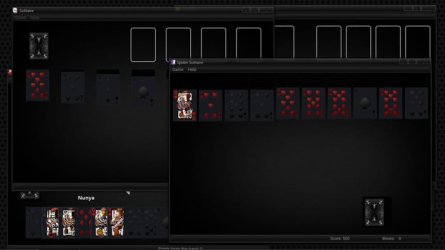
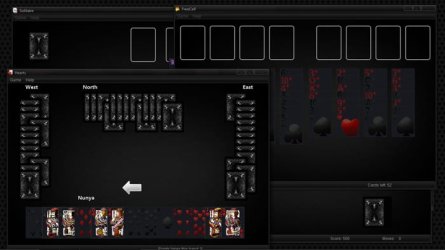
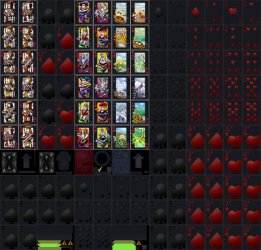
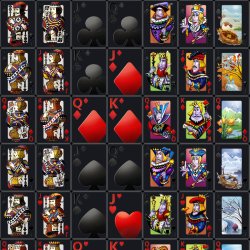
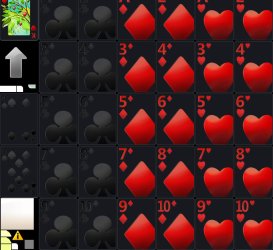
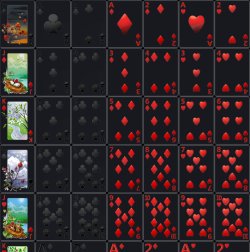
obviously I'm not finished but here's what it looks like so far.
Freecell, Fullscreen, Large Print Deck
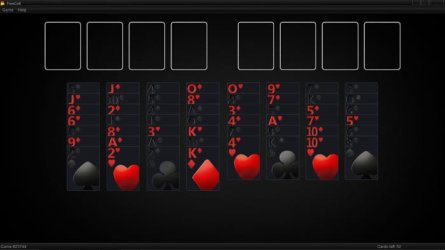
Freecell

Here's Solitaire & Spider Solitare
Hearts & FreeCell
Anyway, I ran into a little problem and haven't figured it out yet.
When selecting a card, the "Glow" has a line thru it
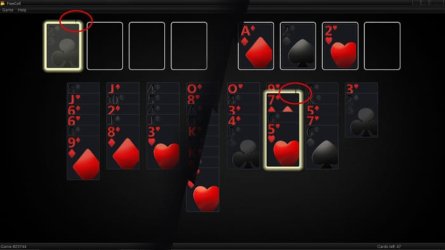
Anyone have any ideas as to what is causing that?
Also I wanted to ask
In Resource Hacker when I replaced the jpgs they where not displayed as image but as AngryRobotCyberSmack
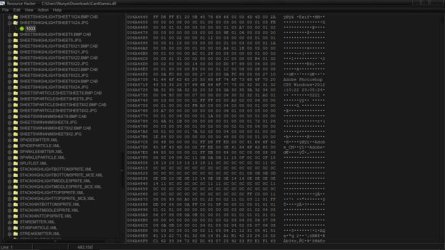
I don't think it was happy about me muckin about.
My question is, is this normal?



Sorry about reviving a long dead thread but I haven't had any success with card customizing apps sooo...
Just messin around with ResHack and figured I start with something easy. Having read gladson1976's tutorial with notes by bug67 & fritz it was pretty simple.
The files I edited where
SHEETS\HIGHLIGHTSHEET1.JPG
SHEETS\HIGHLIGHTSHEET1X21.JPG
SHEETS\HIGHLIGHTSHEET1X22.JPG
SHEETS\HIGHLIGHTSHEET1X23.JPG
SHEETS\HIGHLIGHTSHEET1X24.JPG
BACKGROUNDS\FELT.JPG
BACKGROUNDS\FELTx2.JPG
obviously I'm not finished but here's what it looks like so far.
Freecell, Fullscreen, Large Print Deck
Freecell
Here's Solitaire & Spider Solitare
Hearts & FreeCell
Anyway, I ran into a little problem and haven't figured it out yet.
When selecting a card, the "Glow" has a line thru it
Anyone have any ideas as to what is causing that?
Also I wanted to ask
In Resource Hacker when I replaced the jpgs they where not displayed as image but as AngryRobotCyberSmack
I don't think it was happy about me muckin about.
My question is, is this normal?
My Computer
- OS
- Windows 7 Home Premium 64bit
