SaxTeacher
New member
- Local time
- 11:39 PM
- Messages
- 3
How to change the old vista system partition to be not "system"
My computer had one HDD and vista. Today I installed a new faster hard drive (a Seagate Momentus, which is a sort of hybrid SSD-HDD) and then I installed windows 7 on the new drive.
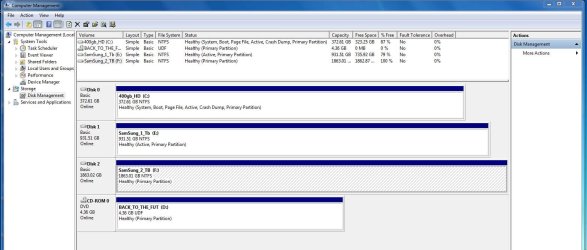
In Control Panel -> Computer Management -> Disk management, the new drive shows up as "Disk 1" (C:, NTFS, Healthy, boot, Page File, Crash Dump, Primary Partition)
and the old hdd shows up as "Disk 0" (7.52gb recovery partition plus a 290.56gb partition (D:, Ntfs, Healthy, System, Active, Primary Partition)
Question 1: I would like to keep most of the files on the old drive (now D: ) but would like to remove vista from it. Is it possible to change the D: drive partition so that it is not a "System" Partition, then delete the Vista files from it? Or must I first copy my data off of it and then repartition it?
Question 2: If I must wipe the old partition, should I also wipe the "Recovery Partition" as well? Is there any advantage to keeping that?
Question 3: Should I create a "recovery partition" for windows 7? (I apologize for my lack of technical knowledge but I don't know what a recovery partition is or how it would be used.)
Thank you!
My computer had one HDD and vista. Today I installed a new faster hard drive (a Seagate Momentus, which is a sort of hybrid SSD-HDD) and then I installed windows 7 on the new drive.
In Control Panel -> Computer Management -> Disk management, the new drive shows up as "Disk 1" (C:, NTFS, Healthy, boot, Page File, Crash Dump, Primary Partition)
and the old hdd shows up as "Disk 0" (7.52gb recovery partition plus a 290.56gb partition (D:, Ntfs, Healthy, System, Active, Primary Partition)
Question 1: I would like to keep most of the files on the old drive (now D: ) but would like to remove vista from it. Is it possible to change the D: drive partition so that it is not a "System" Partition, then delete the Vista files from it? Or must I first copy my data off of it and then repartition it?
Question 2: If I must wipe the old partition, should I also wipe the "Recovery Partition" as well? Is there any advantage to keeping that?
Question 3: Should I create a "recovery partition" for windows 7? (I apologize for my lack of technical knowledge but I don't know what a recovery partition is or how it would be used.)
Thank you!
Last edited:
My Computer
At a glance
Windows 7 Home Premium 64bitRAM is maxed out (4gb in some machines, 8gb i...
- Computer Manufacturer/Model Number
- various HP, Dell, and Sony
- OS
- Windows 7 Home Premium 64bit
- Memory
- RAM is maxed out (4gb in some machines, 8gb in others)