- Local time
- 8:38 AM
- Messages
- 89
I did a search on “folder icons” and various combinations there of, but the matches didn’t seem to answer my question.
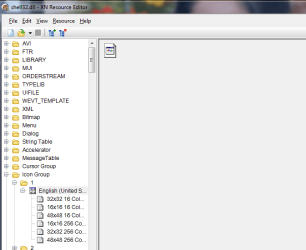
Does anyone know if it's possible to create my own customized icon using Photoshop, Corel, etc. and place it in one of the following folders; so it can be used to customize the folder icon in Win7?
%SystemRoot%\system32\SHELL32.dll or %SystemRoot%\system32\imageres.dll
If so, how is it done? Thanks.
Does anyone know if it's possible to create my own customized icon using Photoshop, Corel, etc. and place it in one of the following folders; so it can be used to customize the folder icon in Win7?
%SystemRoot%\system32\SHELL32.dll or %SystemRoot%\system32\imageres.dll
If so, how is it done? Thanks.
My Computer
At a glance
Windows 7 Ultimate x642x - Xeon E5-2687W128GB Kingston - (2ea kits – 4x16GB)Gigabyte GTX-680 & EVGA GTX-Titan
- Computer type
- PC/Desktop
- Computer Manufacturer/Model Number
- Homemade with cube tower
- OS
- Windows 7 Ultimate x64
- CPU
- 2x - Xeon E5-2687W
- Motherboard
- ASUS Z9PE-D8 WS
- Memory
- 128GB Kingston - (2ea kits – 4x16GB)
- Graphics Card(s)
- Gigabyte GTX-680 & EVGA GTX-Titan
- Sound Card
- Realtek ALC898 8-chan audio
- Monitor(s) Displays
- 2ea - Samsung T260HD 25.5-Inch LCD HDTV / Monitors
- Screen Resolution
- 1920x1200
- Hard Drives
- 8 ea. Crucial & Samsung EVO 2TB SSDs; misc 4ea. 8TB external Seagate spinners.
- PSU
- Corsair AX-1200
- Case
- Lian-Li cube custom
- Cooling
- 2x Dynatron R-17 - CPU Air sinks (160watts TDP)
- Keyboard
- HP slimline wireless
- Mouse
- Microsoft ARC
- Internet Speed
- Faster than a speeding bullet.
- Antivirus
- Norton Security 360 - 2020