How to decrease 'blue light' from my monitor?
Win 7
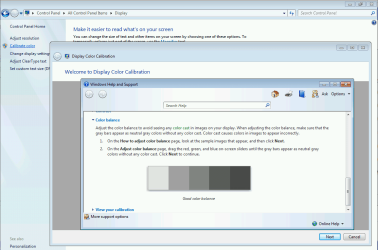
Is there a way using one(or more?) of the following to decrease the 'blue-light' coming from my monitor(and not use a downloaded 3rd party program):
1) Win 7...I've read that Win 10 has a 'night light' function, but not Win 7. Does anyone know of a way to do the same thing that 'night light' does, but on Win7?
2) Monitor:LG IPS LED 23MP57HQ-P...I've played with the 'color temp' and 'SixColor', but they destroy the 'just right' settings for brightness, contrast, gamma and saturation I have set up in my video card.
3) Nvidia Card:GeForce 9600 GT-using YCbCr444(seems to look better than the RGB setting)
I know I could buy a 'blue-light' film or a plastic frame that 'hangs' on my monitor...I'm just trying to find if there's a way to do this without spending money.
Ideas, anyone?
Thanks!
Win 7
Is there a way using one(or more?) of the following to decrease the 'blue-light' coming from my monitor(and not use a downloaded 3rd party program):
1) Win 7...I've read that Win 10 has a 'night light' function, but not Win 7. Does anyone know of a way to do the same thing that 'night light' does, but on Win7?
2) Monitor:LG IPS LED 23MP57HQ-P...I've played with the 'color temp' and 'SixColor', but they destroy the 'just right' settings for brightness, contrast, gamma and saturation I have set up in my video card.
3) Nvidia Card:GeForce 9600 GT-using YCbCr444(seems to look better than the RGB setting)
I know I could buy a 'blue-light' film or a plastic frame that 'hangs' on my monitor...I'm just trying to find if there's a way to do this without spending money.
Ideas, anyone?
Thanks!
My Computer
At a glance
Win 7 64 bitI56GBNvidia
- Computer type
- PC/Desktop
- Computer Manufacturer/Model Number
- Custom
- OS
- Win 7 64 bit
- CPU
- I5
- Memory
- 6GB
- Graphics Card(s)
- Nvidia