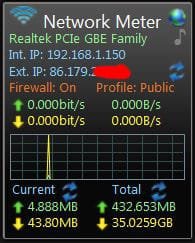
I am on a work computer with dynamic IP address (Ipv4), which usually changes when I restart it. Since I sometimes need to use this PC through remote desktop connection at home I like to keep its IP address handy.
But I sometimes forget to check the IP at restart, so is there a batch file or some code which can start up the command prompt and display the IPv4 address every time the computer restarts ? thanks.
But I sometimes forget to check the IP at restart, so is there a batch file or some code which can start up the command prompt and display the IPv4 address every time the computer restarts ? thanks.
My Computer
At a glance
Windows 7, 32 bit
- Computer type
- PC/Desktop
- Computer Manufacturer/Model Number
- Dell
- OS
- Windows 7, 32 bit