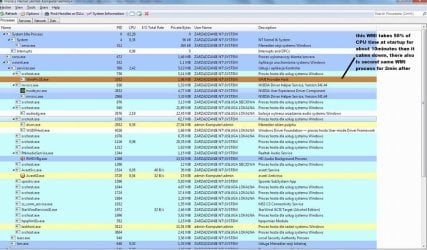
Hi after i start PC i see WmiPrvSE.exe consume 48% of CPU time, after about 10min it calm down i checked my pc with hijackthis and sfc and lspfix but found nothing bad i know WmiPrvSE.exe runs for many tools but is there a chance to find what tool/software/driver exactly execute WmiPrvSE.exe? I could disable services one by one at registered boot but there are a lot of them so fastest way could be read which services "want" WmiPrvSE.exe after PC reboot.
My Computer
At a glance
windows 7 unlimate 32bit
- Computer type
- PC/Desktop
- Computer Manufacturer/Model Number
- hp9690ew
- OS
- windows 7 unlimate 32bit