I don't want to send this off in the wrong direction or give bad info.
But I can tell you what I would try personally in this situation.
If the MBR is toast, then you may have no other choice than to nuke and reload
I do not know if these will work or be compatible with Win7 in anyway shape or form, or if OS version even matters...This could make things better or worse.. So, use at your own risk...
You can however try
MBRFix and/or
MBRWiz
You can also possibly try
TestDisk, which is a data recovery program.
And has save my butt a few times.
I do believe both are a part of the UBCD4Win (however you would also need to upgrade some tools plugins as they may be out dated), which you may find very handy in this or many other situations. Every Tech should be aware of it and BartPE (which UBCD4Win is a derivative of).
With all that said.....
You can try DiskPart also....to assign the drive letter you want.
http://technet.microsoft.com/en-us/library/cc766465(WS.10).aspx
http://support.microsoft.com/kb/300415
I would start with building a UBCD4Win (or BartPE) and boot to it, see if the drive shows up in Drive manager.
If it does, I might try changing the drive letter there, then set as active.
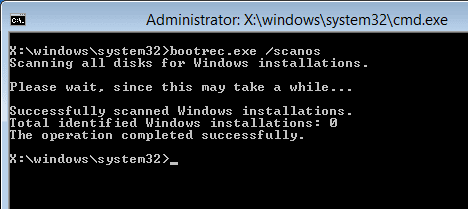
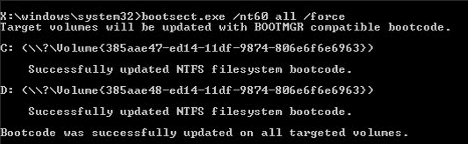
Then if needed run some of the 7 boot option fixes to see if this will repair any BCD problems.
I say
might, because I have never had to do this, this would just be a way I would go if all else was failing.
If the drive is not showing up at all in there, then the MBR is toast and you can try the MBRFix or MBRWiz to try and repair it if possible. If these fail, then you can try TestDisk, this may work, but is not likely, however, it may allow you to recover data id it finds it.
If all this fails, with all else you have tried, Personally, I would give up the ghost and nuke and reload.
Once the MBR is toast, there is almost no way to fix it.
Although, someone may know something I don't.