
Hi. See attached screen clip. I am trying to hide and remove the last icon closest to the clock (Ring Central Call Controller) from the system tray when the Application is running. The program itself doesn't offer that option.
Is there a way to remove it using a 3rd party program or registry hack or some built-in option that I haven't seen yet?
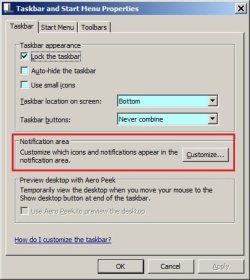
Setting that icon to "Hide" in the start menu properties dialog boxes only puts it inside the "arrow" and is still then visible there and accessible.
Thanks!
Is there a way to remove it using a 3rd party program or registry hack or some built-in option that I haven't seen yet?
Setting that icon to "Hide" in the start menu properties dialog boxes only puts it inside the "arrow" and is still then visible there and accessible.
Thanks!
Attachments

My Computer
At a glance
Windows 7AMD Turion X2 RM-72 2.10 GHz Dual-Core Mobile...4GBATI Radeon HD 3200 Graphics RS780M
- Computer Manufacturer/Model Number
- Hewlett Packard dv4-1222nr
- OS
- Windows 7
- CPU
- AMD Turion X2 RM-72 2.10 GHz Dual-Core Mobile Processor
- Memory
- 4GB
- Graphics Card(s)
- ATI Radeon HD 3200 Graphics RS780M
- Monitor(s) Displays
- 14.1" LCD
- Hard Drives
- 250GB (5400RPM)
- Internet Speed
- 3.0 MBPS (down) / 1.0MBPS (up)


 rb: button type msconfig and press Enter once you see msconfig under Programs (1) . Click on the Startup tab and uncheck Ring Central Call Controller . Click Apply and Ok and click on Exit without restart and restart manually .
