
Post Edit: realised my thread title is wrong, it IS unallocated, not *not unallocated* my apologies
Hey guys, im not sure what happened that led to it being unallocated
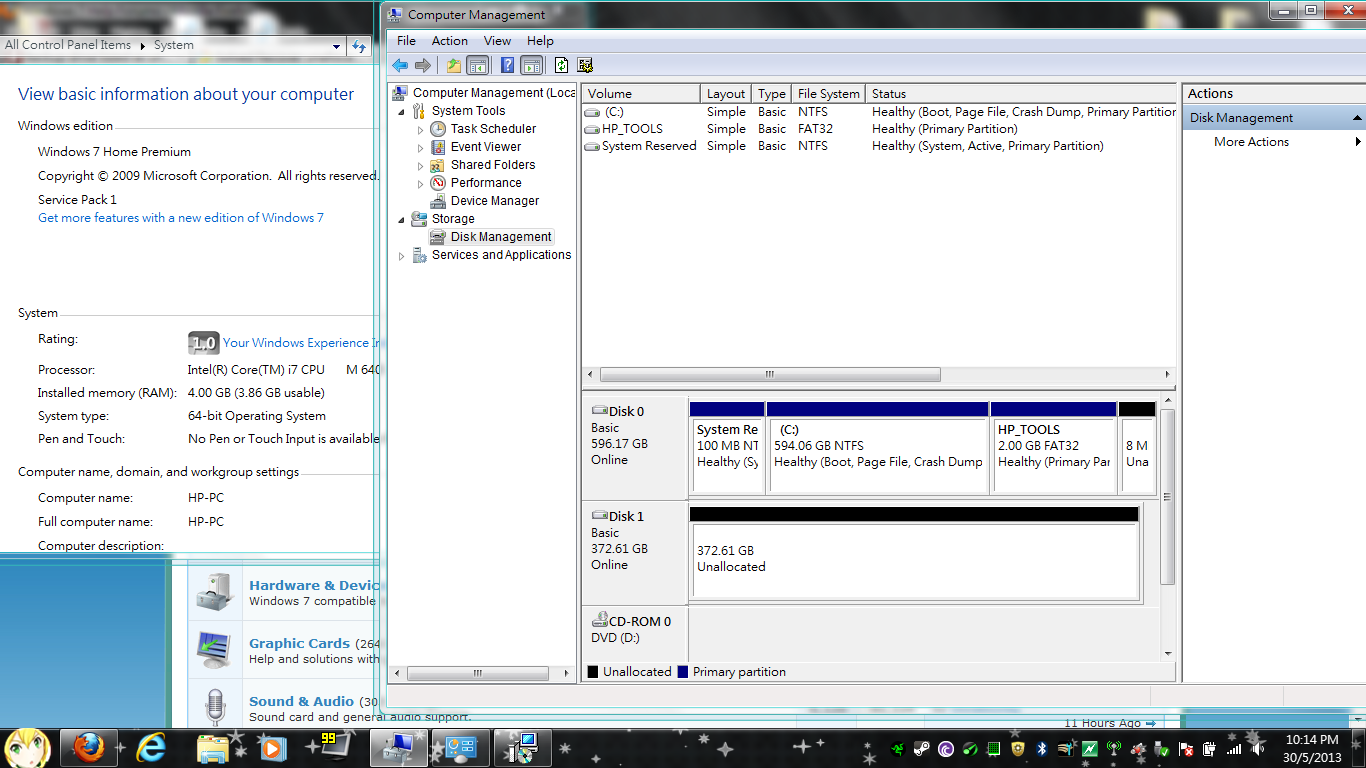
In [Computer] I cant view the drive, went to [Manage/Disk management] and this was what i saw
Any solutions to restoring/backing up/recover the files inside?
*First time posting, so not sure about image* Here it is

Hey guys, im not sure what happened that led to it being unallocated
In [Computer] I cant view the drive, went to [Manage/Disk management] and this was what i saw
Any solutions to restoring/backing up/recover the files inside?
*First time posting, so not sure about image* Here it is
Last edited:
My Computer
At a glance
Windows 7 Home Premium 64bit
- Computer type
- PC/Desktop
- Computer Manufacturer/Model Number
- HP
- OS
- Windows 7 Home Premium 64bit


