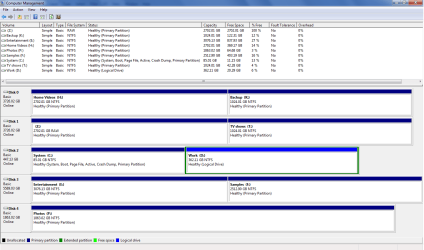
My computer contains one SSD + four noisy HDDs that I don't use very often (mostly just storage and backup).
To keep my computer quiet and prevent wear & tear, I've set my Power Options to spin down the drives after 20 minutes
The problem is that it also spins down my D drive - where I keep my Desktop, all my work, and stuff I use all the time. I hate having to wait for this to spin up!
Is there any way to turn off power saving for JUST ONE DRIVE?
I found a tutorial to do this for Windows 8 (https://superuser.com/questions/613...individual-power-settings-for-each-hard-drive) which adds a "MinimumIdleTimeoutInMS" to the registry. But these instructions didn't work for me in Windows 7. Only 3 of my 5 hard drives showed up in the list, and I couldn't even tell which was which!
To keep my computer quiet and prevent wear & tear, I've set my Power Options to spin down the drives after 20 minutes
The problem is that it also spins down my D drive - where I keep my Desktop, all my work, and stuff I use all the time. I hate having to wait for this to spin up!
Is there any way to turn off power saving for JUST ONE DRIVE?
I found a tutorial to do this for Windows 8 (https://superuser.com/questions/613...individual-power-settings-for-each-hard-drive) which adds a "MinimumIdleTimeoutInMS" to the registry. But these instructions didn't work for me in Windows 7. Only 3 of my 5 hard drives showed up in the list, and I couldn't even tell which was which!
My Computer
At a glance
Windows 7 Home Premium 64bit
- OS
- Windows 7 Home Premium 64bit