Solved How to rebuild RAID 5 within W7

rextrons

New member
Local time
1:07 PM
Messages
3
Location
Jacksonville, FL
A few days after initial installation, I had a single drive error with my RAID 5 config. I am running three WD 500GB HDs in a RAID 5, with no other internal drives. I verified the questionable drive with slow scans. I used my Intel BIOS to add the drive back into my RAID. So far everything looked great.

But, my BIOS shows all three drives in a good RAID 5 with a status of "Rebuild." There is also a comment on the BIOS screen that "RAID 5 will be rebuilt within the operating system." I looked in W7 for rebuild opportunities, but I did not finding any. So I assumed that the rebuild would be an automatic/background rebuild. I have had my system on for 1 week with no joy. BIOS status still shows "rebuild."

My question is: Am I OK? The Computer Management shows a single healthy partition at full allocation (1,031GB, with "no" Fault Tolerance)? How do you rebuild a RAID 5 with W7?
 

My Computer My Computer

At a glance

Windows 7 Professional x64Intel E6300
Computer Manufacturer/Model Number
HP m6750n
OS
Windows 7 Professional x64
CPU
Intel E6300
Hard Drives
3 WD 500gig - in a Raid 5 config
Hi,

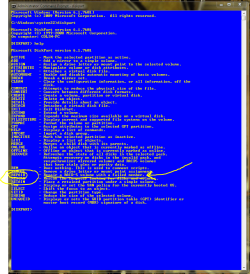
I believe there is an option to do this using the DISKPART command (run that from an elevated CMD window). I have never used it, so unfortunately I can't help with the details of the command.

Capture.PNG

Let us know how you get on with it.

Regards,
Golden
 

My Computer My Computer

At a glance

Windows 10 Pro x64 ; Xubuntu x64Intel i7 860 @ 2.80 GHz O/C'ed to 4.0GHz16GB Corsair Vengance DDR3 @ 661 MHz Dual Cha...EVGA NVidia GTX 560 1024MB
Computer type
PC/Desktop
Computer Manufacturer/Model Number
Golden Mk. I.4
OS
Windows 10 Pro x64 ; Xubuntu x64
CPU
Intel i7 860 @ 2.80 GHz O/C'ed to 4.0GHz
Motherboard
Gigabyte P55A-UD3R Rev.1. Award BIOS F13
Memory
16GB Corsair Vengance DDR3 @ 661 MHz Dual Channel (9-9-9-24)
Graphics Card(s)
EVGA NVidia GTX 560 1024MB
Sound Card
Realtek Integrated
Monitor(s) Displays
Dual Samsung SyncMaster 2494HS
Screen Resolution
1920*1080 and 1920*1080
Hard Drives
1*Samsung 840 EVO 120GB SSD;
1*OCZ Vertex 2 60GB SSD;
2*Samsung F3 SpinPoint 1TB in RAID0;
1*Samsung F1 SpinPoint 1TB;
2*Western Digital 1TB External USB 3.0
1*Western Digital 500GB External USB 3.0
1*Seagate 500GB External USB 2.0
PSU
Thermaltake ToughPower QFan 750W
Case
Thermaltake Element S VK60001W2Z
Cooling
Corsair H60 Water Cooling, 2*230mm and 2*80mm case fans
Keyboard
Logitech G110
Mouse
Logitech MX518
No joy... The "Repair" command is not active in Windows 7 DISKPART. "The command you selected is not available with this version of Windows."

It's a little hard to believe that MS has not figured out how to manage RAIDs yet. Time to move back to LINUX... This time for good.
 

My Computer My Computer

At a glance

Windows 7 Professional x64Intel E6300
Computer Manufacturer/Model Number
HP m6750n
OS
Windows 7 Professional x64
CPU
Intel E6300
Hard Drives
3 WD 500gig - in a Raid 5 config
The fix is in!!! I stumbled on this before giving up:
1. After replacing the bad drive, complete a complete disc scan. This will not show any improvement, but must be done before the next step.
2. Do a full defragmentation for the RAID 5 volume. No short-cuts, it must be a full defrag. This will take a long time, do not stop it. Mine took 44 hours. But, it now works great.

I know this is a big step; doing a defrag on an already damaged RAID 5 takes a lot of faith. If it goes wrong all hope is lost. But mine went fine and everything recovered nicely, all programs and files...

You would think that MS would make this common knowledge...
 
Last edited:

My Computer My Computer

At a glance

Windows 7 Professional x64Intel E6300
Computer Manufacturer/Model Number
HP m6750n
OS
Windows 7 Professional x64
CPU
Intel E6300
Hard Drives
3 WD 500gig - in a Raid 5 config
Joys Rextrons

I had the same problem as you, one of my RAID 5 drives check out. Simple enough to replace the drive but then stuck with the rebuild status. My system was still running, but very slow. Funny how MS W7 will build a RAID 5 drive automatically but can't rebuild it. When I saw yours took 44 hrs to defrag/rebuild I contacted MS help to see if there was a better solution. NOT! Considered starting over while I was fretting over "what good is a RAID drive if you can't rebuild it." Glad I decided to defrag. Mine only took 24 hours (12 passes). Started out very slow. Wasn't sure it was working. Took 2 hours to get to 1% of the first pass, then about 8 hours on pass 9. When it completed I restarted and everything checked out and speed back to normal. :)
 

My Computer My Computer

At a glance

Windows 7 Premium 32intel4 GInvidia
Computer type
PC/Desktop
Computer Manufacturer/Model Number
custom build
OS
Windows 7 Premium 32
CPU
intel
Motherboard
Gigabite
Memory
4 G
Graphics Card(s)
Invidia
Hard Drives
3 x 500 GB Seagate, now
2 x 500 GB Seagate and 1 x 500 GB WD
Antivirus
Norton
Browser
Chrome
Back
Top