How to recover the files after restoring the PC to factory settings?

Tatty

New member
Local time
7:40 PM
Messages
5
Hi guys

It's a cry (literally!) for help and I'd really appreciate if somebody can help.

My laptop was playing up constantly after the recent Windows 7 updates and eventually I couldn't get past a screen with system restore options. Having backed up my files on Seagate external hard drive beforehand, I've chosen the option to restore the computer back to the factory settings (which probably was a bad idea!).

After the system recovery, I went to access the external drive and encountered a massive problem: my files are not showing on the external drive (although the disk shows used space) and I can't access any files. I understand I might have to post this problem with not being able to access the files on Seagate drive as a separate thread, but my question is: Is there anything I can do to recover the files I've lost after I performed system recovery?

Many thanks in advance.
 

My Computer My Computer

At a glance

Windows 7
Computer type
Laptop
Computer Manufacturer/Model Number
Dell
OS
Windows 7

Attachments

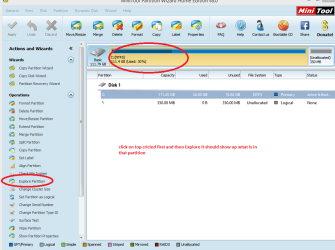
  • SSD1.PNG
    SSD1.PNG
    37.2 KB · Views: 2

My Computer My Computer

At a glance

Desk1 7 Home Prem / Desk2 10 Pro / Main lap A...Desk1 i5 3750K / Laptop i7 GTX 860M / Desk2 i...Desk1 8GB (1866) / Desk2 16GB (1333) / Laptop...Desk 1& 2NVidia GTX 650 & Laptops on board Intel
Computer type
PC/Desktop
Computer Manufacturer/Model Number
Own build (new) Desk1 / Asus ROG Win 7 / Desk2 1st build
OS
Desk1 7 Home Prem / Desk2 10 Pro / Main lap Asus ROG 10 Pro 2 laptop Toshiba 7 Pro Asus P2520 7 & 10
CPU
Desk1 i5 3750K / Laptop i7 GTX 860M / Desk2 i5 2500
Motherboard
Desk1 Asus P877-V / Desk2 Gigabyte H67 UD3H / Laptop ?
Memory
Desk1 8GB (1866) / Desk2 16GB (1333) / Laptop 8Gb DDR3
Graphics Card(s)
Desk 1& 2NVidia GTX 650 & Laptops on board Intel
Sound Card
Desk 1 & 2 -XONAR DG Realtek High Def audio Laptop
Monitor(s) Displays
Desk 1 Benq HD 2450 / Desk2 Philips 24" / Laptop 17.5"
Screen Resolution
1920x1080 D1 & D2 & Laptop 1
Hard Drives
Desk1 Samsung 120GB 830 SSD
Asus ROG 256GB 850 Pro SSD
Desk2 Samsung 840 256 SSD
Toshiba 120GB EVO
PSU
Desk 1 Corsair HX 1050/ Laptop ? / Desk 2 Corsair HX 650
Case
Desk 1 Cooler HAF XM ? Toshiba laptop / Desk2 Coolermaster
Cooling
Fans on all Desk1 -2 Desk2 - all Coolermasters 5 Laptop ?
Keyboard
Desk 1 MS Sidewinder X6 Desk 2 MS Sidewinder X 4
Mouse
Desk 1&2 - Gigabyte MS 900 gamer - laptop - Logitec wireless
Internet Speed
ADSL2+
Other Info
One other Desktop (tester) and spare Toshba laptop both with SSD's
Running Kaspersky 2016 ISS on all machines config'd identically
Logitec audio stereo systems on each machine (x3)
Canon MG5250MFC
Router/modem TP-Link running WPA2SK
Hi

Thank you very much for your reply. Unfortunately, I couldn't get to use your link for the software as my Windows 7 crashed again whilst doing updates, even though I did system restore last week. I can't go past the Start Up Recovery screen at all.. When I run sfc scan, it comes up with a message 'Warning! F parameter not specified. Running CHKDSK in read-only mode'. F was the path I set for the external drive, the one I had problems accessing as per my original post. It makes me think that the fact that Windows 7 can't run updates successfully and gets stuck at the start up screen (Error C0000022) has something to do with the external hard drive?

Any ideas would be very much appreciated. Really need to get my laptop back in the working mode :cry:
 

My Computer My Computer

At a glance

Windows 7
Computer type
Laptop
Computer Manufacturer/Model Number
Dell
OS
Windows 7
Tatty mate if you have any data you need backed up then this might be an option
first http://www.sevenforums.com/tutorials/219533-troubleshooting-windows-7-failure-boot.html

then if necessary
http://www.sevenforums.com/tutorials/219487-clean-reinstall-factory-oem-windows-7-a.html

if you go this route then make sure you pick the right version of Windows and make sure that from the list it specifies English and doesn't have "old" or and large "N" against it.
You casn use the activation code on the machine's sticker to activate the ISO you install but it is quite well set out and you shouldn't have a problem.
 

My Computer My Computer

At a glance

Desk1 7 Home Prem / Desk2 10 Pro / Main lap A...Desk1 i5 3750K / Laptop i7 GTX 860M / Desk2 i...Desk1 8GB (1866) / Desk2 16GB (1333) / Laptop...Desk 1& 2NVidia GTX 650 & Laptops on board Intel
Computer type
PC/Desktop
Computer Manufacturer/Model Number
Own build (new) Desk1 / Asus ROG Win 7 / Desk2 1st build
OS
Desk1 7 Home Prem / Desk2 10 Pro / Main lap Asus ROG 10 Pro 2 laptop Toshiba 7 Pro Asus P2520 7 & 10
CPU
Desk1 i5 3750K / Laptop i7 GTX 860M / Desk2 i5 2500
Motherboard
Desk1 Asus P877-V / Desk2 Gigabyte H67 UD3H / Laptop ?
Memory
Desk1 8GB (1866) / Desk2 16GB (1333) / Laptop 8Gb DDR3
Graphics Card(s)
Desk 1& 2NVidia GTX 650 & Laptops on board Intel
Sound Card
Desk 1 & 2 -XONAR DG Realtek High Def audio Laptop
Monitor(s) Displays
Desk 1 Benq HD 2450 / Desk2 Philips 24" / Laptop 17.5"
Screen Resolution
1920x1080 D1 & D2 & Laptop 1
Hard Drives
Desk1 Samsung 120GB 830 SSD
Asus ROG 256GB 850 Pro SSD
Desk2 Samsung 840 256 SSD
Toshiba 120GB EVO
PSU
Desk 1 Corsair HX 1050/ Laptop ? / Desk 2 Corsair HX 650
Case
Desk 1 Cooler HAF XM ? Toshiba laptop / Desk2 Coolermaster
Cooling
Fans on all Desk1 -2 Desk2 - all Coolermasters 5 Laptop ?
Keyboard
Desk 1 MS Sidewinder X6 Desk 2 MS Sidewinder X 4
Mouse
Desk 1&2 - Gigabyte MS 900 gamer - laptop - Logitec wireless
Internet Speed
ADSL2+
Other Info
One other Desktop (tester) and spare Toshba laptop both with SSD's
Running Kaspersky 2016 ISS on all machines config'd identically
Logitec audio stereo systems on each machine (x3)
Canon MG5250MFC
Router/modem TP-Link running WPA2SK
The 'F' has nothing to do with your external drive address F. It is a pure coincidence. Usually the chkdsk command is run like this

chkdsk /F - and F stands for 'Fix"
 

My Computer My Computer

At a glance

Vista, Windows7, Mint Mate, Zorin, Windows 8from 1.6GHz Duo to i7
Computer Manufacturer/Model Number
HP, Dell, Gateway, Toshiba - 4 laptops and 2 desktops
OS
Vista, Windows7, Mint Mate, Zorin, Windows 8
CPU
from 1.6GHz Duo to i7
Monitor(s) Displays
2x HP w2207
Hard Drives
5x HDD, 7x SSD, 12x Externals
Keyboard
with trackball - no mices
Mouse
Trackball mice
Internet Speed
DSL 6000
Back
Top