

- Local time
- 8:06 PM
- Messages
- 5,915
Well, DELL M101z (Inspiron 1120) manual says Press F8 when the DELL logo appears, to bring the Advanced Boot Options.
When I do that ( I have tried a hundred times) it does not happen and the lappie merrily goes on to the first screen to select Ubuntu light or Windows 7 - by default boots into Windows 7 after 5 seconds. (This lappie is one of the few that comes with Ubuntu light preinstalled by the manufacturers. So I have not done anything with the MBR)
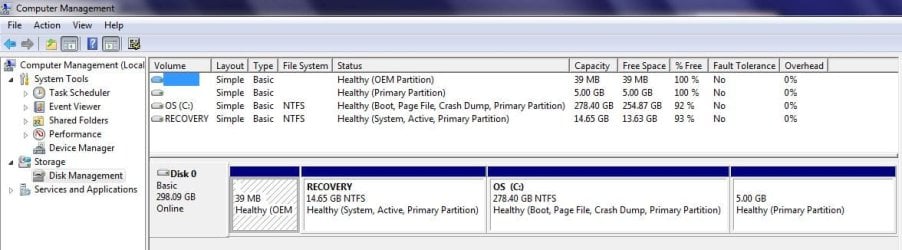
Here is the screenshot showing the OEM (FAT16), Recovery,System,Linux partitions.
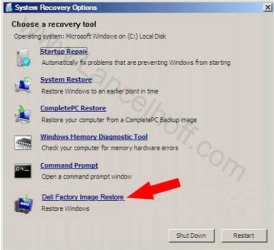
How do I invoke Factory Image Restore?
(When I press F8 just as Windows starts after 5 seconds, I do get the Advanced Boot Options that only brings the usual Sytem Image Restore and not the Factory Image Restore)
When I do that ( I have tried a hundred times) it does not happen and the lappie merrily goes on to the first screen to select Ubuntu light or Windows 7 - by default boots into Windows 7 after 5 seconds. (This lappie is one of the few that comes with Ubuntu light preinstalled by the manufacturers. So I have not done anything with the MBR)
Here is the screenshot showing the OEM (FAT16), Recovery,System,Linux partitions.
How do I invoke Factory Image Restore?
(When I press F8 just as Windows starts after 5 seconds, I do get the Advanced Boot Options that only brings the usual Sytem Image Restore and not the Factory Image Restore)
Attachments
My Computer
At a glance
Windows 7 Home Premium 32 bit
- OS
- Windows 7 Home Premium 32 bit


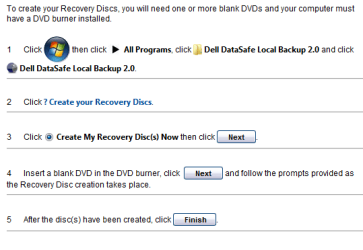

 . Sorry.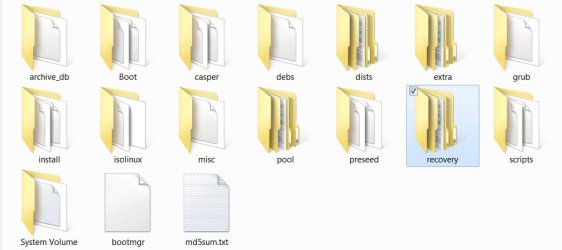
 From an user's perspective restoring to the factory condition should only be a click-through process not requiring him to know anything about WAIK,WinPE, imagex .wim and all that jazz.

