
how to restore outlook 2007 .pst from windows 7 backup folder

Gordaskipper

New member
Local time
12:43 AM
Messages
12
I did read and tried to repair/backup Outlook before reinstallation QuickBooks did not work either. I reinstalled Windows 7 Pro everything I backup up was restored...I "can" find the .pst folders on my backup copy of windows on E:. I attempted to do a restore from that venue however my Outlook did not changed. . It is obvious to me my Outlook backup was seeming done incorrectly. Is this possible to restore Outlook since I have files? I really would like my contacts and mail back obviously.
 

Attachments
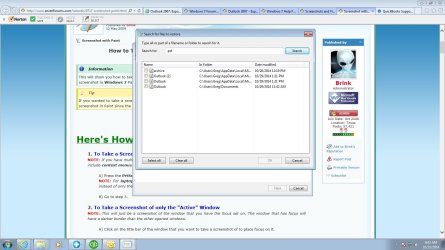
  • screen shot.jpg
    screen shot.jpg
    134.3 KB · Views: 5

My Computer My Computer

At a glance

windows 7 64-bit
OS
windows 7 64-bit
Close Outlook, go to Control Panel - Mail, click Data files. There you can see which pst file(s) are used and the path to them. The main pst should be in your Documents folder. Find the backup pst for the same path and copy-replace it to the Documents folder.

If something is wrong with your backup pst file you can try to open explorer and go to your Documents folder, right-click the pst file and select Properties, and look in tab "Previous Versions" to see if you have any older versions there. This only works if you have System Restore(Protection) turned on.
 

My Computer My Computer

At a glance

Windows 7 Pro 32Intel(R) Core(TM) i5 CPU M 540 @ 2.53GHz4,00 GB (Usable 2,98)NVIDIA NVS 5100M
Computer type
Laptop
Computer Manufacturer/Model Number
HP Elitebook 8540p
OS
Windows 7 Pro 32
CPU
Intel(R) Core(TM) i5 CPU M 540 @ 2.53GHz
Motherboard
Hewlett-Packard 1521
Memory
4,00 GB (Usable 2,98)
Graphics Card(s)
NVIDIA NVS 5100M
Sound Card
NVIDIA High Definition Audio
Screen Resolution
1600x900
Hard Drives
INTEL SSDSA2CW120G3
Antivirus
F-Secure Internet Security
Browser
IE, Firefox, Opera
Other Info
Sandboxie,
SRP (Software Restriction Policy),
EMET (Enhanced Mitigation Experience Toolkit),
WFC (Windows Firewall Control by BiniSoft),
Malwarebytes Premium
Back
Top