- Local time
- 12:44 AM
- Messages
- 173
Hi
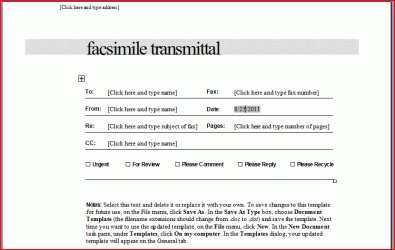
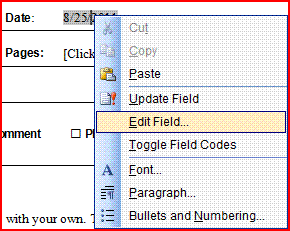
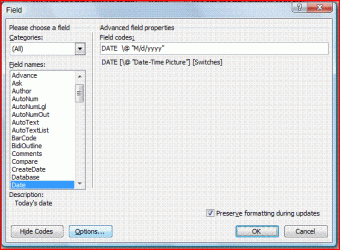
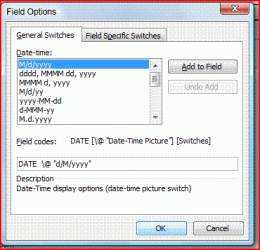
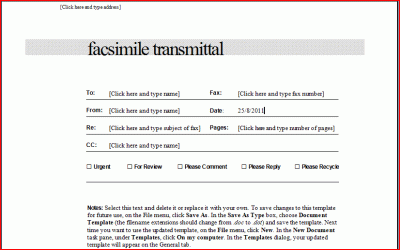
When I open word and select "Contemporary Fax" the date automatically come up in the MM/DD/YYYY format and I need DD/MM/YYYY as I live in Australia.
How do I fix it so it is the format I need.
I have tried Insert Date, which is set on English US, selecting English Australia then default Default but it just reverts next time I open a Contemporary Fax.
Thanks
Daniel
When I open word and select "Contemporary Fax" the date automatically come up in the MM/DD/YYYY format and I need DD/MM/YYYY as I live in Australia.
How do I fix it so it is the format I need.
I have tried Insert Date, which is set on English US, selecting English Australia then default Default but it just reverts next time I open a Contemporary Fax.
Thanks
Daniel
My Computer
At a glance
Microsoft Windows 7 Professional 32-bit 7601 ...Intel(R) Core(TM)2 Quad CPU Q8300 @ 2.50GHz4.00 GBNVIDIA GeForce GT 220
- Computer type
- PC/Desktop
- Computer Manufacturer/Model Number
- Multimedia PC MEDION® Akoya® E7330 D
- OS
- Microsoft Windows 7 Professional 32-bit 7601 Multiprocessor Free Service Pack 1
- CPU
- Intel(R) Core(TM)2 Quad CPU Q8300 @ 2.50GHz
- Motherboard
- MEDIONPC MS-7366
- Memory
- 4.00 GB
- Graphics Card(s)
- NVIDIA GeForce GT 220
- Sound Card
- (1) High Definition Audio Device (2) High Definition Audio
- Screen Resolution
- 1920 x 1080 x 32 bits (4294967296 colors) @ 60 Hz
- Hard Drives
- (1) WDC WD10EZEX-00WN4A0 ATA Device (2) WDC WD6400AACS-00G8B1 ATA Device (3) Generic Flash HS-CF USB Device (4) Generic Flash HS-MS/SD USB Device (5) Generic Flash HS-SM USB Device (6) HP Officejet 5740 s USB Device (7) USB Flash Disk USB