
Hey,
recently I have spotted a new feature on my Windows 7.
After connecting USB Drive, a prompt appears:
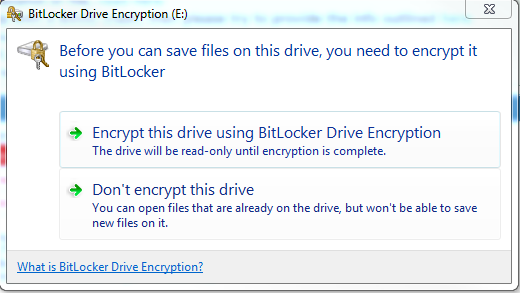
"Before you can save files on this drive, you need to encrypt it using BitLocker"
I can choose either "Encrypt this drive using BitLocker Drive Encryption" or "Don't encrypt this drive".
What I really want is to prevent this automatic "offer" from appearing, since I want to use this USB drive as a bootable stick, so any kind of encryption is not possible.
How can I do that?
recently I have spotted a new feature on my Windows 7.
After connecting USB Drive, a prompt appears:
"Before you can save files on this drive, you need to encrypt it using BitLocker"
I can choose either "Encrypt this drive using BitLocker Drive Encryption" or "Don't encrypt this drive".
What I really want is to prevent this automatic "offer" from appearing, since I want to use this USB drive as a bootable stick, so any kind of encryption is not possible.
How can I do that?
My Computer
At a glance
Windows 7 Professional x64i5-63008GB
- Computer type
- Laptop
- Computer Manufacturer/Model Number
- Fujitsu
- OS
- Windows 7 Professional x64
- CPU
- i5-6300
- Memory
- 8GB
- Antivirus
- Trendmicro
- Browser
- Opera


