ukmexicano
New member
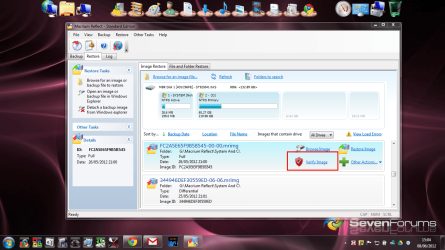
Is there anyway of verifying that a full System Image on a Windows 7 Ultimate 32bit was done correctly? The reason I'm asking is because on several occasions when I had to do a re-install the disk showed errors and I then just did an ordinary re-install.
Which wasn't a bad thing as it cleared a lot of toot on the pc!!
But I don't want to do it every time.
So is there a way of confirming or verifying that the system image was backed up on the dvds ok?
I remember Ghost would do it but I didn't like using Ghost very much.
If there isn't any, can you recommend a free backup software?
Thanks
Which wasn't a bad thing as it cleared a lot of toot on the pc!!
But I don't want to do it every time.
So is there a way of confirming or verifying that the system image was backed up on the dvds ok?
I remember Ghost would do it but I didn't like using Ghost very much.
If there isn't any, can you recommend a free backup software?
Thanks
My Computer
- Computer type
- PC/Desktop
- Computer Manufacturer/Model Number
- Hewlett-Packard HP Compaq dc5800 Microtower /CZC8100HQ0
- OS
- Windows 7 Ultimate 32 bit
- CPU
- Dual Core Intel Pentium
- Motherboard
- Hewlett-Packard 2820h
- Memory
- 2032
- Graphics Card(s)
- RADEON X700 SE
- Sound Card
- SoundMAX Integrated Digital HD Audio
- Monitor(s) Displays
- Videoseven
- Screen Resolution
- 1280 X 1024
- Hard Drives
- ST3160815AS 160GB
- Case
- Microtower
- Keyboard
- Standard PS/2 Keyboard
- Mouse
- Microsoft USB IntelliMouse Optical (IntelliPoint)
- Internet Speed
- upto 8mb
- Antivirus
- Microsoft Security Essentials
- Browser
- Google Chrome