- Local time
- 3:27 AM
- Messages
- 40
Hi
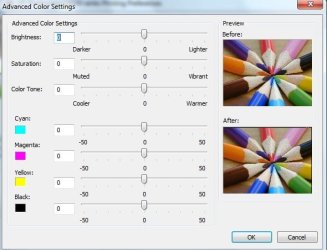
iam hoping some body can help we have a hp photosmart c5180 printer and ever since i have installed windows 7 all the pics are coming out darker than the picture
i have tryed the printer via network conected or via the usb port and it seems to make no diffrence
but if you print from my wifes vista computer they come out fine
has any body come across this before and if so how can i sort it
thank you
iam hoping some body can help we have a hp photosmart c5180 printer and ever since i have installed windows 7 all the pics are coming out darker than the picture
i have tryed the printer via network conected or via the usb port and it seems to make no diffrence
but if you print from my wifes vista computer they come out fine
has any body come across this before and if so how can i sort it
thank you
Last edited:
My Computer
- Computer Manufacturer/Model Number
- dell 15r laptop
- OS
- windows 7 home premium 64 bit
- CPU
- Intel Core i3 2310m 2.1GHz
- Motherboard
- dell
- Memory
- 8gb 1333 mhz ddr3
- Graphics Card(s)
- intel HD 3000
- Sound Card
- on board
- Monitor(s) Displays
- dell 15.6
- Screen Resolution
- 1366 x 768 @ 60HZ
- Hard Drives
- 500gb sata 2
- PSU
- in built
- Case
- dell
- Keyboard
- in built
- Mouse
- in built + microsoft bluetooth mouse
- Internet Speed
- 10mb down / 1mb up
- Other Info
- HP photosmart c5180 All-in-one Printer/Scanner/Copier (network conected) netgear GS608 8 port switch & GS605 5 port switch, WEI Score: 4.7