- Local time
- 4:22 AM
- Messages
- 50,634
This is explained in my Reinstall tutorial about how to disinfect your data before reimporting. Are you going to read it?


This is explained in my Reinstall tutorial about how to disinfect your data before reimporting. Are you going to read it?

 All updates done?
Good to hear
You're right, closer to 250 than 300 there has been 268I guess close to 250. Make sure you take images of your system partitions with Macrium free. It will save you the trouble next time.

And are all drivers installed in Device manager?
Google the exact text of the error message to find out how others have resolved it.
Do you have any performance problems?
Google the exact text of the error message to find out how others have resolved it.
Do you have any performance problems?
Are you running a Clean Boot and have resolved repeat errors in the logs per the tutorial?
The solution is on the first page - go into scheduled tasks and disable the task mentioned in the link.
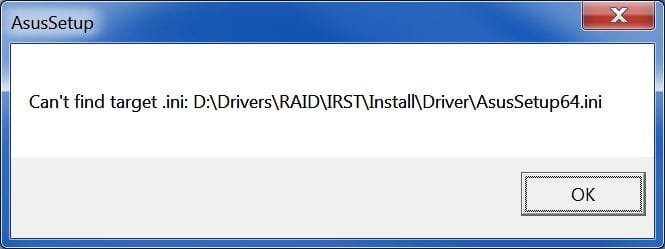
Maybe you can uninstall the ASUS setup and install IRST from Intel site. Try the first solution though.
The link was saying to delete.
Yes, I thought that too
I guess you didn't get the error when starting Task Scheduler?
Also, try run: gpedit.msc and see if any errors come up.
And I guess monitors are not sleeping on their own now?
See my PMI'd be interested in knowing how you got the IRST software installed.
Had you followed my tutorial then you would've known to only take the drivers from Windows update. Instead it seems you imported unnecessary bloatware from Asus which is especially poorly written and defeats the purpose of a clean reinstall.
Interesting how no one of the 1.5 million Who have followed http://www.sevenforums.com/tutorials/219487-clean-reinstall-factory-oem-windows-7-a.html#post1839164 have come up with errors at boot. That's another reason why when I loaned you my Windows 7 ISO I only asked that you follow those tutorial steps.