i hate w10.

Hi Poorguy, Microsoft did explain this back when they put out MS Office 13. The whole point was to help improve office for all the businesses that used it on a daily bases. They included the ability to turn on, or off telemetry. It is also included in Office 16, which I have chosen to turn it off.
 

My Computer

Computer Manufacturer/Model Number
HP Pavilion a4302f
OS
Win 7 Pro x64, VM Win XP, Win7 Pro Sandbox, Kubuntu 11
CPU
AMD Athlon(tm) II X4 640 @ 3.0 Gbz
Memory
12GB 1066MHz DDR3 SDRAM - 2x4GB, 2x2GB
Graphics Card(s)
ATI Radeon HD 4350 HD Graphics/Audio with 512MB
Sound Card
Realtek High Definition Audio
Monitor(s) Displays
1. Dell 23" SP2307, 2. Mitsublishi 40" HDTV, Hannspree 25"
Screen Resolution
1. 2048x1152, 2. 1920-1080, 3. 1920x1200
Hard Drives
Int: 1 120 Gig SSD i
1 - 2.5" 500 USB External HDD
1 -1 Tb USB External HDD
Case
Mid Tower
Cooling
Standard Fans - 5 fans (very quiet)
Keyboard
Microsoft Wireless 2000
Mouse
Microsoft Wireless Mouse 5000
Internet Speed
10 Mbit (realistically 500 Kbit - 1.2 Mbit)
Other Info
Speakers - Bose Desktop (Excellent Sound)
1 external CD|DVD\Blue-ray Recorders/Players (Sony)
The ability of the user to turn things on and off to me is "choice".
I like "choice", and that "choice" should be easy to find and use.

Jack
 

My Computer

Computer type
PC/Desktop
Computer Manufacturer/Model Number
Home made Desktop
OS
Windows 10 Pro. 64/ version 1709 Windows 7 Pro/64
CPU
Intel i7-6800K @ 4.3
Motherboard
ASUS X-99 Deluxe II
Memory
Corsair Platinum 16 gig @2400
Graphics Card(s)
EVGA GTX 1070 OC
Monitor(s) Displays
Asus 27" LED LCD/VE278Q
Screen Resolution
1920-1080 or 1280-720 HDMI
Hard Drives
INTEL SSD 730-240 Gb Sata 3.0/
PSU
EVGA Platium 1200W
Case
Phanteks Luxe Tempered Glass 8 fans/ one radiator
Cooling
XSPC/ Water Cooled CPU
Keyboard
Das 4 Professional
Mouse
Logitech M705/MX Anywhere 2-S
Internet Speed
100 mbits
Antivirus
Microsoft Security Essentials/ Malwarebytes Premium 3.0/ SAS
Browser
I.E. 11 default/Firefox/ ISP Time Warner Cable/Spectrum
Other Info
LG BluRay Burner/
Sound system-KLipsch-THX/
Icy Dock ssd Hot Swap bays.
Hi Poorguy, Microsoft did explain this back when they put out MS Office 13. The whole point was to help improve office for all the businesses that used it on a daily bases. They included the ability to turn on, or off telemetry. It is also included in Office 16, which I have chosen to turn it off.
Hello Lee,
Not ever using Microsoft Office I didn't know that.
I have only used LibreOffice.
 

My Computer

OS
Linux
The ability of the user to turn things on and off to me is "choice".
I like "choice", and that "choice" should be easy to find and use.

Jack
Hello Layback Bear,

Choice is good and the end-user should have the choice to turn things off and on.
 

My Computer

OS
Linux
Hello Barman58,

Ok Barman after reading your post about Windows 10 and since I do have Windows 10 installed on a desktop I've decided to give it another try and see how it works for me.
As I stated earlier I don't hate Windows 10 and I've nothing to hide so why not.
Here's proof you can teach an old dog new tricks.

The PoorGuy :thumbsup:
 

My Computer

OS
Linux
If you have any problems, remember there are plenty of folks and extensive tutorials over at our Windows 10 Forums that can help you out ;)
Thanks.

So far all is running well.
Surprised at the 3.9GBs of updates it needed but it hasn't been connected in over a year but it is 100% updated.
 

My Computer

OS
Linux
Hi,
Not really MS is stuffing 10 full
Wanted or not all of the stuffing returns :)
10 is nearly as big as 7 now :p
 

My Computer

Computer type
PC/Desktop
Computer Manufacturer/Model Number
Custom assembled by me :}
OS
Win-7-Pro64bit 7-H-Prem-64bit
CPU
i7-5930K 2nd i9-9940x both water blocked VRM's too
Motherboard
ASUS SABERTOOTH X99 2nd ASUS x299 Apex
Memory
Trident-z 3200C14 2nd Trident-z 3600C16
Graphics Card(s)
EVGA 1080ti ftw3 2nd Titan Xp both water blocked
Sound Card
Built-in Realtek
Monitor(s) Displays
1-AOC G2460PG 24"G-Sync 144Hz/ 2nd 1-ASUS VG248QE 24" 144Hz
Screen Resolution
1920 x 1080 144Hz
Hard Drives
2-Samsung M.2 Evo & Evo Plus
2-Samsung 850 EVO 500GB SSD's/ 3-2.5 W.D. Black 1tb-&3-1tb/3-3.5 WD Black 1tb hdd's
PSU
EVGA SuperNOVA 1000-P2 2nd 1200-P2
Case
2-Corsair Obsidian Series 450D Black ATX Mid Tower
Cooling
Custom water loops
Keyboard
Logitech G710+/ 2nd Logitech G910
Mouse
2-RedDragon M901 Perdition 16400 dpi Gaming mouse = wired
Internet Speed
Comcast Ping 19ms 89.31mbps download speed 6.12mbps upload
Antivirus
Malwarebytes Pro/ Superantispyware Pro
Browser
FireFox & Pale moon
Other Info
2nd ASUS X299 Apex/Intel i9-9940x with Custom water loop/7H-Prem-x64/Corsair 450D case/Ram Trident-z 3600C16 4x8gb / Samsung970Evo plus 500gb SSD/Dual ssd EZ swap evo/PSU EVGA SuperNova 1200w-P2 80+Platinum/GPU Titan Xp /8-ML-140 on push-pull on 2-280GTX rads
Telemetry is an essential part of the world we live in - would anyone demand that the black box and fly-by-wire systems on the aircraft they are boarding be switched off as it may contain their personal Lunch menu? I doubt it ;)
There is a huge difference in the consequences of a glitch in an aircraft's flight control system and a glitch in a desktop/phone/tablet device.

MS could have avoided all of this, by building the data collector tools as plugins that the user has to download and install.
MS could have offered any incentives they wanted (e.g. more OneDrive space, more Azure credits and/or discounts on software, like Office, Visual Studio, etc.).

They could have offered a free version of W10, which won't run without the plugins (data collection and adverts).
The plugins would be downloaded and installed during the OS installation.

Any version that was purchased would not have the plugins (unless the user choose to download and install them).

Upgrades of the free version to a better version, would ask if you want to remove the plugins (and actually remove them if told to).
If a user opted to keep them, they could then be offered the MS bonuses.

IMO, W10 is much less annoying than the W8 Series (apart from Windows Updates).
 

My Computer

Computer type
PC/Desktop
Computer Manufacturer/Model Number
n/a
OS
W7 Ultimate SP1, LM19.2 MATE, W10 Home 1703, W10 Pro 1703 VM, #All 64 bit
CPU
AMD Phenom II x6 1100T, 3.3 GHz
Motherboard
ASUS M4A88T-M/USB3 (AM3)
Memory
12GB DDR3 1333 G-Skill (4GB x 2), G-Skill (2GB x 2)
Graphics Card(s)
NVIDIA GeForce GTX 660
Sound Card
Realtek?
Monitor(s) Displays
Samsung S23B350
Screen Resolution
1920x1080
Hard Drives
WD Green 2TB (SATA), WD Green 3TB (SATA), WD Blue 4TB (SATA), WD Blue 6TB (SATA)
PSU
Cooler Master
Case
Antec GX300 Tower
Cooling
3x Antec TRICOOL 120mm Fans
Mouse
Wired Optical
Internet Speed
DSL
Antivirus
Avast
Browser
Pale Moon (64 bit)
Other Info
2018-12-27 Upgraded HDDs
2015-12-10 Upgraded case, graphics card, storage
2015-08-15 Upgraded motherboard & RAM
2015-07-15 Upgraded LM17.1 to LM17.2
I'm curious to know is there a paid version of Windows 10 that an end-user would have full control or more control of the updates and the data collection telemetry.
Is there any reliable third party software available paid or freeware that would limit the data collection telemetry.
 

My Computer

OS
Linux
There is the Enterprise version of Windows 10 that has a lot more granular control over telemetry, updates Etc. This is sold to business customers under the terms of Multiple licensing, which is only really viable for quantities of hundreds or thousands of seats.

Enterprise is available to non corporate customers only as a part of the MSDN subscription.

There are some options to give more granular control of updates by default in Windows 10 Professional, the options for control of telemetry is the same as the home versions as far as I can see
 

My Computers

System One System Two

  • Computer type
    PC/Desktop
    Computer Manufacturer/Model Number
    ChillBlast - Custom to my design
    OS
    Windows 11 Pro x64 [Latest Release and Release Preview]
    CPU
    Ryzen 9 5950X, 3.8 - 5.2 MHz
    Motherboard
    Asus Prime X570-Pro
    Memory
    64GB [2 x 32GB] DDR4 3200MHz
    Graphics Card(s)
    4GB NVIDIA GEFORCE GTX 1650 Ti
    Sound Card
    On-board SPDIF to 5.1 System + HDMI [5.1 system]
    Monitor(s) Displays
    32" UHD 32 Bit HDR Monitor + 43" UHD 4K 32Bit HDR TV
    Screen Resolution
    2 x 3840 x 2160 @60Hz
    Hard Drives
    1TB M2 SSD OS, 500GB Fast Access SSD, 2 x 8TB Data + Various Externals from 1TB to 4TB, 10TB NAS
    PSU
    NZXT C750 80 PLUS Gold 750W Modular PSU
    Case
    Workstation Case [Matt Black]
    Cooling
    NZXT Kraken X63 280mm CPU Cooler +2x Quiet Case fans
    Keyboard
    Logitech Wireless MX Keys & K400 + others
    Mouse
    Logitech Wireless MX Master 3S
    Internet Speed
    920 MB Down 50 MB Up
    Antivirus
    BitDefender Total Security Pro
    Browser
    Chrome (always run latest Non-Beta)
    Other Info
    Also run ...
    Laptop - Quad 8GB - Windows 10 Pro x64
    Nexus 7 Android tablet x2
    Samsung 10.2" tablet
    Blackview TAB 8 4G Android Tablet c/w Keyboard
    Wacom Intuos Pro Medium Pen Pad
    Wacom Intuos Pro Small Pen Pad
    Wacom Expresskeys Remote
    Loopdeck+ Graphics Controller
    Shuttle Pro v2 Control
  • Computer type
    Laptop
    System Manufacturer/Model Number
    Dell XPS 17 10750H
    OS
    Windows 11 Pro x64 Latest RP
    CPU
    Intel I7 10750H 5.0GHz
    Motherboard
    Dell XPS
    Memory
    32GB [2x16GB] DDR4 2933 MHz
    Graphics Card(s)
    nVidia GTX1650Ti 4 GB GDDR6
    Sound Card
    Stock [Realtek] 4 Speaker
    Monitor(s) Displays
    17" IPS UHD+ Infinity Edge Touchscreen
    Screen Resolution
    3840 x 2400
    Hard Drives
    2TB M2 NVMe, 4TB External + various 500GB & 1TB External NVMe (also have access to spinner HDD from
    PSU
    Stock
    Case
    Stock XPS Aluminium & Carbon Fibre
    Cooling
    Stock - Active Fan Control
    Keyboard
    Backlit + Various Logitech
    Mouse
    Stock Track Pad + Logitech MX Trackball
    Internet Speed
    72 MB Down 18MB Up
    Browser
    Chrome
    Other Info
    Also run ...
    Laptop - Quad 8GB - Windows 10 Pro x64
    Nexus 7 Android tablet x2
    10.2" tablet
    Sony Z3 Android Smartphone
    Wacom Intuos Pro Medium Pen Pad
    Wacom Intuos Pro Small Pen Pad
    Wacom Expresskeys Remote
    Loopdeck+ Graphics Controller
    Shuttle Pro v2 Control Pad
    10TB NAS
Hey Barman58,

I was just curious and kind of figured as much. I have as much switched of as allowed and will check regularly after updates to see that they are where I put them as I have noticed that after updates some of them do change. This is a small chore for a free OS.

I'm impressed how fast Windows 10 runs. It appears that Microsoft has optimized it for a performance gain which it seems to have over Windows 7.

Thanks.

The PoorGuy :)
 

My Computer

OS
Linux
There is the Enterprise version of Windows 10 that has a lot more granular control over telemetry, updates Etc. This is sold to business customers under the terms of Multiple licensing, which is only really viable for quantities of hundreds or thousands of seats.

Enterprise is available to non corporate customers only as a part of the MSDN subscription.

There are some options to give more granular control of updates by default in Windows 10 Professional, the options for control of telemetry is the same as the home versions as far as I can see

Even better than Windows 10 Enterprise is Windows 10 Enterprise LTSB - long term service branch. It's not what it's got, more what it hasn't - no Cortana, no Edge, no tiles, no Store, no Candy Crush, Groove Music, Money, Phone Companion etc (or any other nonsense) - in fact NO APPS ! LTSB doesn't have WMP or WMC, but there's a media pack available at MS for WMP,
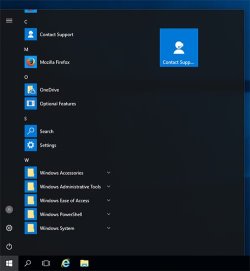
I tried it in a VM and it was amazing, straight out of the box, to click the start menu and find it empty ie no placeholders/adverts or any other garbage. Also you only get security updates, with no sudden unexpected version changes + surprise restarts - you can choose when to get these.

Because this is the version of Windows 10 that people actually want, Microsoft have kept it well hidden - even from their business customers.

See snip of LTSB menu (or lack of it).

LTSB_menu.jpg

All I want from an OS is a platform to run my software. I don't want all the bells + whistles razzmatazz.
 
Last edited by a moderator:

My Computer

Computer type
PC/Desktop
Computer Manufacturer/Model Number
self build
OS
Windows 7 Pro x64 sp1
CPU
i7 4770K
Motherboard
MSI B85M-E45
Memory
8GB Corsair Vengeance 1600MHz
Graphics Card(s)
onboard
Monitor(s) Displays
LG 27MP35
Screen Resolution
1920-1080
Hard Drives
Seagate 2TB
PSU
Cooler Master GX 750
Case
Antec 300
Cooling
Seidon 120V
Internet Speed
60/18
Antivirus
MSE
Browser
Firefox
Sound like Win10 LTSB is a operating system that many would be willing to pay for.

It would be on my list of things to give a try and if I like it; buy it.

It's a shame one can't buy it without a volume licensing.


Jack
 

My Computer

Computer type
PC/Desktop
Computer Manufacturer/Model Number
Home made Desktop
OS
Windows 10 Pro. 64/ version 1709 Windows 7 Pro/64
CPU
Intel i7-6800K @ 4.3
Motherboard
ASUS X-99 Deluxe II
Memory
Corsair Platinum 16 gig @2400
Graphics Card(s)
EVGA GTX 1070 OC
Monitor(s) Displays
Asus 27" LED LCD/VE278Q
Screen Resolution
1920-1080 or 1280-720 HDMI
Hard Drives
INTEL SSD 730-240 Gb Sata 3.0/
PSU
EVGA Platium 1200W
Case
Phanteks Luxe Tempered Glass 8 fans/ one radiator
Cooling
XSPC/ Water Cooled CPU
Keyboard
Das 4 Professional
Mouse
Logitech M705/MX Anywhere 2-S
Internet Speed
100 mbits
Antivirus
Microsoft Security Essentials/ Malwarebytes Premium 3.0/ SAS
Browser
I.E. 11 default/Firefox/ ISP Time Warner Cable/Spectrum
Other Info
LG BluRay Burner/
Sound system-KLipsch-THX/
Icy Dock ssd Hot Swap bays.
It does sound pretty cool.
I'm just going to stay with the free upgrade as it works ok.
I'm also a Linux user for my main daily driver although Windows seems to do work better for certain media HTPC TV cards that I'm using.
Linux and Windows on different desktops gives me the best of both OS worlds.
 

My Computer

OS
Linux
I stopped Windows Update of 10 on my laptop because it's already slow. Telemetry becomes an issue as well especially on those running with HDDs. I have to stop the Telemetry from task manager everytime the drive light is always on and not blinking that much.

But it's a great OS. You just have to stop too many services unfortunately :\
 
Last edited by a moderator:

My Computer

Computer type
PC/Desktop
Computer Manufacturer/Model Number
ASUS X550ZE
OS
Windows 7 Home Premium 64-BIT
CPU
AMD A8 7200P
Motherboard
N/A
Memory
8GB 1600mhz
Graphics Card(s)
Radeon R5 (APU) + Radeon R5 M230 2GB Dual Graphics
Sound Card
Realtek ALC269 with SonicMaster
Monitor(s) Displays
Laptop Display
Screen Resolution
1920 x 1080 @60hz
Hard Drives
WDC WD50 00LPVX-80V0TT0 (500GB)
PSU
Laptop Charger
Mouse
ARMAGGEDON TEXTRON SCORPION 7
Internet Speed
100 mbps DOWN / 50 mbps UP
Antivirus
Windows Defender
Browser
Mozzila FireFox, Valve Steam in-game internet browser
I cannot stand Windows 10 either...

I tried it out on a friends new computer months ago when I was called upon to install some old games patch the, etc for him..

I just... >_> the GUI is crapware...
compared to Windows 7 or XP...
I will always prefer the classic GUI layout etc...

Windows 7 Forever! ;p
 

My Computers

System One System Two

  • Computer type
    PC/Desktop
    Computer Manufacturer/Model Number
    [Self-built](custom-build)(June 2020)
    OS
    Windows 11 Pro (x64)
    CPU
    AMD Ryzen 9 3900X 12-Core Processor
    Motherboard
    Asus PRIME X570-PRO
    Memory
    32GB, 2x G.Skill 16GB (PC3200)(DDR4-2137)
    Graphics Card(s)
    NVIDIA GeForce RTX 3070 Ti 8GB XC3 model by EVGA
    Sound Card
    Realtek® ALC1220A 8-Channel High Definition Audio CODEC
    Monitor(s) Displays
    24" DELL Gaming Monitor - G2422HS - DisplayPort used
    Screen Resolution
    1920x1080p at 165Hz (16:9 Aspect Ratio)
    Hard Drives
    1TB Samsung 980 Pro (NVMe)(SSD)
    2TB Samsung 980 Pro (NVMe)(SSD)
    2TB Samsung 870 EVO (SSD)

    NVMe 1TB
    -- OS(Win10 Pro x64),
    -- programs,
    -- programming(MS Visual Studios 2022 Community Ed.),
    -- music

    NV
    PSU
    Thermaltake TOUGHPOWER DPS G RGB Titanium Certified 1250Watt
    Case
    Corsair Graphite Series 780T Full Tower PC Case
    Cooling
    AMD Wraith cooler (stock) & 3x Corsair case fans
    Keyboard
    Alienware Low Profile RGB Mechanical USB Gaming Keyboard - A
    Mouse
    Redragon M602 RGB Wired USB Gaming mouse
    Internet Speed
    2100Mbps Download, 350Mbps Upload
    Antivirus
    n/a aka "ABOVE TOP SECRET!" lol ;)
    Browser
    Firefox & Google Chrome
  • Computer type
    Laptop
    System Manufacturer/Model Number
    DELL G15 Ryzen edition, model 5515
    OS
    Windows 11 Pro
    CPU
    AMD Ryzen 7 5800H
    Motherboard
    DELL G15 Ryzen edition
    Memory
    16GB DDR4
    Graphics Card(s)
    Ryzen 7 5800H integrated AMD Radeon Graphics and Nvidia GeForce 3060 6GB
    Sound Card
    Realtek ALC3254 with Nahimic 3D Audio for Gamers
    Monitor(s) Displays
    built-in
    Screen Resolution
    1920x1080
    Hard Drives
    500GB NVMe SSD
    PSU
    DELL power brick.
    Case
    laptop
    Cooling
    laptop cooling
    Keyboard
    built-in
    Mouse
    Microsoft basic optical scroll mouse
    Internet Speed
    1000Mbps download, 20Mbps upload
    Browser
    Firefox & Waterfox Classic
Hi,
10 media creation tool is utterly useless too and as far as I know is the only way to get an iso now to clean install the latest build other than the silly insider builds.
 

My Computer

Computer type
PC/Desktop
Computer Manufacturer/Model Number
Custom assembled by me :}
OS
Win-7-Pro64bit 7-H-Prem-64bit
CPU
i7-5930K 2nd i9-9940x both water blocked VRM's too
Motherboard
ASUS SABERTOOTH X99 2nd ASUS x299 Apex
Memory
Trident-z 3200C14 2nd Trident-z 3600C16
Graphics Card(s)
EVGA 1080ti ftw3 2nd Titan Xp both water blocked
Sound Card
Built-in Realtek
Monitor(s) Displays
1-AOC G2460PG 24"G-Sync 144Hz/ 2nd 1-ASUS VG248QE 24" 144Hz
Screen Resolution
1920 x 1080 144Hz
Hard Drives
2-Samsung M.2 Evo & Evo Plus
2-Samsung 850 EVO 500GB SSD's/ 3-2.5 W.D. Black 1tb-&3-1tb/3-3.5 WD Black 1tb hdd's
PSU
EVGA SuperNOVA 1000-P2 2nd 1200-P2
Case
2-Corsair Obsidian Series 450D Black ATX Mid Tower
Cooling
Custom water loops
Keyboard
Logitech G710+/ 2nd Logitech G910
Mouse
2-RedDragon M901 Perdition 16400 dpi Gaming mouse = wired
Internet Speed
Comcast Ping 19ms 89.31mbps download speed 6.12mbps upload
Antivirus
Malwarebytes Pro/ Superantispyware Pro
Browser
FireFox & Pale moon
Other Info
2nd ASUS X299 Apex/Intel i9-9940x with Custom water loop/7H-Prem-x64/Corsair 450D case/Ram Trident-z 3600C16 4x8gb / Samsung970Evo plus 500gb SSD/Dual ssd EZ swap evo/PSU EVGA SuperNova 1200w-P2 80+Platinum/GPU Titan Xp /8-ML-140 on push-pull on 2-280GTX rads
I find the positive merits of UEFI BIOS dubious.

Windows 10 Ultimate is no brainier? What would happen to my Vista Extras that I could use in 7?

Don't like Windows 10 home edition, so the pro edition would be my choice.

w10 sounds like half an English postcode, 971058 sounds more like a zip code.
 

My Computer

Computer type
PC/Desktop
OS
Windows 7 x64, Vista x64, 8.1 smartphone
CPU
Intel E8400 65W 64-bit
Motherboard
Gigabyte EP45-UD3LR
Memory
DDR2 2 x 2GB, 1GB x 2
Graphics Card(s)
XFX Radeon HD5750
Sound Card
AMD High Definition Audio; Realtek High Definition Audio
Monitor(s) Displays
iiyama prolite X2377HDS
Screen Resolution
1920 x 1080
Hard Drives
500GB 7200 rpm Seagate ST3500413AS 16MB, 500GB 5400 rpm Toshiba MQ02ABF050H 32MB, 200GB 7200 rpm Seagate ST3200820AS 8MB, 2TB 7200 rpm Western Digital WD20EZRX 64MB
PSU
Enermax Liberty Modular
Case
Antec P193 Midi Tower
Keyboard
Mionix ZIBAL 60
Mouse
Razer USB 2.0 Diamondback Mouse or Huion Graphics Tablet
Browser
Internet Explorer, Lunascape, Firefox, Opera, Avast Safezone
Hi,
I believe uefi bios is pretty cool
Now a pure uefi install is dubious seeing the most important part of it is bitlocker and most versions can not use it except ultimate and enterprise editions
There is secure boot but for the most part that is just a pain in the ass if you end up with booting issues.... just makes it tougher to get into the bios seems to me.
 

My Computer

Computer type
PC/Desktop
Computer Manufacturer/Model Number
Custom assembled by me :}
OS
Win-7-Pro64bit 7-H-Prem-64bit
CPU
i7-5930K 2nd i9-9940x both water blocked VRM's too
Motherboard
ASUS SABERTOOTH X99 2nd ASUS x299 Apex
Memory
Trident-z 3200C14 2nd Trident-z 3600C16
Graphics Card(s)
EVGA 1080ti ftw3 2nd Titan Xp both water blocked
Sound Card
Built-in Realtek
Monitor(s) Displays
1-AOC G2460PG 24"G-Sync 144Hz/ 2nd 1-ASUS VG248QE 24" 144Hz
Screen Resolution
1920 x 1080 144Hz
Hard Drives
2-Samsung M.2 Evo & Evo Plus
2-Samsung 850 EVO 500GB SSD's/ 3-2.5 W.D. Black 1tb-&3-1tb/3-3.5 WD Black 1tb hdd's
PSU
EVGA SuperNOVA 1000-P2 2nd 1200-P2
Case
2-Corsair Obsidian Series 450D Black ATX Mid Tower
Cooling
Custom water loops
Keyboard
Logitech G710+/ 2nd Logitech G910
Mouse
2-RedDragon M901 Perdition 16400 dpi Gaming mouse = wired
Internet Speed
Comcast Ping 19ms 89.31mbps download speed 6.12mbps upload
Antivirus
Malwarebytes Pro/ Superantispyware Pro
Browser
FireFox & Pale moon
Other Info
2nd ASUS X299 Apex/Intel i9-9940x with Custom water loop/7H-Prem-x64/Corsair 450D case/Ram Trident-z 3600C16 4x8gb / Samsung970Evo plus 500gb SSD/Dual ssd EZ swap evo/PSU EVGA SuperNova 1200w-P2 80+Platinum/GPU Titan Xp /8-ML-140 on push-pull on 2-280GTX rads
Back
Top