Thank you for your reply. I am very sorry I asked the question wrong and wasted your time. But it did give me a clue. I should have asked, "from the new Standard Account, how I can open Firefox, that I have already installed under my Admin account.
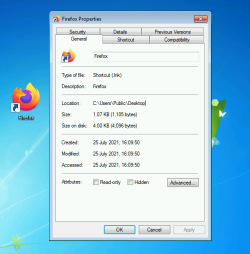
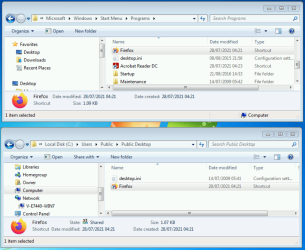
Taking a cue from your reply above, I looked in Public Desktop and found there are no short cuts at all in that folder (empty). I have installed 4 Browsers as Admin; Firefox, Epic, Mypal and Basilisk. They made short cuts on my Desktop but made none in Public Desktop folder.
Searching around, I found that I am able to open many programs from the Standard Account, by using shortcuts placed in All Users Start Menu folder. These shortcuts would have been placed there at the time I installed the programs earlier, from the Admin Account. There are literally hundreds of shortcuts, some in folders, not only for opening those programs but also with shortcuts for uninstalling, documentary support, their web sites etc. etc. The catch is, no shortcuts have been placed there for any of my Browsers. From the Admin Account I placed the missing Browser shortcuts, one at a time, in All Users Start Menu folder. With this folder still open in the Admin Account, the shortcuts worked fine. After logging off and opening the Standard Account I found that every shortcut was corrupted with the usual notification window saying "the program this shortcut refers to has been moved or.........." and asking whether to delete the shortcut. The appearance of the icon also changed to some thing completely different.
Next I tried placing these shortcuts in the Public Desktop, Standard Account Desktop and also in C:>Users>Public folder and got exactly the same result. All 4 Browsers refuse to be opened from the Standard Account. What is left for me to do?